
Today, we'll add to ours. Linux Active Directory servers network folders so that users of different groups can share files in Windows.
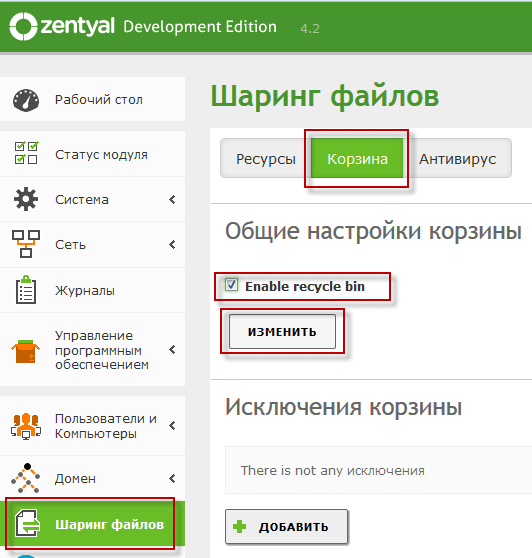
To do this, go to the web management interface. Active Directory server via browser to tab Sharing filesclick Basket and check the box. Enable recycle bin and save the click. Change.. With this action, we save to the basket all deleted and modified files on network folders. If nothing needs to be saved, then accordingly we do not include the basket:
Add a network folder Share, which can go to all users of the domain, but will not be able to users outside the domain. So we click on this. tab Sharing filesclick Resources, tick off Included..
Fill in the name fields of network folders:
- Common resource name: share
- Towards a shared resource: share
- Commentary: Share All files
- Guest access: Don’t check the box unless you want anyone on the network to see everything inside the folder.
- Apply ACLs recursively: checkmark
To add a network folder, press the button Add:

Add a network folder Admins, which can only go to domain administrators, but will not be able to users outside the domain. So we click on this. tab Sharing filesclick Resources, tick off Included..
Fill in the name fields of network folders:
- Common resource name: Admins
- Towards a shared resource: admins
- Commentary: Files Admins
- Guest access: don't tick
- Apply ACLs recursively: checkmark
To add a network folder, press the button Add:
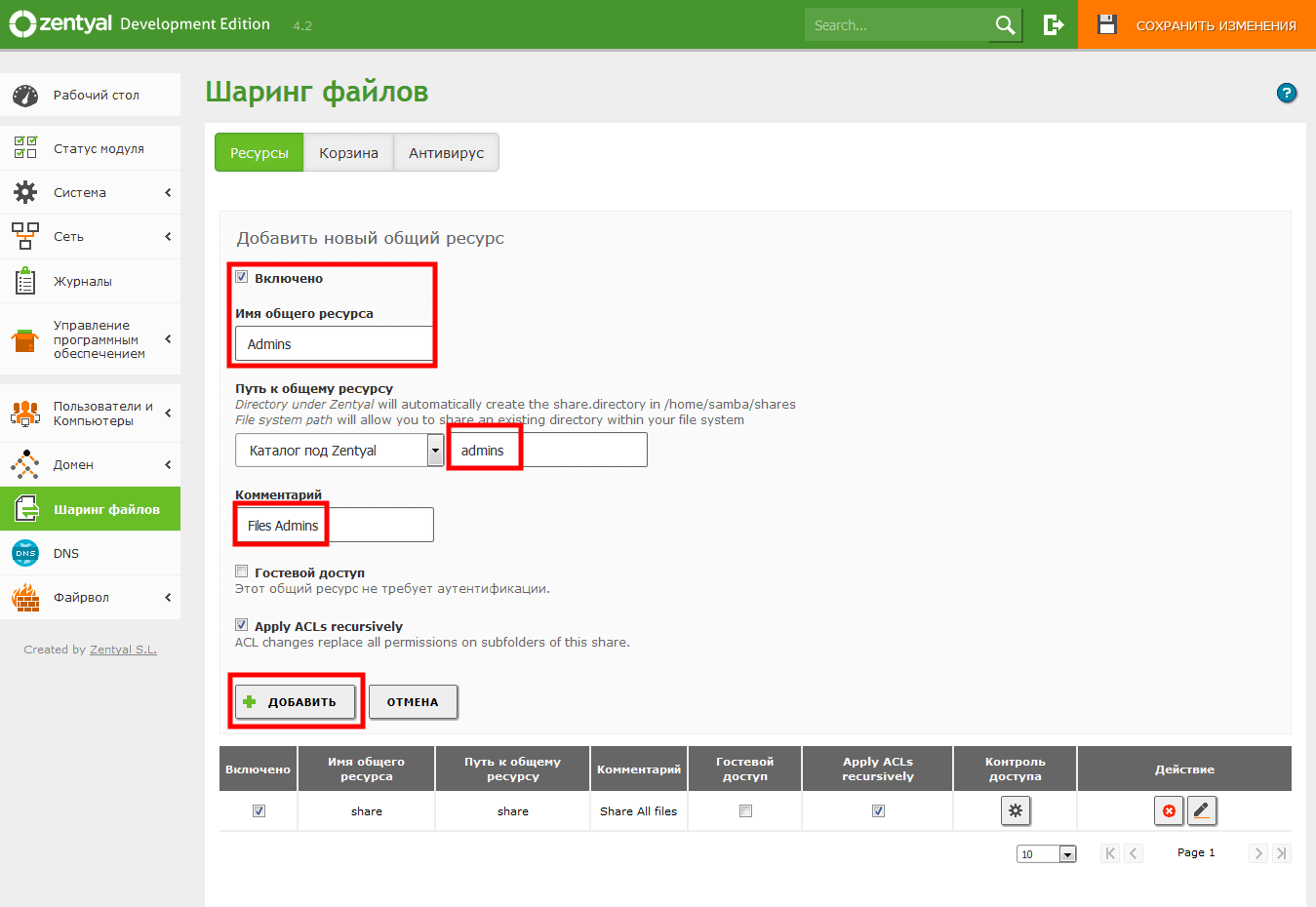
We see the added network folders, click on the gear in the tab Access control folder share:

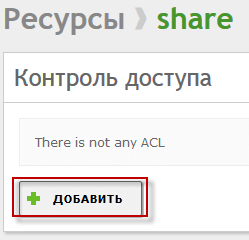
In the open folder access control window share click Add:
In the window that opens, select the Group drop-down field, and in the drop-down list select All domains users, in the Resolution tab in the drop-down list select Read and Write so that domain users can write and copy from and to the network folder, and press the button Add To save the rights to the folder:
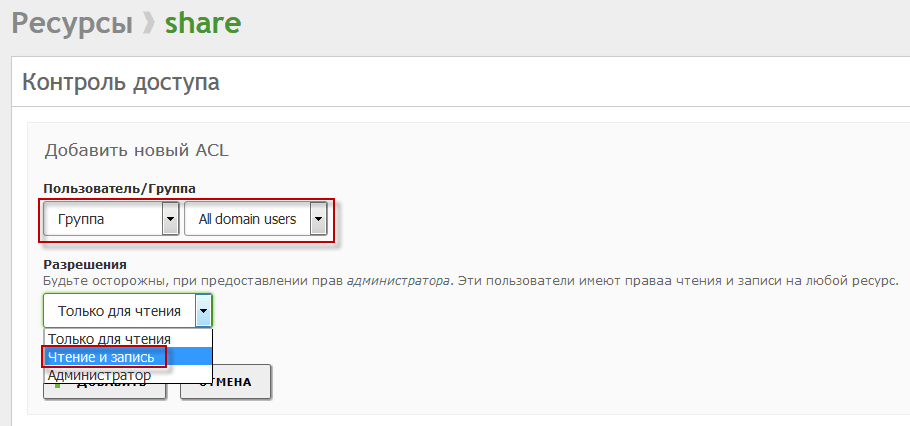
In the Resources window, click on the gear in the tab Access control folder share:
In the window that opens, select in the drop-down field Group, and in the drop-down list select Domain Admins, in the Resolution tab in the drop-down list select Read and Write so that domain administrators can write and copy from and to the network folder, and press the button Add To save the rights to the folder:
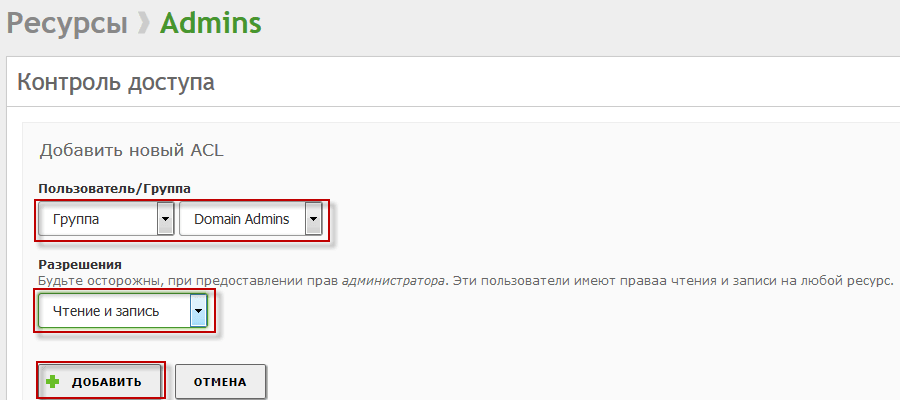
On top of the upper right window, click on the button. Save the changes:
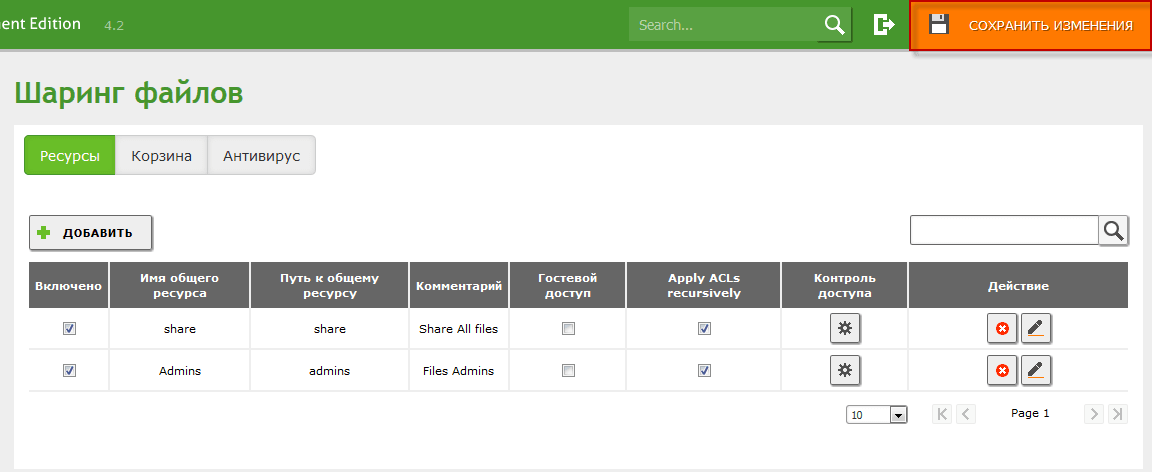
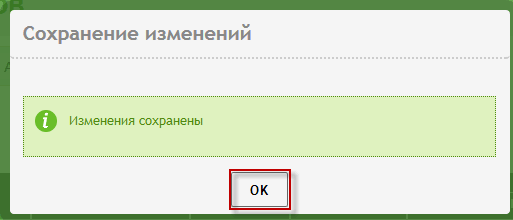
Confirm the saved window and press the button. Save.:
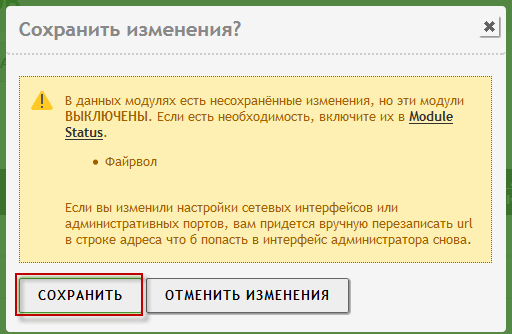
Application of Linux Active Directory Changes:
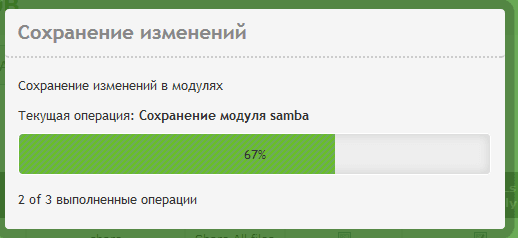
The Linux Active Directory change process is implemented:
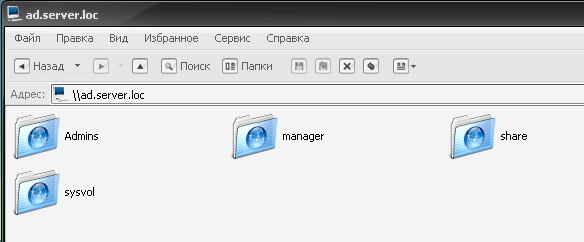
In a computer under the domain user, or under the domain administrator, opening the network environment, you can see and go to the added network folders correspondingly given access rights:
Today, we have added network folders for domain user groups, for example, you can add groups and network folders for these workgroups.
I was with you. Sergey Lazarenko.
Let’s take a short break and watch an interesting video of how you can forge a Yakut knife from a file:

comment