
Not so long ago I wrote a manual on how to use Linux server Zentual. install Active Directory. I also promised to cover in more detail such issues as adding users, user groups, shared folders, group policies and administering our Windows domain. So I continue the introduction and today we will install and configure a subordinate server of the domain controller. This can be both a geographically remote server and a backup domain controller server located for example on a virtual machine in the network of the domain controller.
In the previous instruction: Install Active Directory on Linux using Zentual ServerWe downloaded the distribution, installed the system and configured this server.
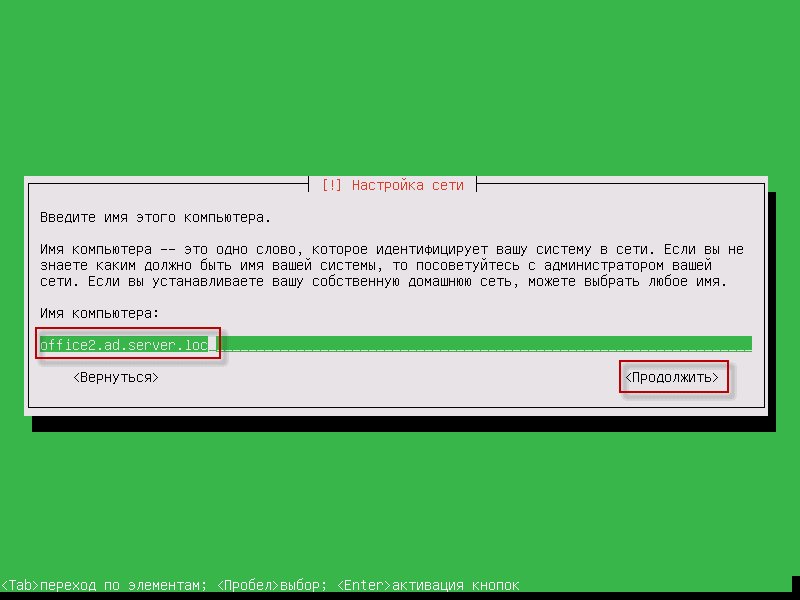
The second backup server is installed in the same way as the head server, but we change the server domain name when installing it. office2.ad.server.loc:
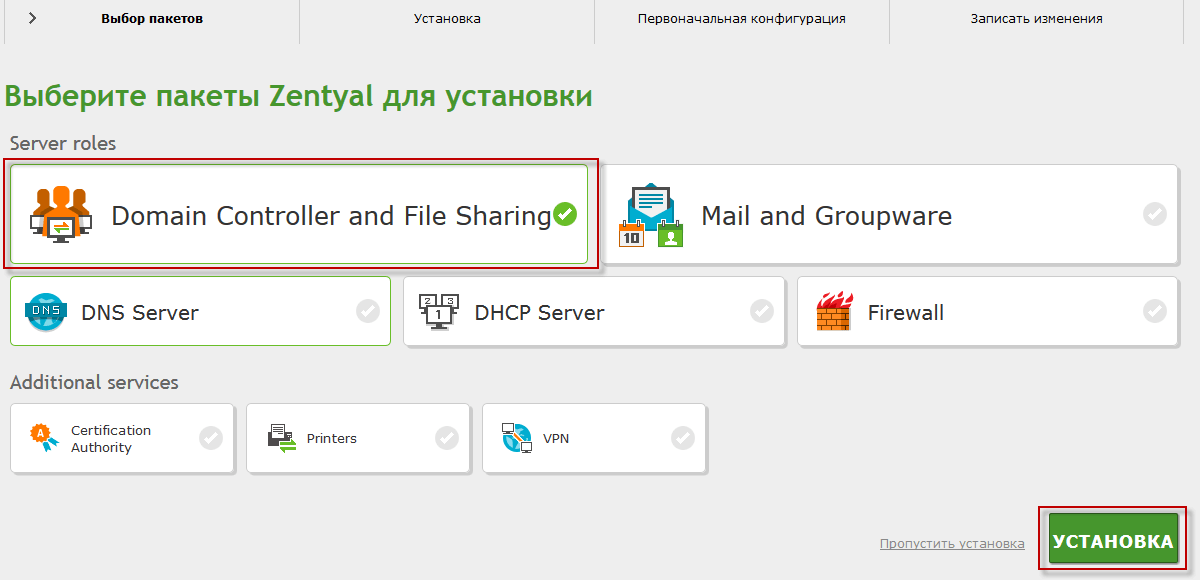
As well as in the main instructions, select the necessary packages of the domain controller:
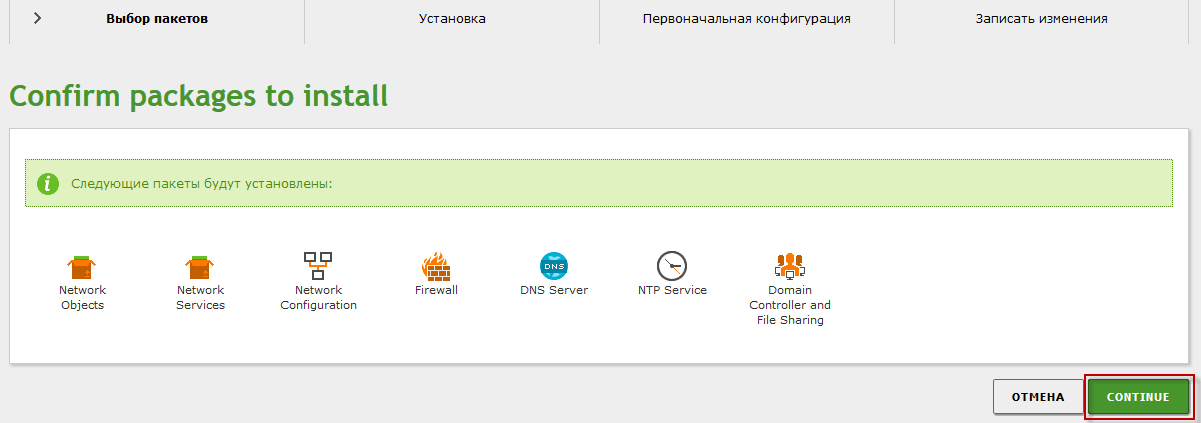
Confirm the launch of the selected packages:
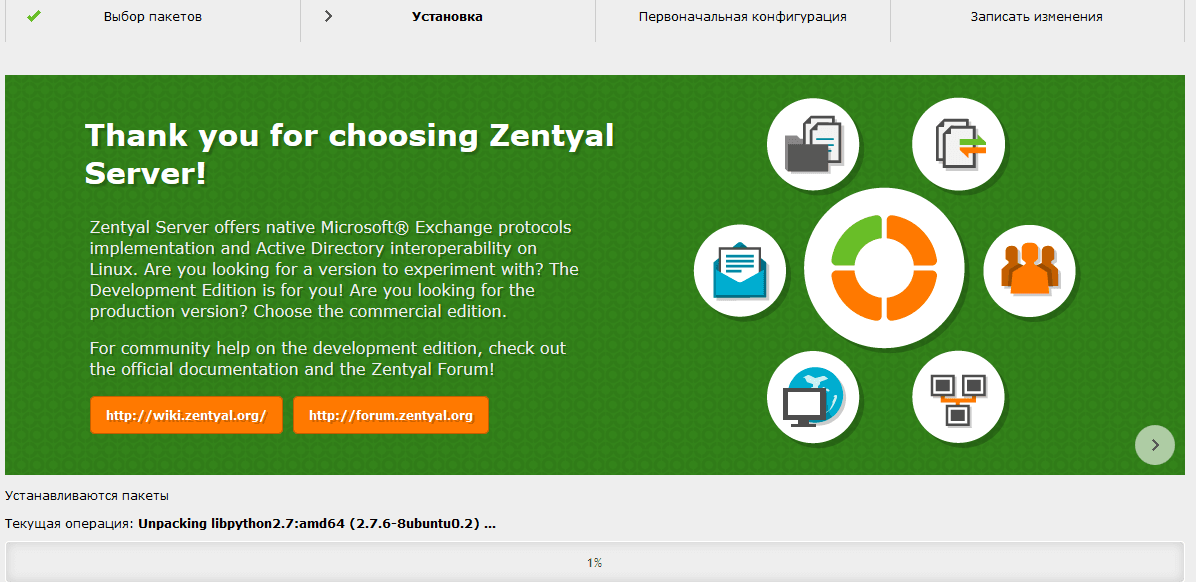
We see the process of installing domain controller packets:
In the list of modules check and put if not necessary by example in the screenshot below:

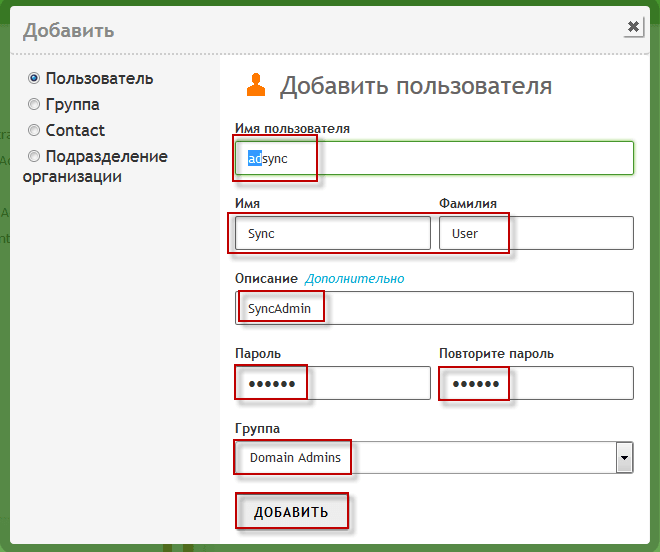
On the head domain controller, we add a user under which the subordinate server will connect to the head domain controller and synchronize data from it:
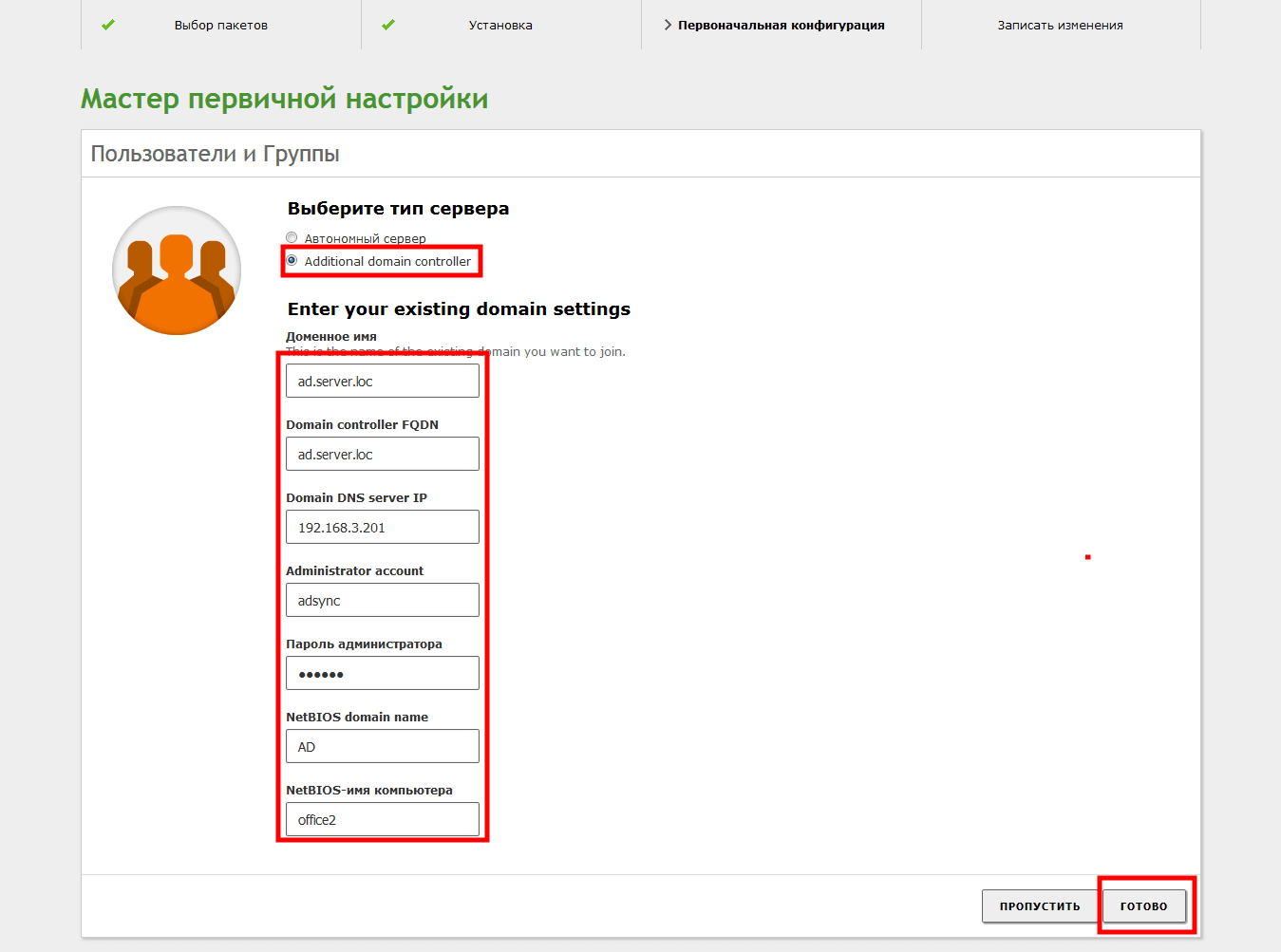
On our subordinate server, we reach the choice of the type of server and choose:
- Select the type of server: Additional domain controller
- Domain name: ad.server.loc
- Domain controller FQDN: ad.server.loc
- Domain DNS server IP: 192.168.3.201
- Administrator account: adsync
- Administrator password: your_pass
- NetBIOS domain name: AD
- NetBIOS computer name: office2
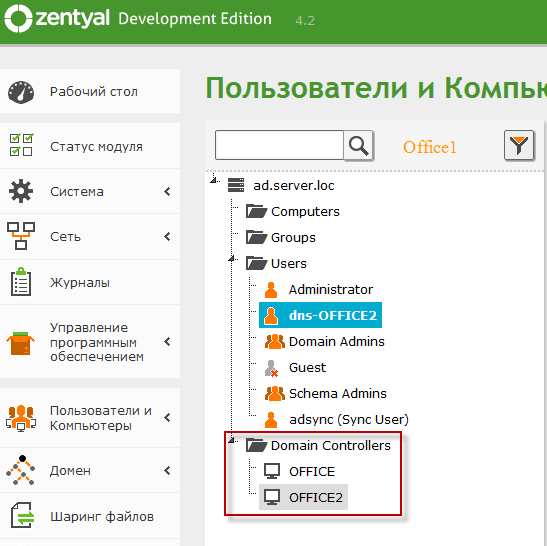
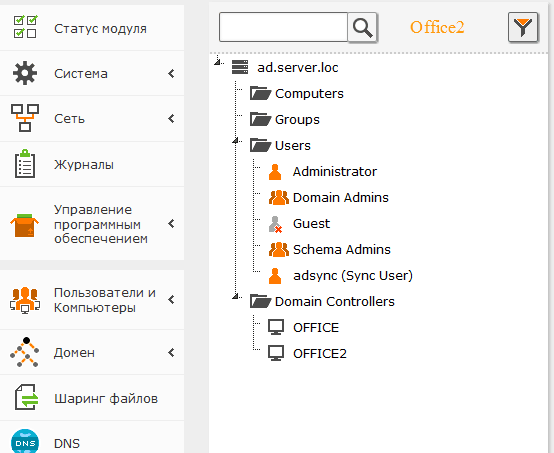
When we click Ready, the server will connect to the head and web interface in the section. Users and Computers contributingly Domain Controllers We will see the added subordinate server of the domain controller. OFFICE and OFFICE2:
In the web interface of the subordinate partition server Users and Computers It will be the same as on the main server:
Instructions for configuring a backup or subordinate server of the domain controller, we have installed, I will continue the instructions for administration later.
I was with you. Sergey Lazarenko.
Let’s take a short break from work and watch a little video:

comment