
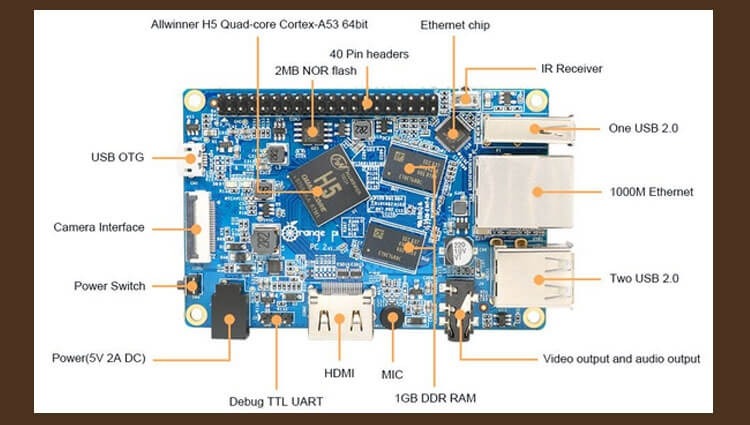
Purchasing a fee OrangePi PCP2 To use it as an office telephony server, I installed the Debian operating system as a instruction. downloaded on the official website an image of the distribution for your payment. Since there is 32 GB of space on the flash drive, I do not want to use everything under the root, I will allocate 4 GB of space under the root + the place that was broken when filling the image with the total root partition 5 GB and leave it under the folder. /home.
By the way, 64-bit board OrangePi PC2 installed on 8 GB plug 4 class gives simply unrealistic brakes when installing software, half a night to install a standard package from Asterisk, Nginx, PHP and Mysql, it upset me, despite the fact that OrangePi Plus 32-bit is fast enough works on the same flash drive.
Let's start splitting the flash drive.
For this we will use the program. cfdisk. Open the flash drive section by executing the command:
cfdisk /dev/mmcblk0
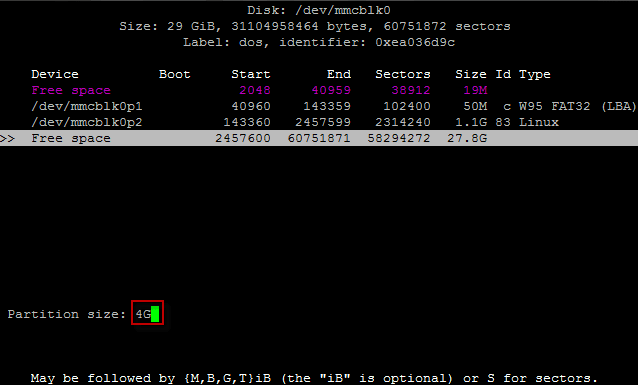
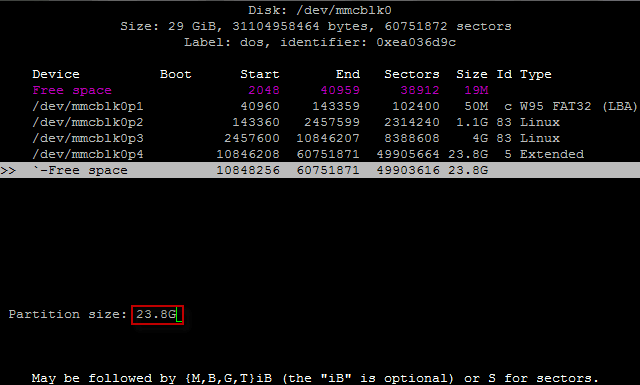
We create a new partition size of 4 GB in a free place. On the remaining free space, create a logical partition for the entire free partition space. We save changes and record changes to disk, reload the fee:


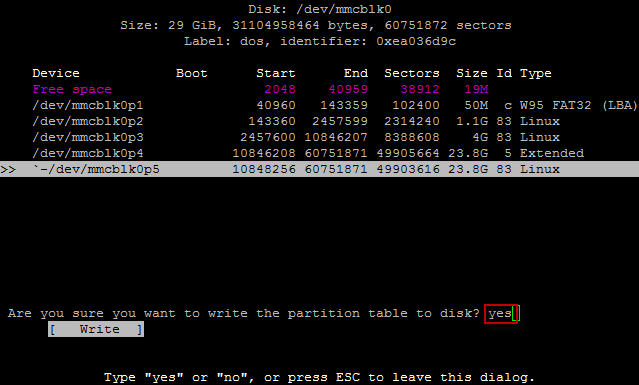

After downloading, check the created sections by executing the command:
fdisk -l
Go to the flash drive and delete the 4 GB partition and save the changes:
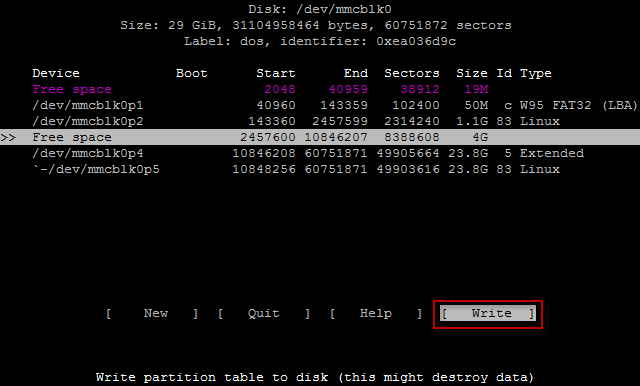
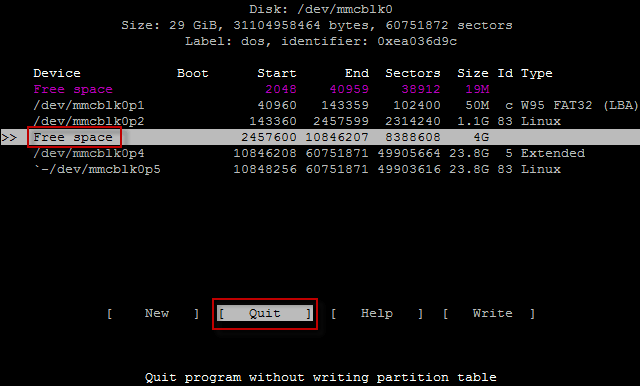
Reload the fee by executing the command:
reboot
Check that the changes are saved by following the command and making sure that there is no partition in 4Gb:
fdisk -l

Expand the root partition to all the free space of the remote partition 4GB. Executing the command and agreeing to change by clicking y:
resize_rootfs.sh
Formatting a section /home And then I did the command.
mkfs.ext4 /dev/mmcblk0p5
Mount the formatted partition into a folder /mnt copying /home And then I did the command.
mount /dev/mmcblk0p5 /mnt/
Copy files to a new section by executing the command:
cp -Rp /home/* /mnt/
Plug in the section. /home file fstab:
vi /etc/fstab
was:
# <file system> <dir>   <type>  <options>                       <dump>  <pass>
/dev/mmcblk0p1  /boot   vfat    defaults                        0               2
/dev/mmcblk0p2  /       ext4    defaults,noatime                0               1
became:
# <file system> <dir>   <type>  <options>                       <dump>  <pass>
/dev/mmcblk0p1  /boot   vfat    defaults                        0               2
/dev/mmcblk0p2  /       ext4    defaults,noatime                0               1

# Mount /home:
/dev/mmcblk0p5  /home   ext4    defaults,noatime                0               1
Files out of the folder. /home The root section, they have already copied earlier and reload the fee by executing commands:
rm -rf /home/*
reboot
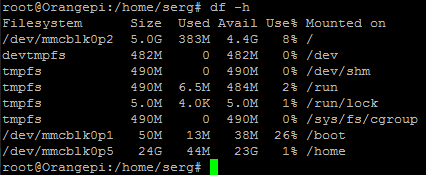
After downloading the fee, check that the section /home mount and fill the section and all others following the command:
df -h
Update the software on a mini server.
Going on ssh through Putty And we update the repository by executing the command:
apt-get update
We install some programs by executing the command:
apt-get install aptitude vim mc screen nmap htop bmon mtr
Update the installed programs to current versions if there are:
aptitude safe-upgrade
I was with you. Sergey Lazarenko.
I would be happy if anyone could find the information in this and other articles on my website.
We take a short break and watch a little interesting video:

comment