
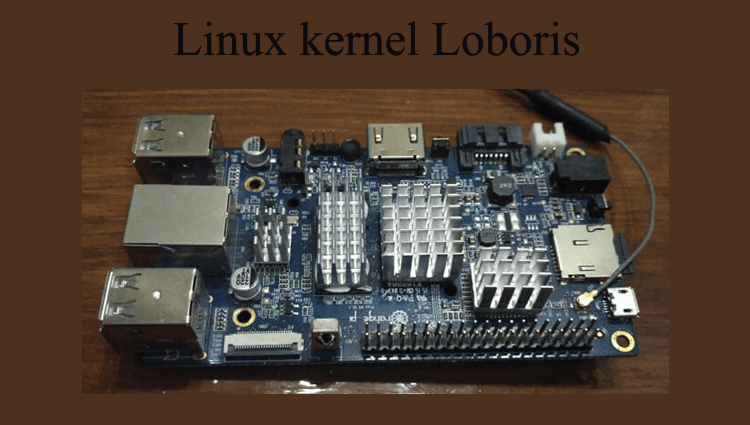
Last time. article I installed Debian on the OrangePi single board mini server, and since I use Fail2ban on my mini server, and when assembling the Linux kernel, the multiport option was not turned on because Fail2ban does not work. Or rather, you can disable iptables-multiport and specify iptables, but then banning bots on ports will not work, but only by IP.
In order for Iptables to work in full mode, we will reassemble and install Loboris’ script and Linux kernel with multiport enabled. I will also archive the assembled kernel and scripts for all supported OrangePi boards.
Install the necessary programs for assembling the core by executing the command:
aptitude install lib32ncurses5 lib32ncurses5-dev lib32z1 u-boot-tools lib32stdc++6 git build-essential fakeroot
Download the source kernel by executing the command:
git clone https://github.com/loboris/OrangePI-Kernel.git
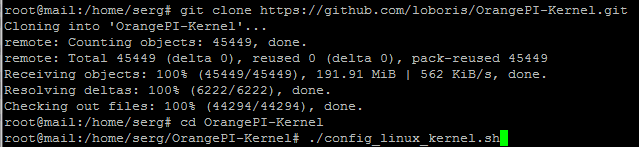
Go to the downloaded folder and start the configuration to select Linux kernel parameters
cd OrangePI-Kernel
./config_linux_kernel.sh
Include Multiport in iptables:
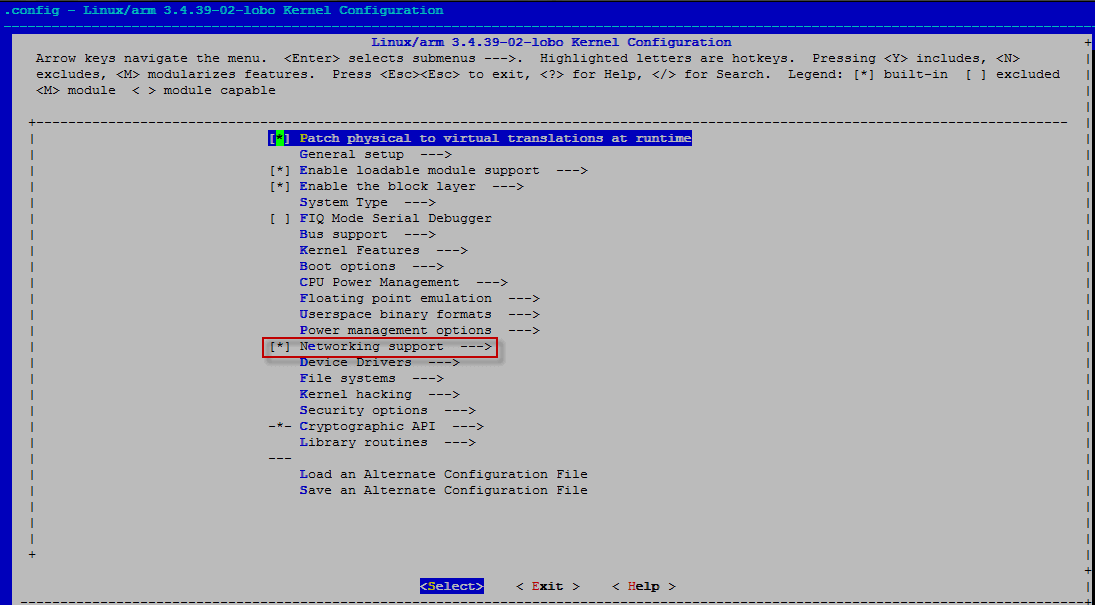
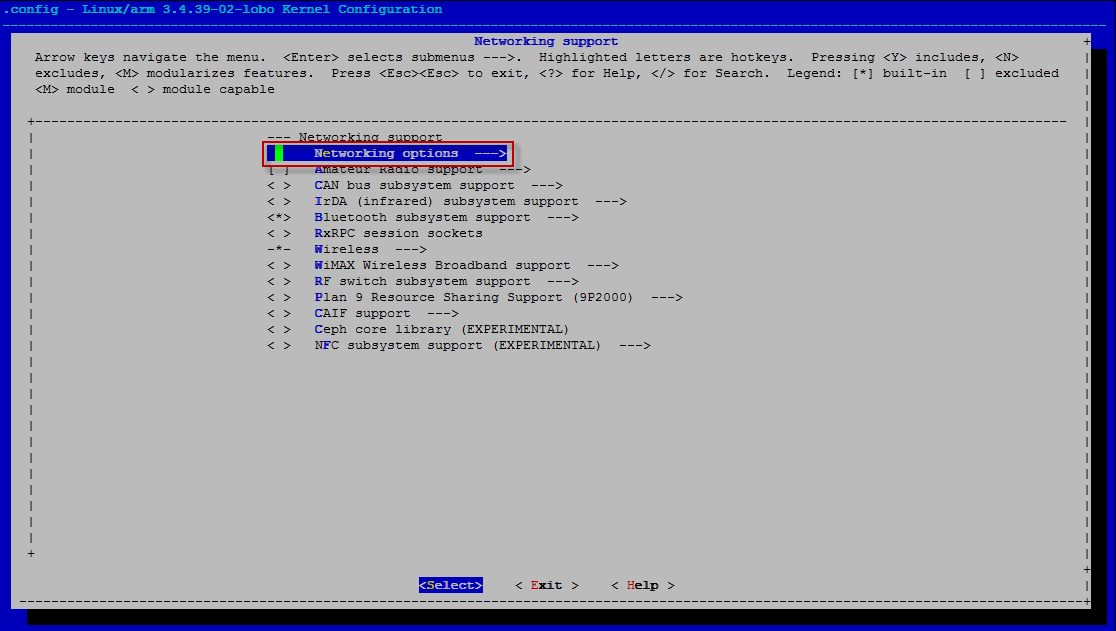
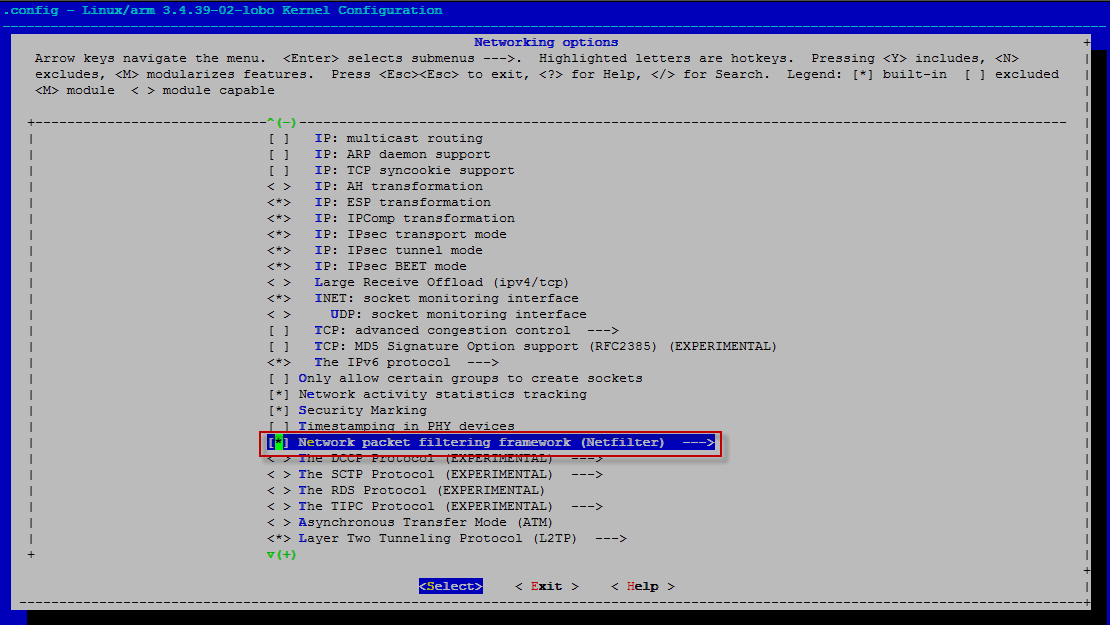
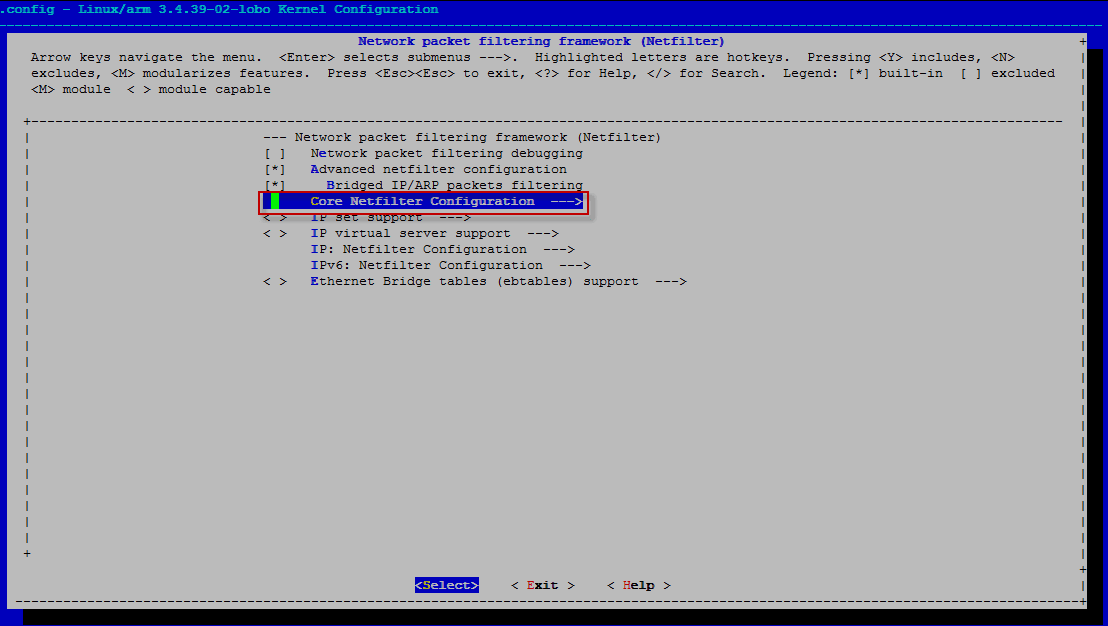
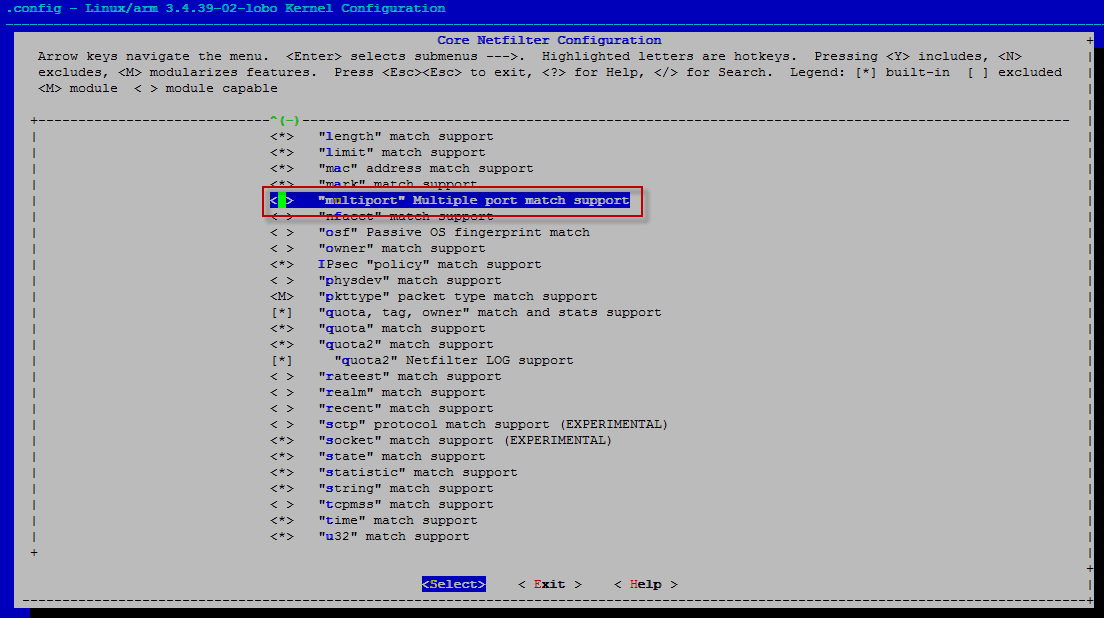
It is necessary to note the option by clicking on the multiport field twice with a space to put an asterisk:
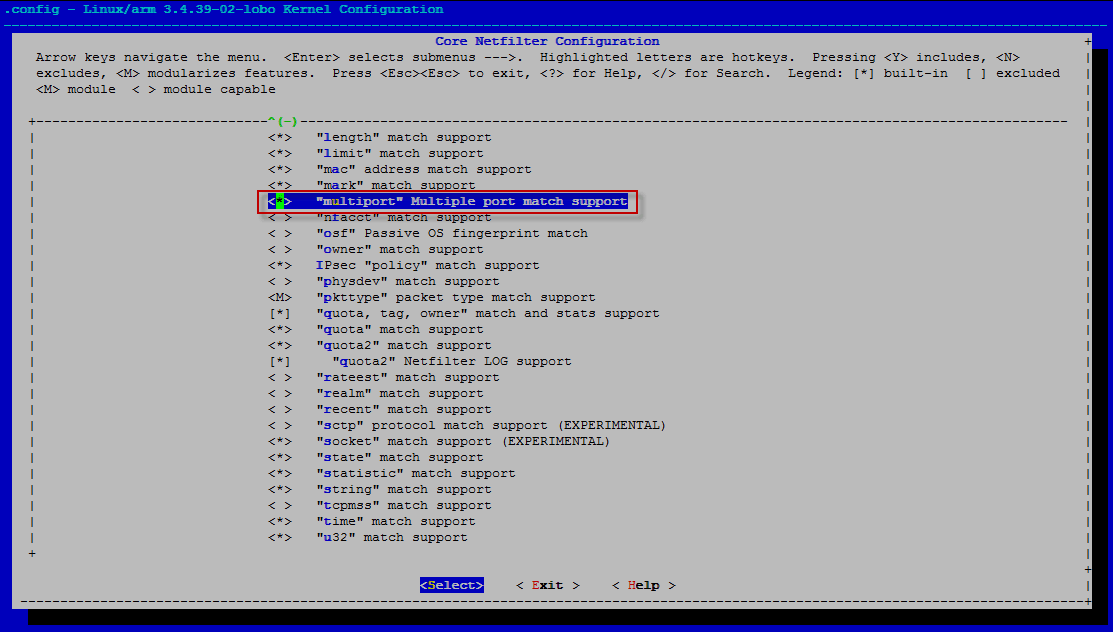
The noted multiport parameter:
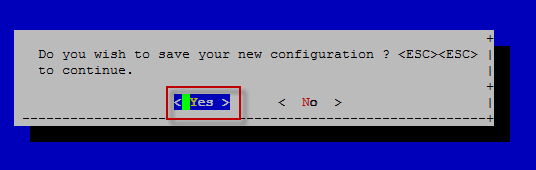
If you need to note for compilation what other necessary parameter, you can note similarly. After switching on the necessary parameters, you need to leave the configurator by selecting Exit pressed Enter. To request to save the configuration, select Yes pressed Enter:
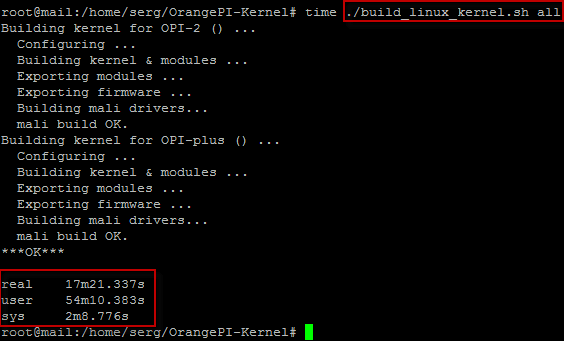
Run a kernel compilation for all supported OrangePi boards:
./build_linux_kernel.sh all
Script.bin needs to be installed. sunxi-tools Which is in Debian Jessie.
Installed by the team:
aptitude install sunxi-tools
If you have Debian Wheezy for assembly, you need to install the package that is in the Debian Jessie distribution. Add a repository from Jessie following the command:
echo 'deb http://mirror.yandex.ru/debian jessie main contrib non-free' >> /etc/apt/sources.list
Update the repository and install unxi-tools And then I did the command.
aptitude install unxi-tools -t jessie
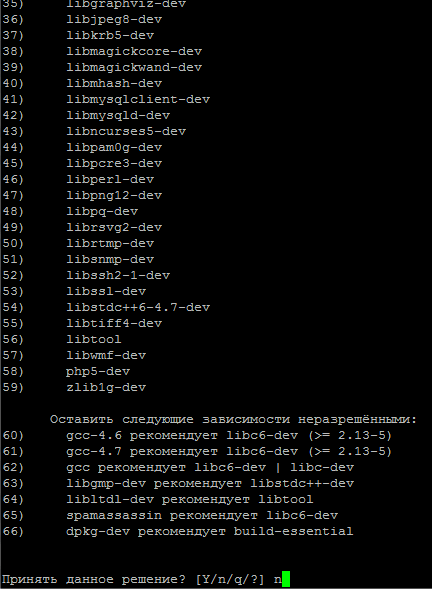
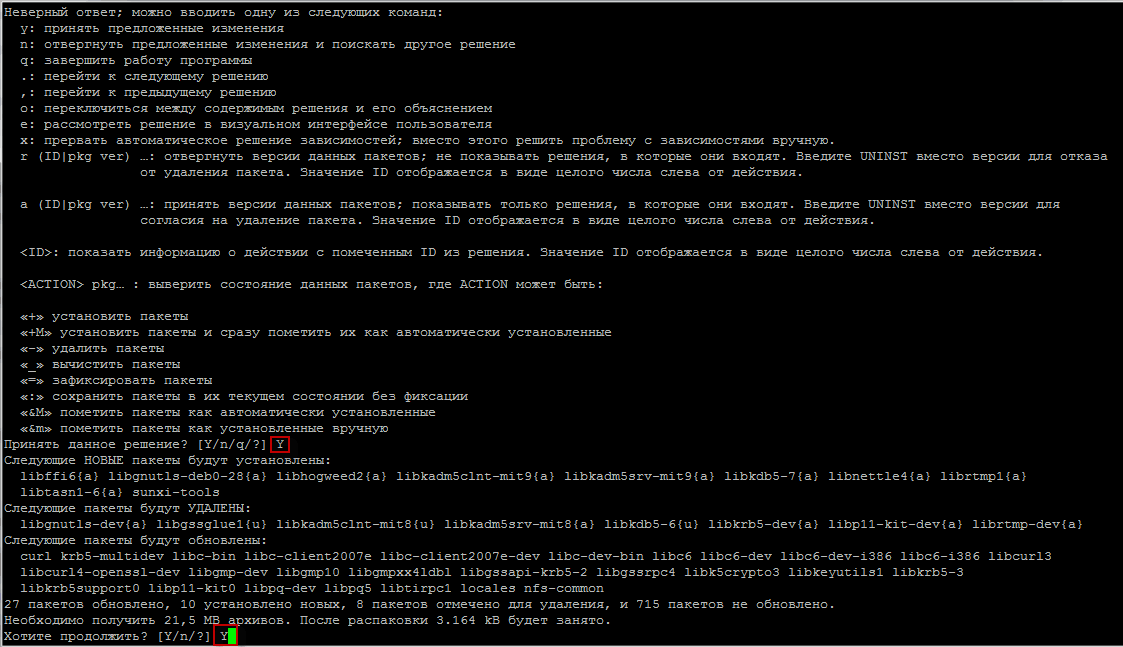
On the first installer request, when the system offers to remove many packets, click n and at the next stage, where offers to update agree to click Y:
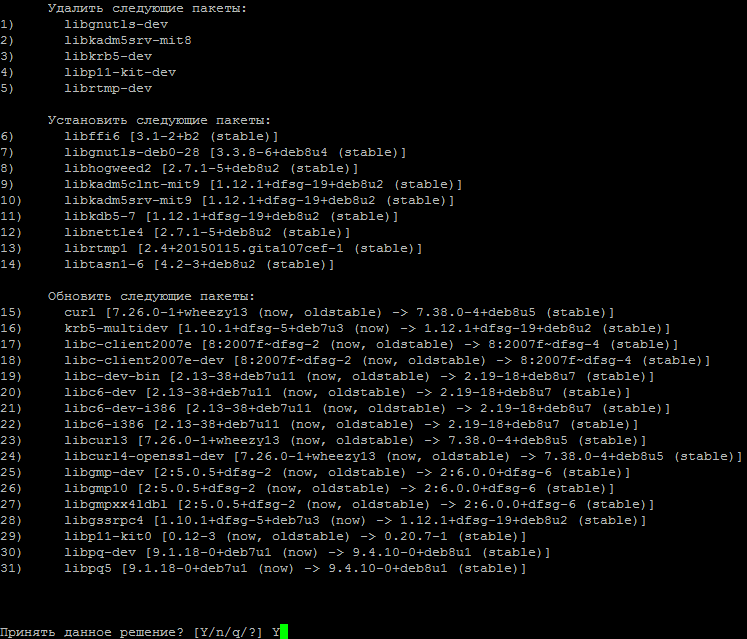
The following questions are answered positively. Y:
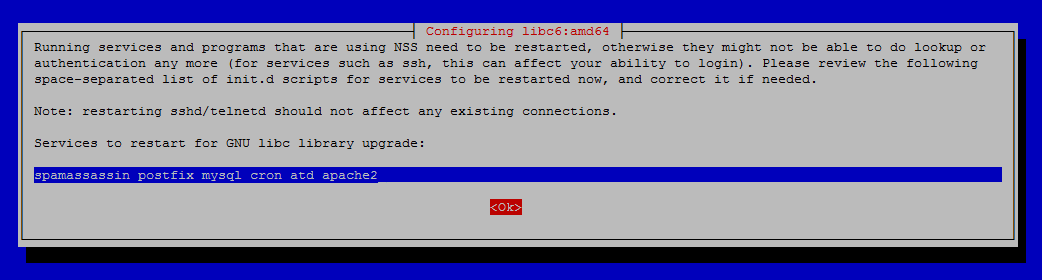
Choose. No and press Enter:

At the request of the configurator, we hire Enter:
Start assembling the script file by executing the command:
./build_scripts.sh

In the build folder are the kernel and scripts, which must be renamed and placed in the directory. /media/boot/ on our board, and also the folder.
Also in the folders of the selected OrangePi board: build/lib.opi2/modules/ and build/lib.opiplus/modules/Modules of the compiled new core 3.4.39-02-loboThis folder from your fee must be copied to the directory. /lib/modules/

To install the kernel on a mini server in my case OrangePi Plus, rename the kernel by performing:
mv uImage_OPI-PLUS uImage
Next, we rename the script file, my monitor supports 1080 resolution, so I rename the script:
mv script.bin_OPI-PLUS_1080p50_hdmi script.bin
These files are copied to a folder on the board /media/boot/
After restarting, check the kernel version and the kernel version in the folder. /lib/modules/:
uname -r
3.4.39-02-lobo
ls /lib/modules/
3.4.39-02-lobo
Download the recompiled kernel and script files can be cloud-link
I was with you. Sergey Lazarenko.
Let’s take a short break and watch a little video:

comment