

 To make a bootable flash drive for installing Debian Squeeze on equipment with no CD, DVD drive will be in the Windows XP operating system.
In order to make a bootable flash drive, it is necessary to prepare it in advance - format.
We download the program for formatting the flash drive: Download usb_format
Let's go. usb_format.exe
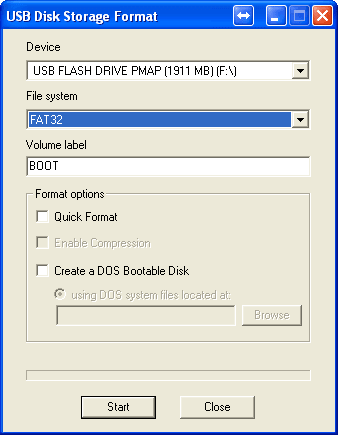
In the Device field, select our flash drive, in my case it is under the letter F:\
I select FAT32 and press the Start button.
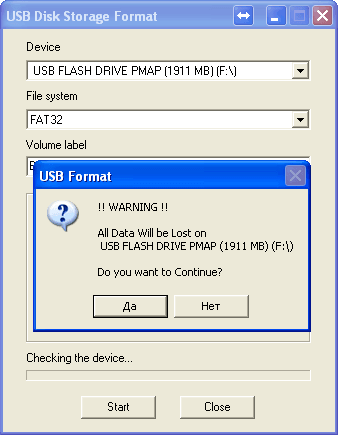
After pressing the Start button, the program will give a window with a notification about formatting the flash drive. Agree and click Yes:
Attention!!If you press the button Yes.On your flash drive during the formatting process, all data will be deleted.
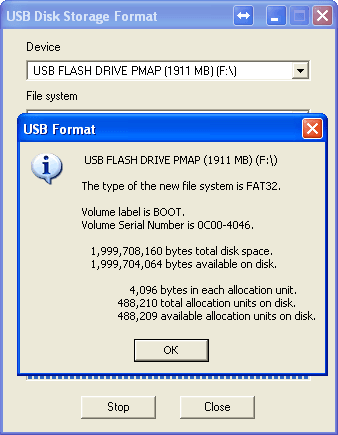
The formatting of the flash drive was successfully completed.
Now download the program that makes the flash drive boot and installs the Grub bootloader: Download the program to create a flash drive and loader Grub
Launching the downloaded program install-boot-flash-grub.exe
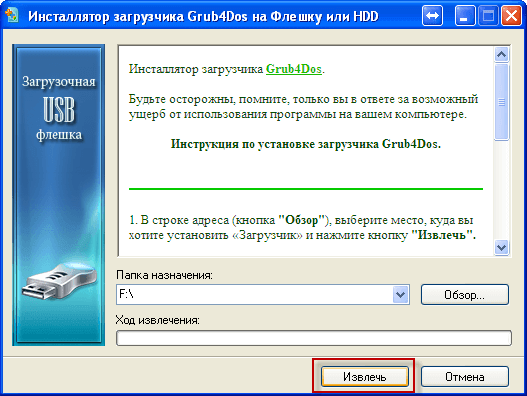
Press the button. Review, select our flash drive, we have a flash drive has the letter disk F:\ and press the button. Extract
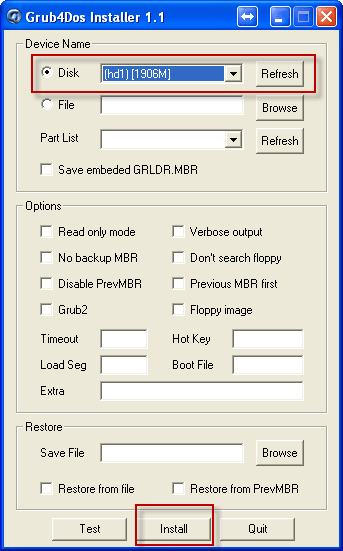
In the window that appears in the supply menu Disk Select our flash drive and press the button. Install
A window will appear telling you that grub is installed in a bootable MBR flash disk record requiring you to press EnterClick and the window will show:
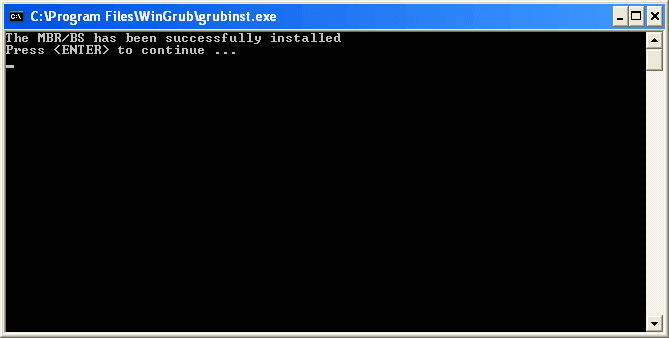
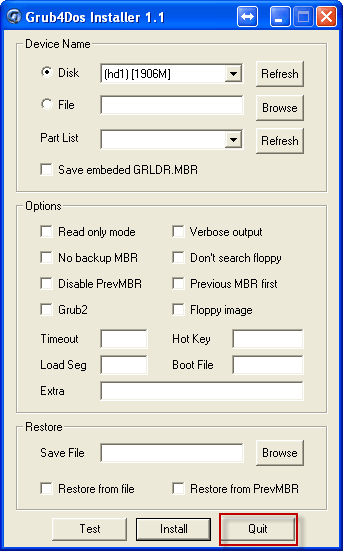
After you pressed. EnterThe window will disappear. Press the grub button in the installer window Quit and the program will close.
After that, our flash drive is already bootable and using the program WinSetupFrom USB You can pour on the Windows flash drive, and get the ability to install in addition to Debian c USB stick and Windows.
After installing on the flash drive, several files and a folder appeared:
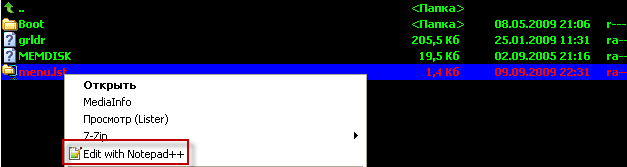
Open the file. menu.lstNotepad++ program and make changes:
was:
...
title Установка Windows XP SP3 - Русская версия
root (hd0,0)
chainloader (hd0,0)/$WIN_NT$.~BT/setupldr.bin
savedefault

title Загрузка Windows XPE - Полная версия
root (hd0,0)
chainloader /minint/setupldr.bin

title Загрузка Windows XPE - Мини версия
find --set-root /Boot/WinPE.iso
map --mem /Boot/WinPE.iso (hd32)
map --hook
chainloader (hd32)
...
became:
...
title Загрузка с жёсткого диска
map (hd1) (hd0)
map --hook
rootnoverify (hd0)
root (hd0,0)
chainloader (hd0,0)/ntldr

###################################
title Debian 6 amd64 Net-Install
map (hd0) (hd1)
map (hd1) (hd0)
map --hook
find --set-root --ignore-floppies /deb-6_amd64/vmlinuz
kernel /deb-6_amd64/vmlinuz vga=normal -- quiet
initrd /deb-6_amd64/initrd.gz
#
title Debian 6 i386 Net-Install
map (hd0) (hd1)
map (hd1) (hd0)
map --hook
find --set-root --ignore-floppies /deb-6_i386/vmlinuz
kernel /deb-6_i386/vmlinuz vga=normal -- quiet
initrd /deb-6_i386/initrd.gz
###################################


title Установка Windows XP SP3 - Русская версия
root (hd0,0)
chainloader (hd0,0)/$WIN_NT$.~BT/setupldr.bin
savedefault

title Загрузка Windows XPE - Мини версия
find --set-root /Boot/WinPE.iso
map --mem /Boot/WinPE.iso (hd32)
map --hook
chainloader (hd32)
...
That’s the last touch – download and unpack on a flash drive boot files Debian Squeeze.
Download the archive: Download the archive for installation from the USB flash drive Debian i386 and amd64 from my cloud.
Unpacking the contents of the archive (this is 2 folders) deb-6_amd64 and deb-6_i386) to our flash drive:
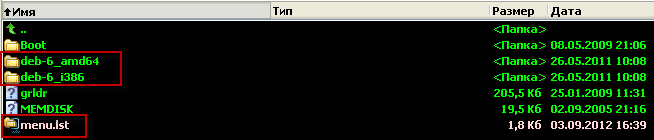
After everything done with our flash drive, we can only use the necessary equipment (netbook, laptop, system or server) to boot from a USB stick.
Download and install Debian Squeeze.
Task accomplished.
Be sure to add a repository after installing Debian Squeeze and update the system to the current one:
Add in /etc/apt/sources.list Software installation repository:
deb http://mirror.yandex.ru/debian squeeze main contrib non-free
We bring our system to an up-to-date state by updating the software from the repository with teams agreeing to the installer’s question:
aptitude update
aptitude dist-upgrade
P.S.
To check whether the boot from the flash drive, you can use the emulation option in WinSetupFrom USB
Opening the WinSetupFrom USB program, mark the tick on the field Test in QUEMU, use at own risk and press the button. GO:

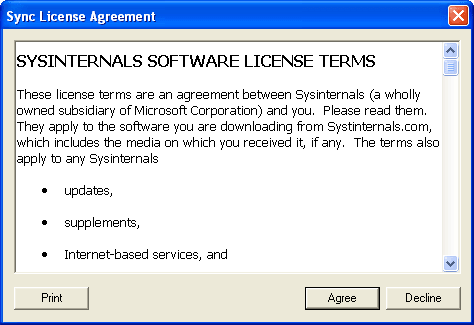
We agree to the question of the program:
This view will have a flash drive boot window during loading:
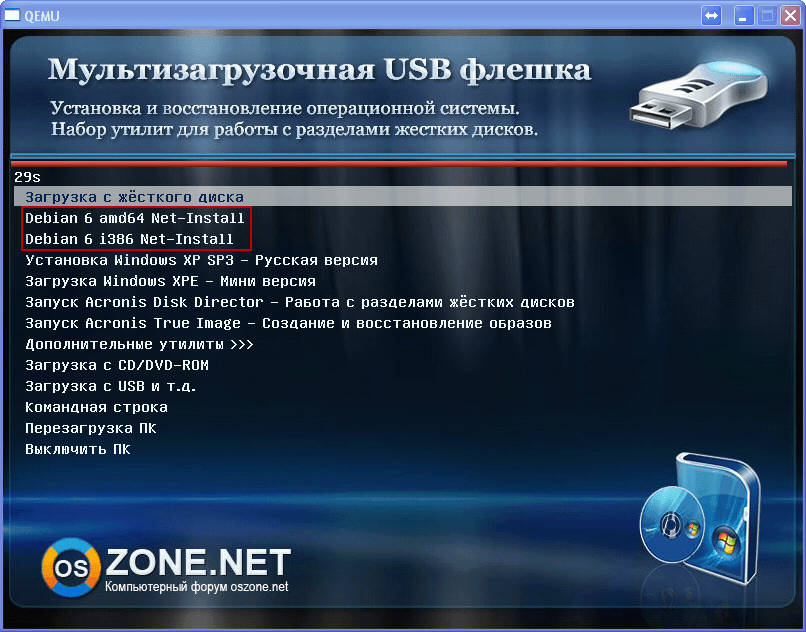
To start, choose the installation of the Debian Squeeze architecture you need.
I was with you. Sergey Lazarenko

comment