
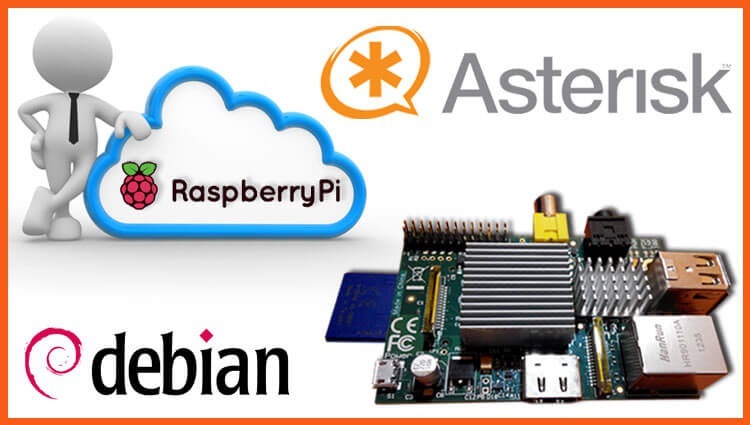
Today, we will install the Asterisk PBX digital telephone exchange based on a single board computer Raspberry Pi or its analogue for example OrangePi. Asterisk on this mini server proved to be great, the power is enough without transcoding for 5 simultaneous calls with a margin, that is, for a small office such a mini server will be enough for eyes.
The operating system we installed according to the instructions: Install Debian on a Raspberry Pi mini server
Starting installation.
Add a repository to install telephony
For Debian Wheezy to execute the command:
echo 'deb http://repo.raspbx.org/apt/debian wheezy main' >> /etc/apt/sources.list
For Debian Jessie to execute the command:
echo 'deb http://repo.raspbx.org/apt/debian jessie main' >> /etc/apt/sources.list
Add the repository key by executing the command:
wget -q -O /tmp/raspbx.gpg.key http://repo.raspbx.org/raspbx.gpg.key && apt-key add /tmp/raspbx.gpg.key
Update the system repositories by executing the command:
apt-get update
Add settings to the sysctl.conf file and apply changes by following the commands:
echo '
kernel.panic=5
kernel.printk = 3 4 1 3
vm.swappiness = 1
vm.min_free_kbytes = 16384
' > /etc/sysctl.conf
sysctl -p
Install the necessary packages for Asterisk to work with the database and the Asterisk PBX itself by executing the command:
apt-get install libmysqlclient-dev libxml2-dev libncurses5-dev libsqlite3-dev libssl-dev libsrtp0-dev unixodbc-dev libmyodbc mysql-server asterisk11 asterisk11-chandongle asterisk11-sounds usb-modeswitch
Download the Asterisk auto-start script in Raspberry Pi because OrangePi executes the following commands:
wget -O /etc/init.d/asterisk http://softnastroy.com/downloads/asterisk/asterisk_init.d_11
chmod +x /etc/init.d/asterisk
update-rc.d asterisk defaults
Download the Russian language for installed PBX Asterisk by following the commands:
cd /var/lib/asterisk/sounds
wget -O - http://downloads.asterisk.org/pub/telephony/sounds/asterisk-core-sounds-ru-alaw-current.tar.gz | tar xvfz -
wget -O - http://downloads.asterisk.org/pub/telephony/sounds/asterisk-core-sounds-ru-ulaw-current.tar.gz | tar xvfz -
For greater security, we will not allow Asterisk PBX to work under the user. rootCreate a new user. asterisk Under which our VOIP telephony will work:
Modify the file. /etc/default/asterisk to run telephony under the user asterisk by following the command:
echo '
AST_USER="asterisk"
AST_GROUP="asterisk"
COLOR=yes
' > /etc/default/asterisk
Download the archive of standard configuration from Asterisk 11 from my site by removing what installs the installation package from the Raspberri Pi repository by executing the commands:
cd /etc/asterisk/
rm -rf /etc/asterisk/*
wget -O - wget http://softnastroy.com/downloads/asterisk/asterisk_etc_11.tgz  | tar xvfz -
We change the rights of Asterisk files to work under an individual user by executing commands:
chown -R asterisk:asterisk /var/lib/asterisk
chown -R asterisk:asterisk /var/log/asterisk
chown -R asterisk:asterisk /var/run/asterisk
chown -R asterisk:asterisk /var/spool/asterisk
chown -R asterisk:asterisk /usr/lib/asterisk
chmod -R u=rwX,g=rX,o= /var/lib/asterisk
chmod -R u=rwX,g=rX,o= /var/log/asterisk
chmod -R u=rwX,g=rX,o= /var/run/asterisk
chmod -R u=rwX,g=rX,o= /var/spool/asterisk
chmod -R u=rwX,g=rX,o= /usr/lib/asterisk
chown -R root:asterisk /etc/asterisk
chmod -R u=rwX,g=rX,o= /etc/asterisk
You can also specify which modules you will download, I use the modules in the list below:
echo '
[modules]
autoload=no

load => app_dial.so
load => app_read.so
load => app_stack.so
load => cdr_csv.so
load => chan_local.so
load => chan_sip.so
load => codec_alaw.so
load => codec_ulaw.so
load => format_wav.so
load => func_callerid.so
load => func_cdr.so
load => func_logic.so
load => func_strings.so
load => func_timeout.so
load => pbx_ael.so
load => pbx_config.so
load => res_ael_share.so
load => res_agi.so
load => res_rtp_asterisk.so
load => chan_dongle.so
load => app_verbose.so
load => app_system.so
load => func_base64.so
load => res_monitor.so
load => app_mixmonitor.so
load => res_stun_monitor.so
load => res_odbc.so
load => func_odbc.so
load => cdr_adaptive_odbc.so
load => cdr_odbc.so
load => cdr_mysql.so
' > modules.conf
GSM gateway
If you use Huawei’s 3G modems to organize a cheap GSM gateway, then you need to configure it. udevSo that when you connect the modem, it gets Asterisk user rights and Asterisk itself can work with the modem. And that's what we create. /etc/udev/rules.d/10-modem.rules team:
echo 'KERNEL=="ttyUSB*", OWNER="asterisk", GROUP="dialout"' > /etc/udev/rules.d/10-modem.rules
When connecting the modem, we can see the rights that it received by the team:
ls -la /dev/ttyUSB*System response:
TFTP server
If you use Cisco phones, then for convenience, install a TFTP server so that your phones download configuration files and firmware when downloading.
Install the TFTP server according to the instructions: Install and configure a tftp server in Debian Squeeze, Ubuntu Linux with content administration over ftp protocol using vsftpd server
Check the work of PBX Asterisk
Run the command rasterisk or asterisk -rvvv to log into the telephony console for checking, viewing Asterisk service messages:
Asterisk 11.17.0, Copyright (C) 1999 - 2013 Digium, Inc. and others.
Created by Mark Spencer <[email protected]>
Asterisk comes with ABSOLUTELY NO WARRANTY; type 'core show warranty' for details.
This is free software, with components licensed under the GNU General Public
License version 2 and other licenses; you are welcome to redistribute it under
certain conditions. Type 'core show license' for details.
=========================================================================
Connected to Asterisk 11.17.0 currently running on raspberrypi (pid = 9320)
raspberrypi*CLI> sip show peers
Name/username             Host                                    Dyn Forcerport Comedia    ACL Port     Status      Description
0 sip peers [Monitored: 0 online, 0 offline Unmonitored: 0 online, 0 offline]
raspberrypi*CLI
Today we have configured a telephone PBX based on free software Asterisk PBX and single board mini server very cost-effective electricity consumption on Raspberry Pi, Orange Pi or their analogue.
I was with you. Sergey Lazarenko.
Let’s take a short break and watch a little video about the bath in camping conditions:

comment