
Instructions for installing Asterisk PBX 13 on Debian GNU/Linux and Ubuntu Server.
Asterisk PBX 13 The release of the voip asterisk server has the status of LTS, support is promised until the end of 2019.
Installation will be made from the source code of the latest version.
After installing the operating system distribution, update the repository and update all programs if there are updates by following the commands:
aptitude update
aptitude safe-upgrade
Add in /etc/apt/sources.list Software installation repository:
For Debian Jessie Let's do the command.
echo 'deb http://ftp.debian.org/debian/ jessie main contrib non-free' > /etc/apt/sources.list
For Debian Stretch Let's do the command.
echo 'deb http://ftp.debian.org/debian/ stretch main contrib non-free' > /etc/apt/sources.list
For Ubuntu 16.04 Xenial Let's do the command.
echo 'deb http://ua.archive.ubuntu.com/ubuntu/ trusty main restricted universe multiverse' > /etc/apt/sources.list
We set the necessary dependencies for Asterisk 13 assembly in Debian 8 Jessie
Executing commands:
aptitude update
aptitude install build-essential linux-headers-`uname -r` g++  subversion libmysqlclient-dev libxml2-dev libncurses5-dev libsqlite3-dev libssl-dev libsrtp0-dev unixodbc-dev libmyodbc libiksemel-dev curl mpg123 libxml2 libxml2-dev libaudiofile-dev subversion sox libsox-fmt-all uuid-dev libjansson-dev libiksemel-dev libssl-dev libtiff5-dev mysql-client lame libspandsp2 libspandsp-dev libopus-dev opus-tools xmlstarlet libcurl3
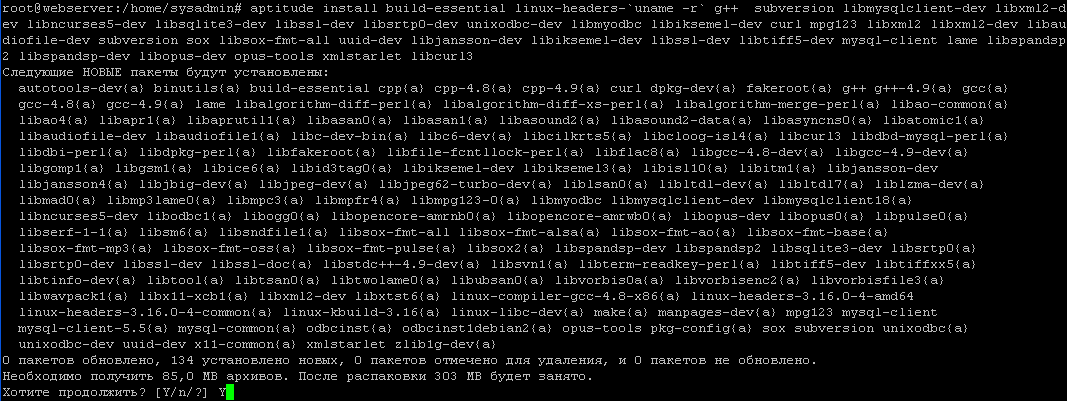
Video Installation Instruction Asterisk 13 in Debian 8 Jessie:
Set the necessary dependencies for Asterisk 13 assembly by the team in Debian 9 Stretch
Executing commands:
aptitude update
aptitude install build-essential linux-headers-`uname -r` g++  subversion default-libmysqlclient-dev libxml2-dev libncurses5-dev libsqlite3-dev libssl-dev libsrtp0-dev unixodbc-dev libiksemel-dev curl mpg123 libxml2 libxml2-dev libaudiofile-dev subversion sox libsox-fmt-all uuid-dev libjansson-dev libiksemel-dev libssl-dev libtiff5-dev mysql-client lame libspandsp2 libspandsp-dev libopus-dev opus-tools xmlstarlet libcurl3
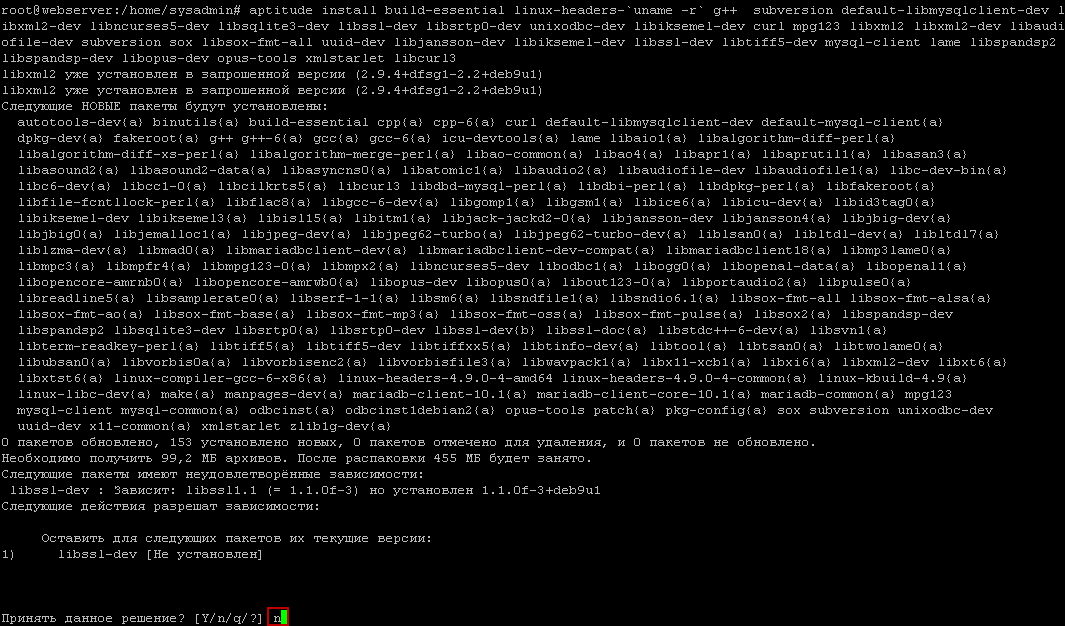
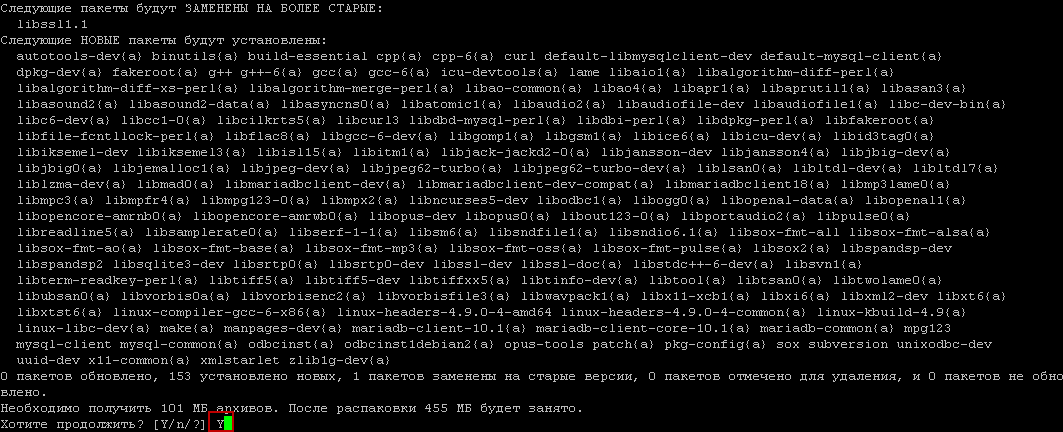

Installation instructions for Asterisk 13 in Debian 9 Stretch
Add the previous stable repository Jessie Installation of libmyodbc in Debian Stretch:
echo 'deb http://deb.debian.org/debian/ jessie main contrib non-free' >> /etc/apt/sources.list
aptitude update
aptitude install -y libmyodbc -t jessie
Identify the required dependencies for Asterisk 13 Ubunu 16.04 Xenial
Executing commands:
aptitude update
aptitude install build-essential linux-headers-`uname -r` g++  subversion libmysqlclient-dev libxml2-dev libncurses5-dev libsqlite3-dev libssl-dev libsrtp0-dev unixodbc-dev libiksemel-dev curl mpg123 libxml2 libxml2-dev libaudiofile-dev subversion sox libsox-fmt-all uuid-dev libjansson-dev libiksemel-dev libssl-dev libtiff5-dev mysql-client lame libspandsp2 libspandsp-dev libopus-dev opus-tools xmlstarlet libcurl3
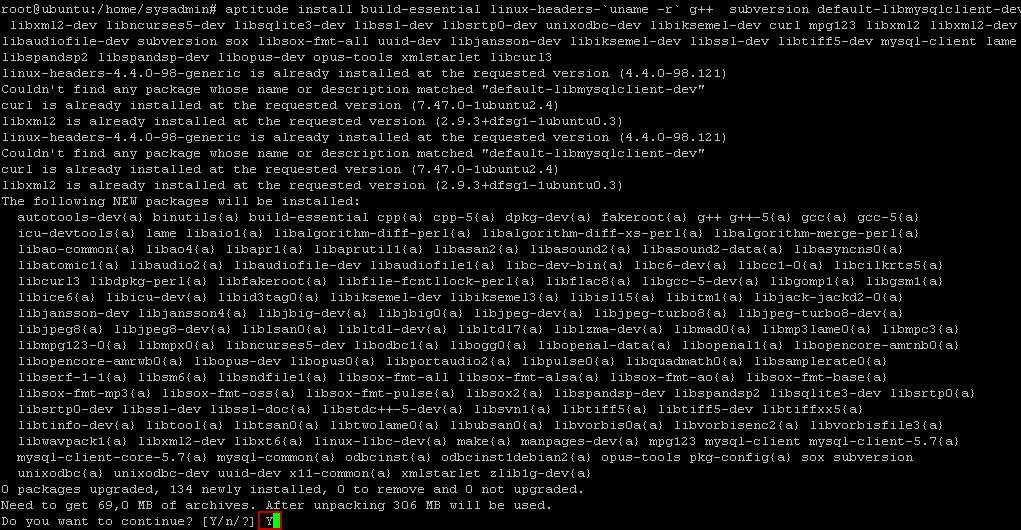

Video Installation Instruction Asterisk 13 in Ubunu 16.04 Xenial:
Add the previous stable LTS repository Trusty to install the libmyodbc package in Ubunu 16.04 Xenial:
echo 'deb http://ua.archive.ubuntu.com/ubuntu/ trusty main restricted universe multiverse' >> /etc/apt/sources.list
aptitude update
aptitude install -y libmyodbc -t trusty
In the catalogue /usr/src, create a folder asterisk-srcIn which we will download and unpack the source of the desired programs, as well as go to this folder:
mkdir -p /usr/src/asterisk-src
cd /usr/src/asterisk-src
Installing PBX Asterisk 13 LTS in Debian 9 Stretch, Debian 8 Jessie and Ubuntu 16.04 Xenial
Set up a channel. PJSIP The latest version at the time of writing this article:
cd /usr/src/asterisk-src/
wget http://www.pjsip.org/release/2.7/pjproject-2.7.tar.bz2
tar -xjvf pjproject-2*.tar.bz2
cd pjproject-2.*/
./configure --enable-shared --disable-sound --disable-resample --disable-video --disable-opencore-amr CFLAGS='-O2 -DNDEBUG' CFLAGS='-DPJ_HAS_IPV6=1' CFLAGS='-DPJ_HAS_IPV6=1'
make dep
make
make install
Set up a channel. LIBSRTP The latest version at the time of writing this article:
cd /usr/src/asterisk-src/
wget -O libsrtp.zip https://github.com/cisco/libsrtp/archive/master.zip
unzip libsrtp.zip
cd libsrtp-master/
./configure CFLAGS=-fPIC
make
make runtest
make install
ldconfig
Download and install. JSON library for C:
cd /usr/src/asterisk-src/
wget http://www.digip.org/jansson/releases/jansson-2.10.tar.gz
tar -zxf jansson-2.10.tar.gz
cd jansson-2.10
./configure --prefix=/usr
make clean
make
make install
ldconfig
Installable Dahdi following the commands:
cd /usr/src/asterisk-src/
wget http://downloads.asterisk.org/pub/telephony/dahdi-linux-complete/dahdi-linux-complete-2.11.1+2.11.1.tar.gz
tar -zxf dahdi-linux-complete-2.11.1+2.11.1.tar.gz
cd dahdi-linux-complete-2.11.1+2.11.1
make all && make install && make config
Installable Libpri by teams:
cd /usr/src/asterisk-src/
wget http://downloads.asterisk.org/pub/telephony/libpri/libpri-1.6.0.tar.gz
tar -zxf libpri-1.6.*.tar.gz
cd libpri-1.6.*/
make && make install
Install Asterisk itself with teams.make menuselect - use, if necessary to disable, activate any modules:
Download and unblock the Asterisk 13 source from the official site by camanda:
cd /usr/src/asterisk-src/
wget http://downloads.asterisk.org/pub/telephony/asterisk/releases/asterisk-13.18.4.tar.gz
tar xvf asterisk-13.1*.tar.gz
cd asterisk-13.1*/
./configure
make menuselect
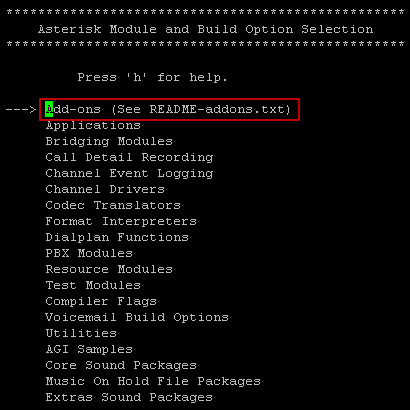
Go to the Add-ons section to select mysql modules:
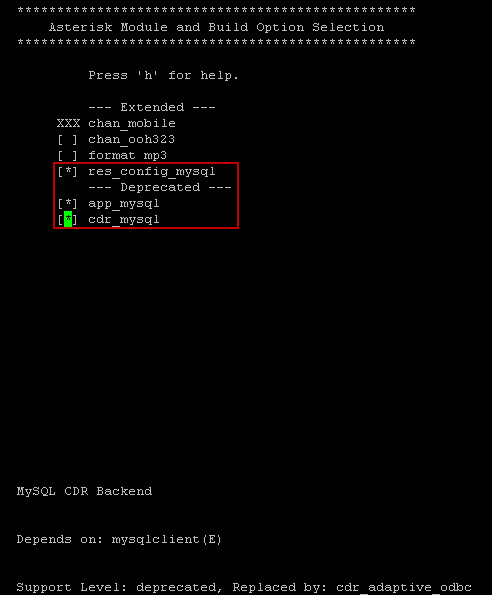
Exit from any section of the make menuselect After the changes are made, press the button once. Esc
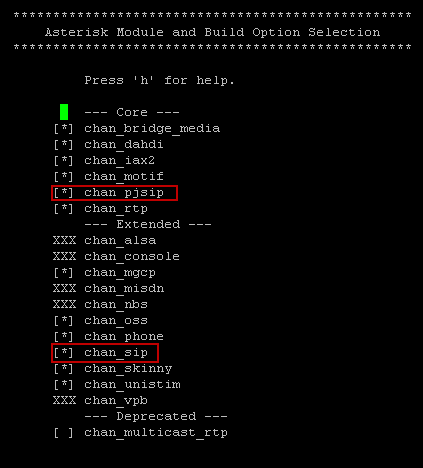
Let's go in. Channel Drivers And we pick the right new one. PJSIP channel:
Let's go in. Codec Translators And choose a new codec. OPUS:

Let's go in. Core Sound Packages Choose the sound packages you need:
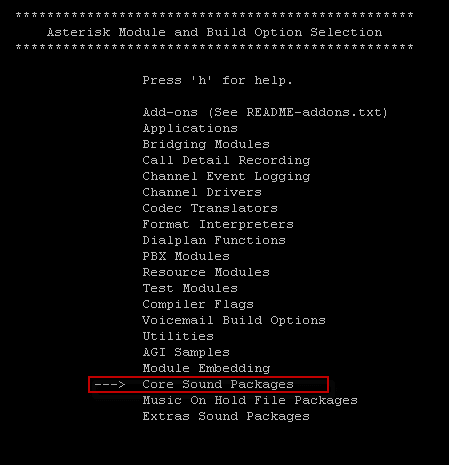

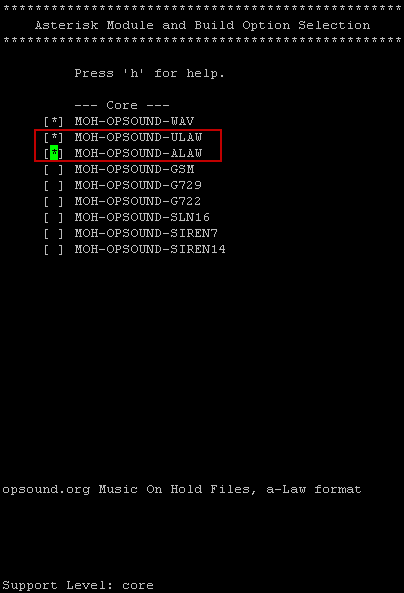
Let's go in. Music On Hold File Packages and select audio packages for the ULAW and ALAW codec:
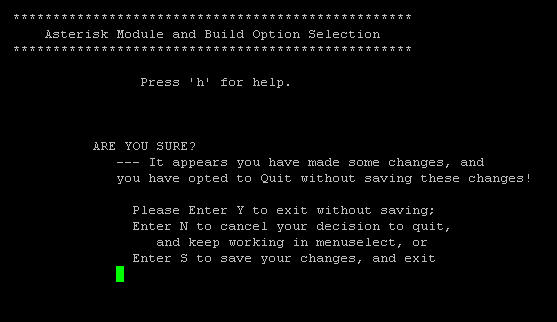
After the changes, press the button. Esc and go to the previous menu, click again. Esc The window where we press opens S to maintain the changes made:

After saving the changes, we continue installing Asterisk PBX LTS release:
make && make install
make samples
make config
Asterisk will be compiled for quite a long time, make a cup of tea or coffee and rest.
For greater security, we will not allow Asterisk PBX to work under the root user, we create a new asterisk user under which our VOIP telephony will work:
adduser asterisk --disabled-password --no-create-home --gecos "asterisk PBX user"
In the file. /etc/default/asterisk It is necessary to decomment the user and the group under which our VOIP telephony will be launched:
was:
vi /etc/default/asterisk

#AST_USER="asterisk"
#AST_GROUP="asterisk"
became:
AST_USER="asterisk"
AST_GROUP="asterisk"
Reboot the server and then change the rights.
We change the rights to run under the Asterisk user to use the following files:
Executing commands:
chown -R asterisk:asterisk /var/lib/asterisk
chown -R asterisk:asterisk /var/log/asterisk
chown -R asterisk:asterisk /var/run/asterisk
chown -R asterisk:asterisk /var/spool/asterisk
chown -R asterisk:asterisk /usr/lib/asterisk
chown -R asterisk:asterisk /dev/dahdi
chmod -R u=rwX,g=rX,o= /var/lib/asterisk
chmod -R u=rwX,g=rX,o= /var/log/asterisk
chmod -R u=rwX,g=rX,o= /var/run/asterisk
chmod -R u=rwX,g=rX,o= /var/spool/asterisk
chmod -R u=rwX,g=rX,o= /usr/lib/asterisk
chmod -R u=rwX,g=rX,o= /dev/dahdi
chown -R root:asterisk /etc/asterisk
chmod -R u=rwX,g=rX,o= /etc/asterisk
Reboot the server with command:
/etc/init.d/asterisk restart
To check the performance of VOIP telephony, we will go to the proxy server console with a team and execute the command:
rasterisk
sip show peers
Withdrawal:
rasterisk
Asterisk 13.18.0, Copyright (C) 1999 - 2014, Digium, Inc. and others.
Created by Mark Spencer <[email protected]>
Asterisk comes with ABSOLUTELY NO WARRANTY; type 'core show warranty' for details.
This is free software, with components licensed under the GNU General Public
License version 2 and other licenses; you are welcome to redistribute it under
certain conditions. Type 'core show license' for details.
=========================================================================
Connected to Asterisk 13.18.0 currently running on webserver (pid = 32588)
webserver*CLI> sip show peers
Name/username             Host                                    Dyn Forcerport Comedia    ACL Port     Status      Description
0 sip peers [Monitored: 0 online, 0 offline Unmonitored: 0 online, 0 offline]
webserver*CLI>
Asterisk PBX 13 is installed. Then you can move on to setting it up.
I was with you. Sergey Lazarenko

comment