

There is a configured Asterisk server installed according to one of the instructions: Installation of Asterisk 1.6.2.22, Installation of Asterisk 1.8 either Installation of Asterisk 10 in Debian Squeeze and SIP DECT phone GIGASET C610A IP with two handsets, so we need to connect the SIP DECT phone to our Asterisk server.
We turn the phone database on to the local network switch, look at the DHCP server by what IP the base received and use this IP to enter through the browser.
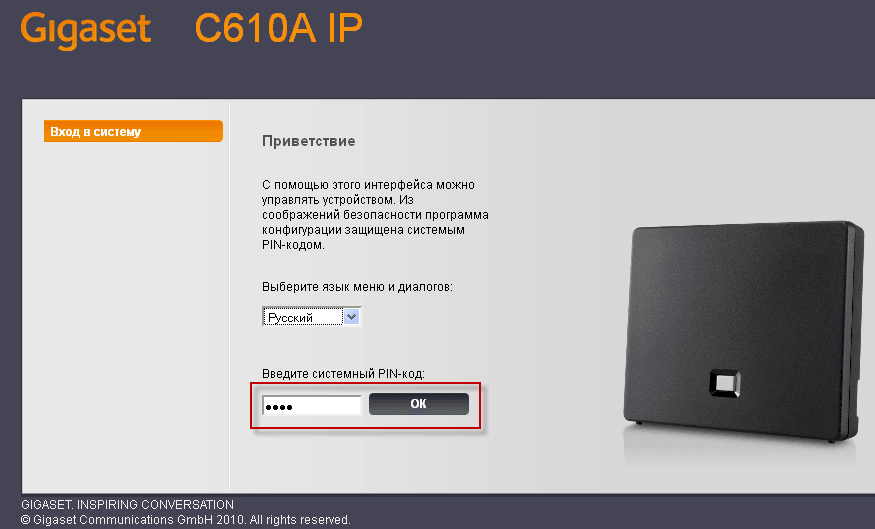
The web interface opens:

In the web interface, select Russian language, enter the PIN code, by default the PIN code: 1111and press OK to enter:
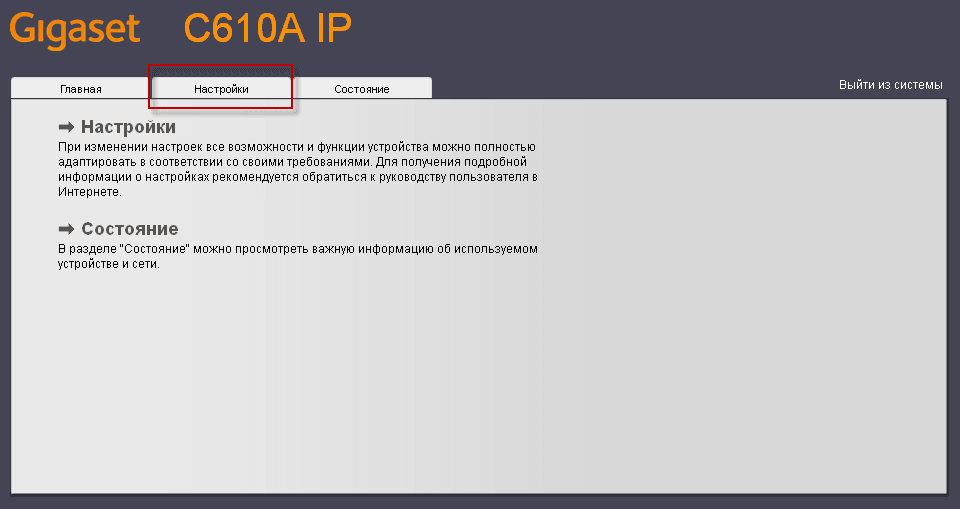
On the first page of the GIGASET C610A IP web interface, click the tab Settings:
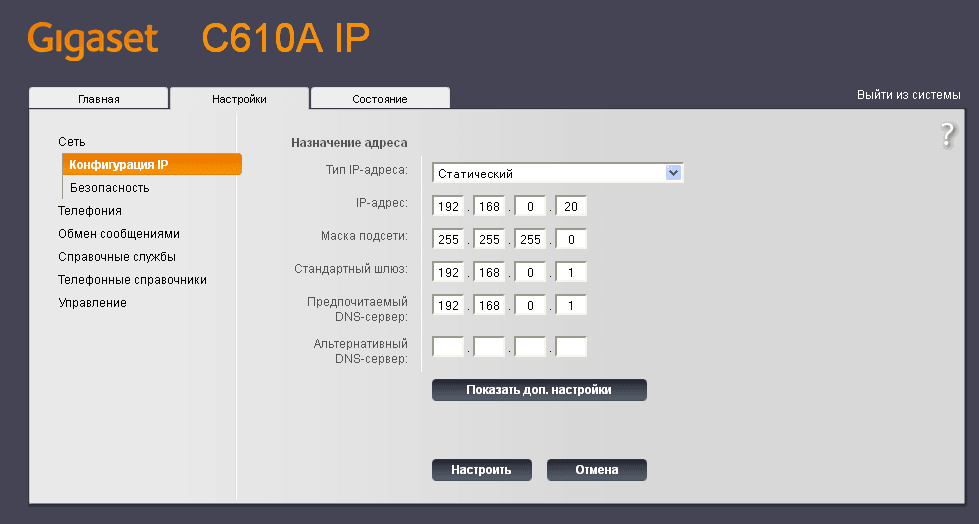
First page in the tab Settings contains the network configuration, prescribe a static IP address of the phone base 192.168.0.20 to access the web interface at a static permanent IP address. Specify IP address: 192.168.0.20, mask: 255.255.255.0, Standard gateway: 192.168.0.1 and DNS: 192.168.0.1. After filling in the network settings, you need to press the button for their application. Set up:
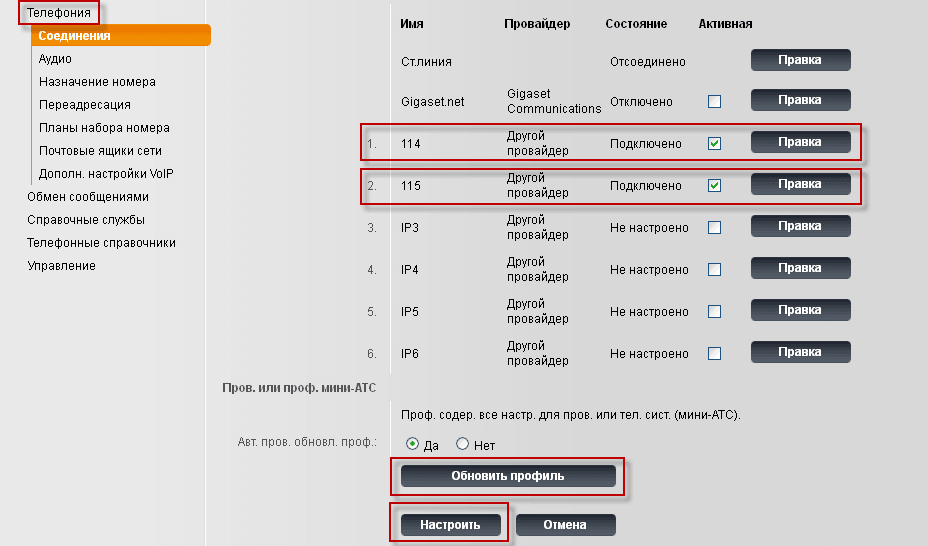
After setting up the network, we move on to setting up telephony. In the screenshot, 2 tubes with numbers 114 and 115 are opened:
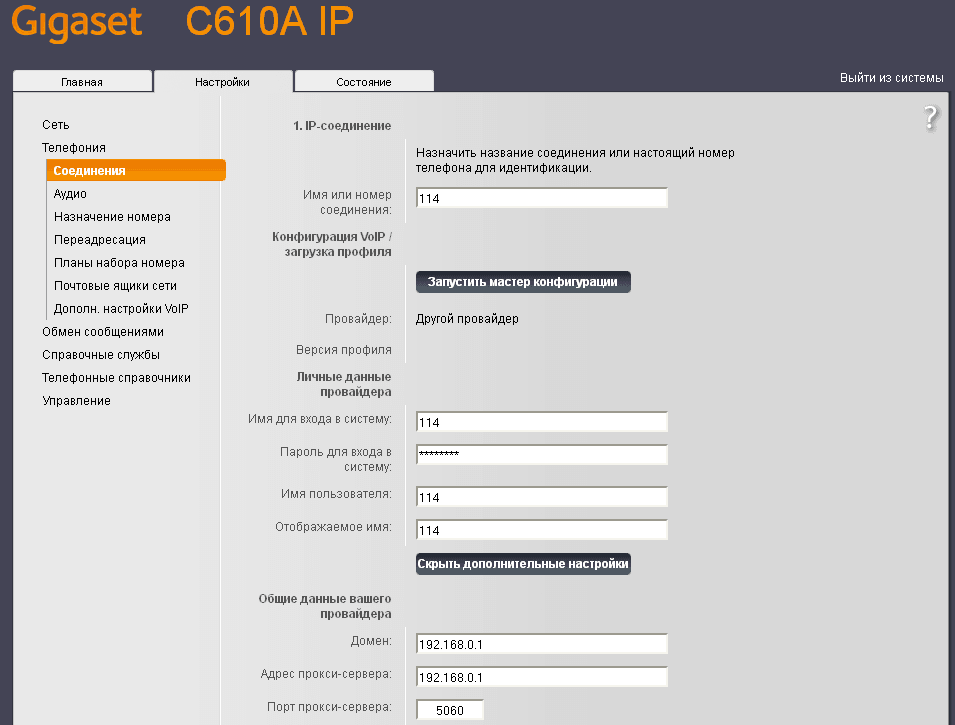
Now let’s move on to setting up the phone. On the tab. Connections We need to configure 2 tubes to numbers, press the button for this. Editing on the first tube and fill the fields:
- Name or number of connection: 114
- Name to log in: 114
- Password for logging in: pass-sip-114
- User name: 114
- Displayed name: 114
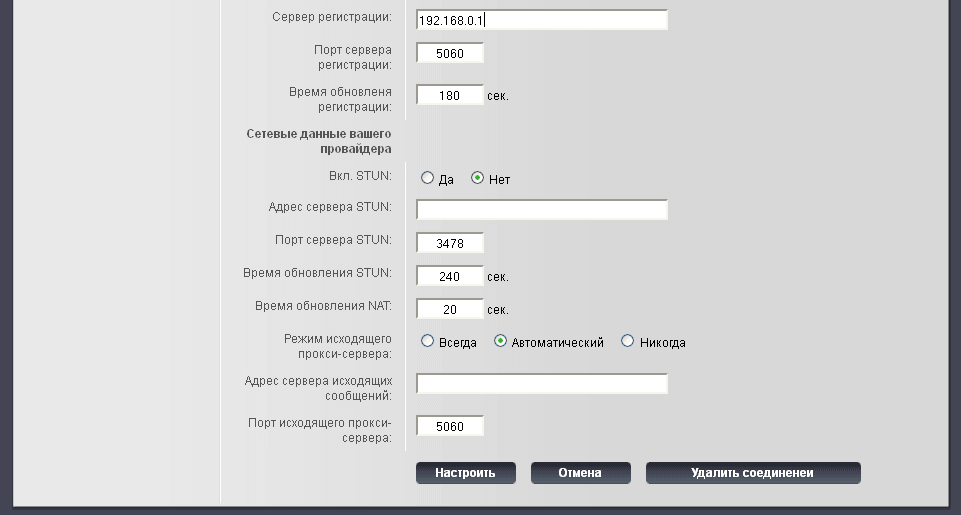
Click on additional settings and close the fields:
- Domain: 192.168.0.1
- The proxy server address: 192.168.0.1
- Registration server: 192.168.0.1
- Server port: 5060
- Registration update time: 180 sec.
- On. STUN: No.
After filling the fields, press Set up to save the settings:
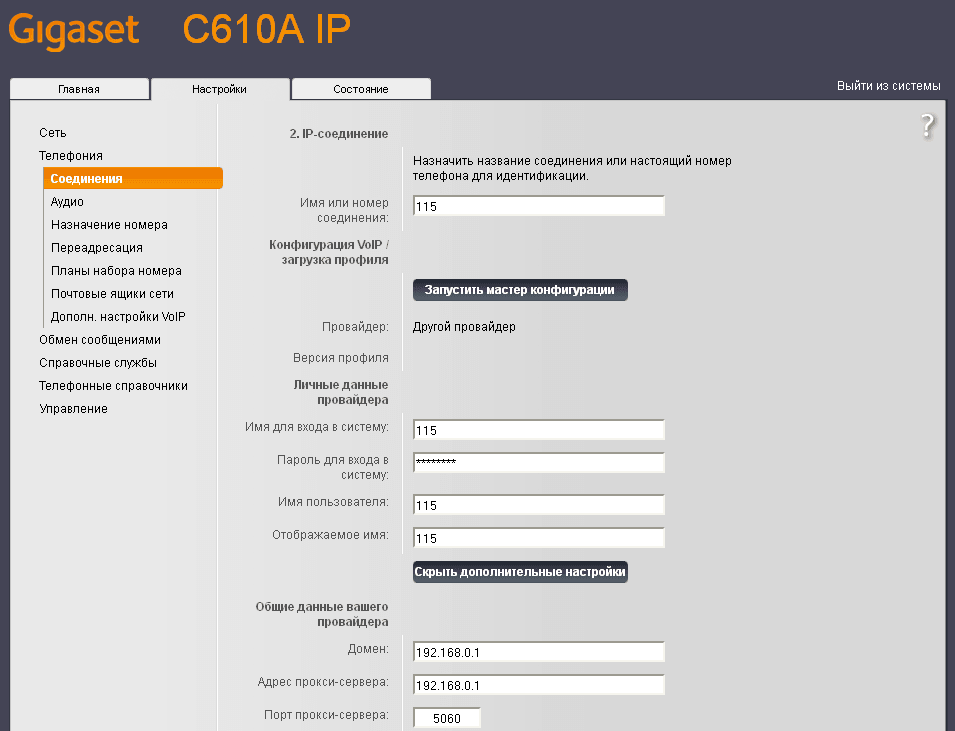
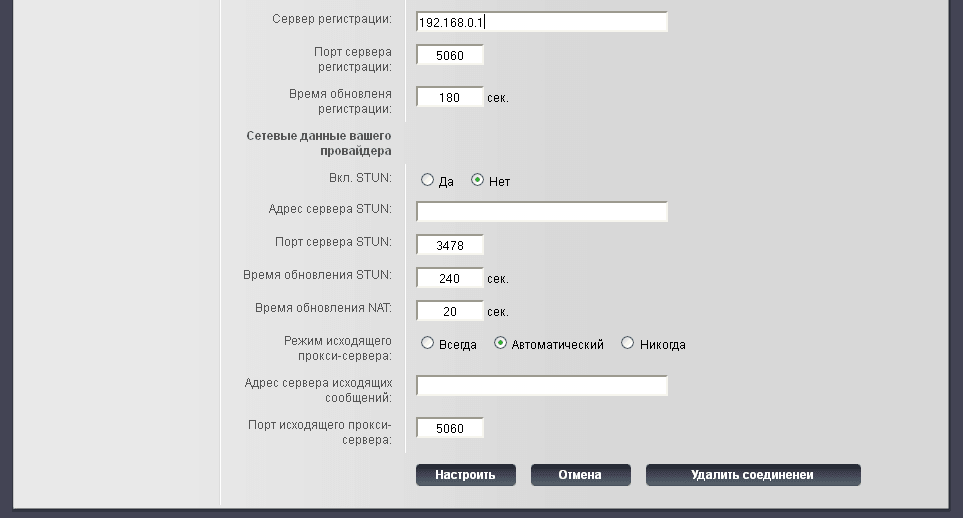
Similarly, with 114 number configure and 115, if you have more tubes, then adjust how many there is, following the example above:
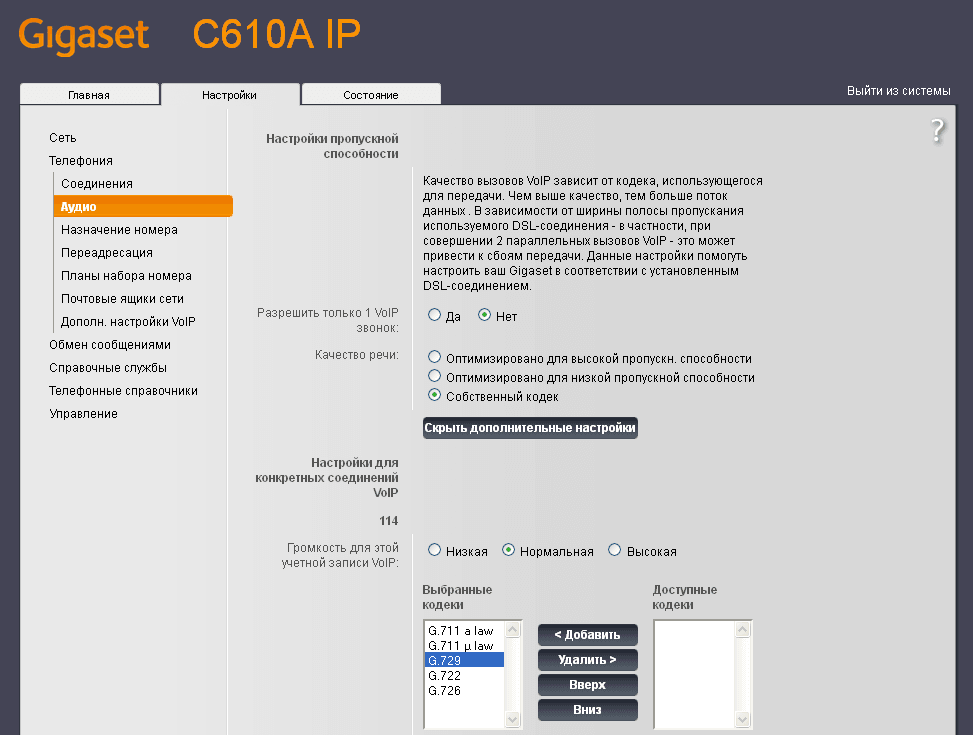
After Sip account settings 114 and 115 go on to configure the codecs. For our SIP accounts, we set priority accordingly with the setting of your account. Asterisk serverIf you're using G.729 codecThen raise it higher, or you will lower it. After editing the codecs to save settings, press the button Set up:

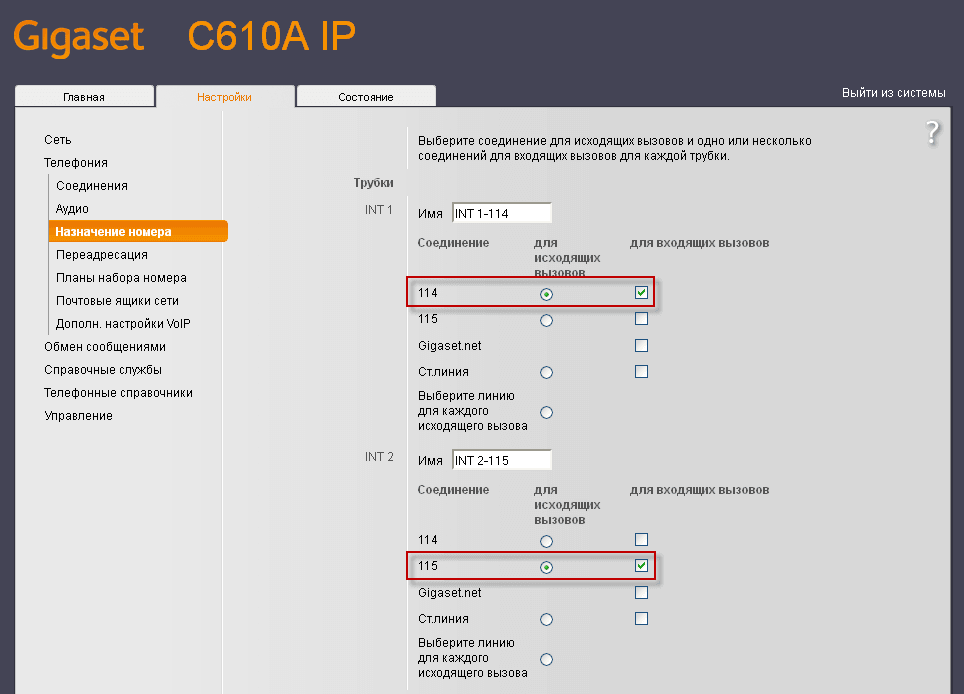
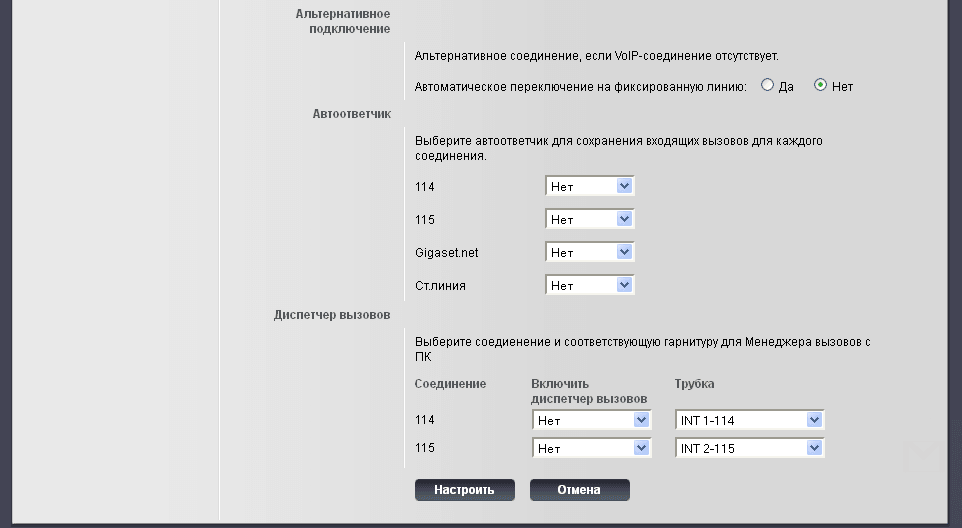
Go to the tab. Assignment of number and configure calls from the first phone number 114 to receive and send calls only through SIP 114 (our Asterisk server) and from the second tube number 115 receive and send calls only through SIP 115. Change the name of the tube to my own, for example, I had INT 1, became INT 1-114, on the first tube was INT 2, became INT 1-115. Customize by example as in a screenshot and after filling in to save settings, press the button Set up:
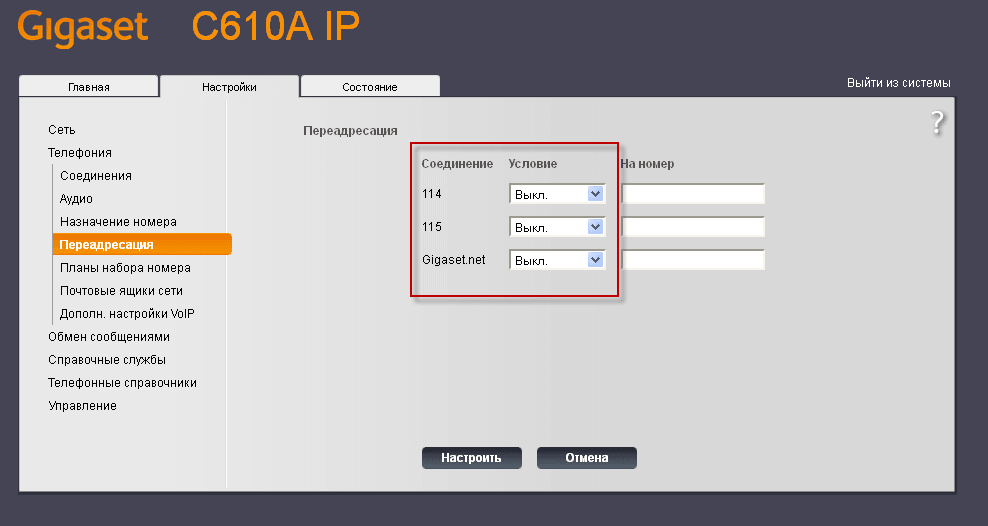
Disable redirects on the tab Redirection After disabling to save settings press the button Set up:
Tab Dialing plansWe leave the settings unchanged:
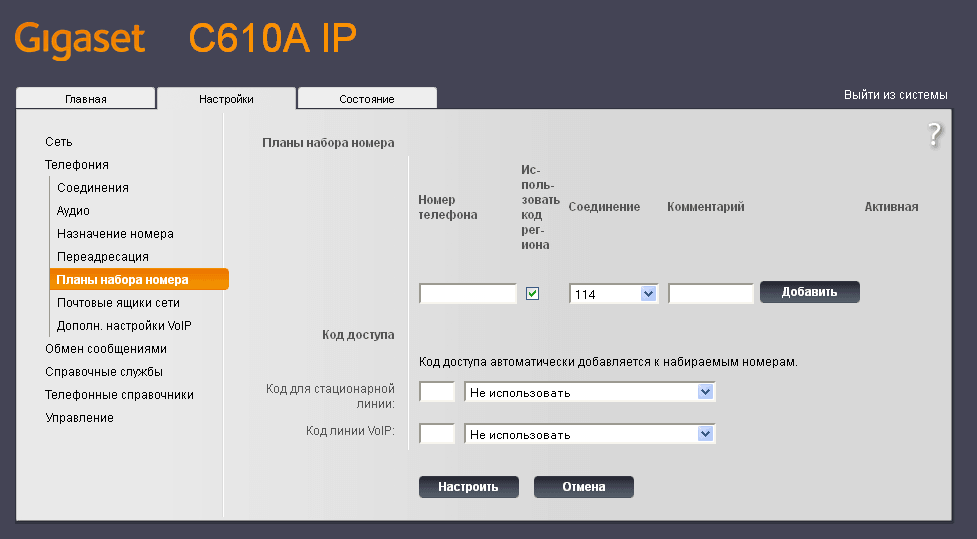
Tab The net mailboxesWe leave the settings unchanged:

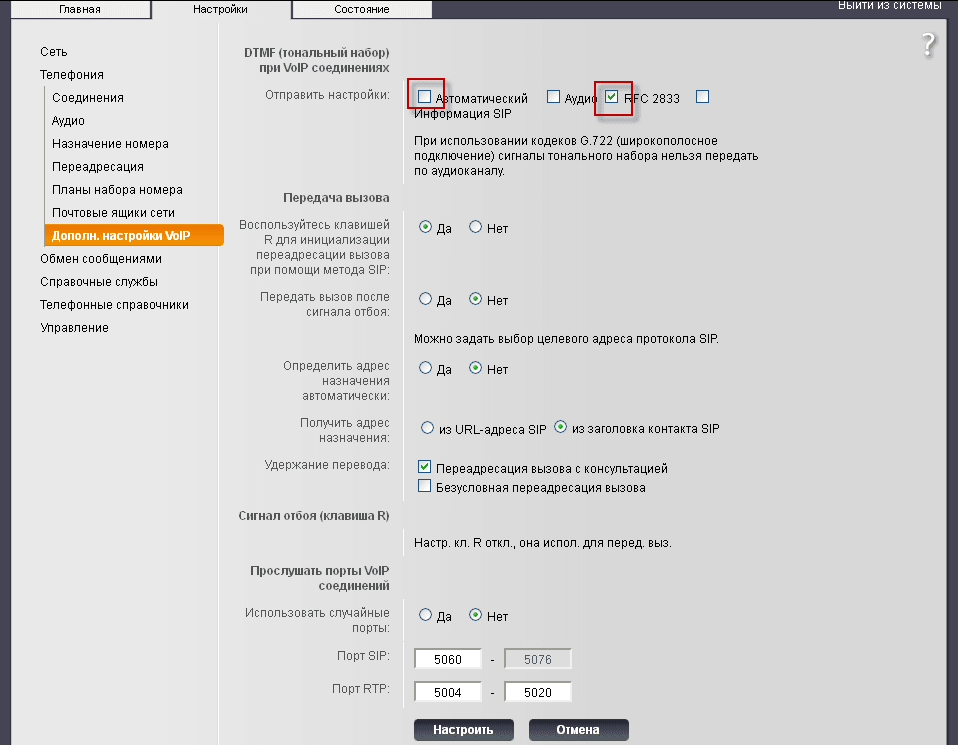
On the tab. Additional VoIP settings customizable DTMF according to the setting of your Server Asterisk. After the change, to save the settings press the button Set up:
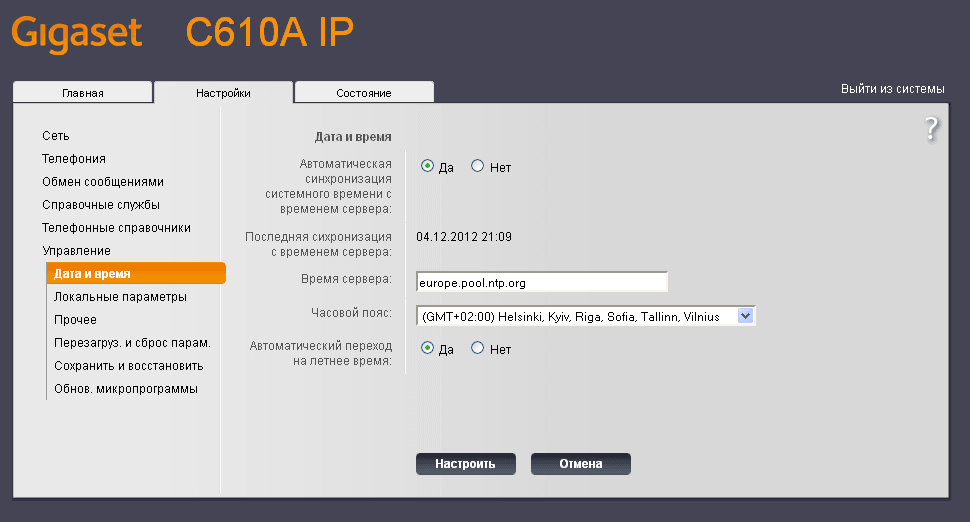
On the tab. Management - Date and time Automatic time synchronization of the phone GIGASET C610A IP from the Internet, and also select your time zone in the drop-down list. After the changes, you need to press the button. Set up to save the settings:
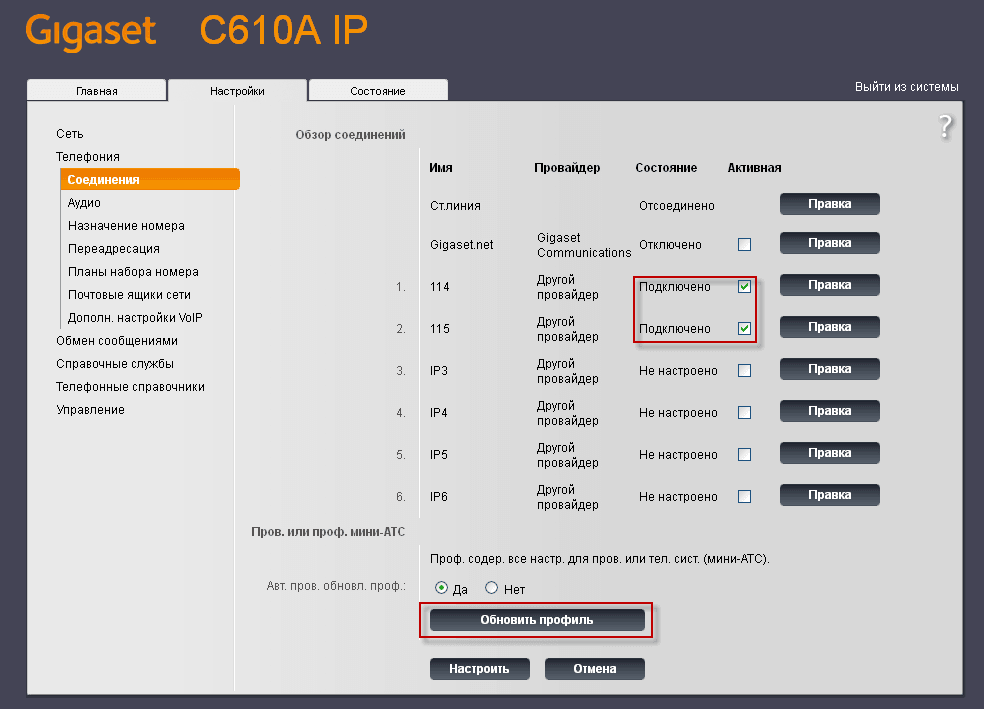
On the tab. Telephony - Connections You can see the status of the connection to the server, press the button to update the status Update profile:
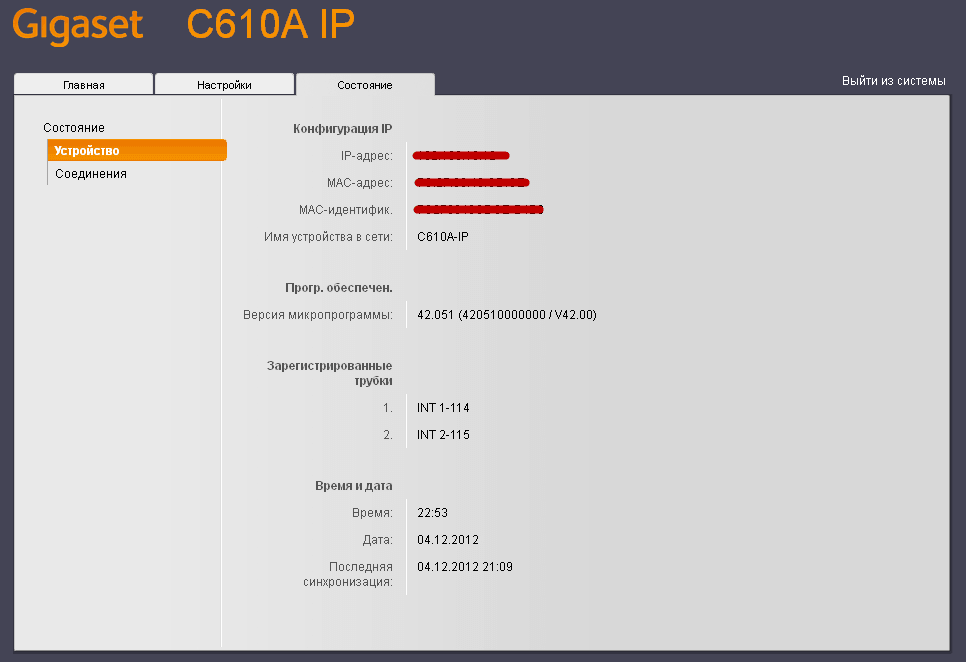
On the tab. Status - Device You can see the status of registered handsets, IP address, MAC address network card, firmware version of the phone, as well as the current time.
On the tab. Status. - Connections You can view the status of your connection to your Asterisk serverSIP numbers:

Task of adjustment GIGASET C610A IPIt's done. GIGASET C610A IP Phone double-tube connected to Asterisk The server numbers 114 and 115. Accepts incoming and outgoing calls according to the settings of your Asterisk server.
I was with you. Lazarenko Sergey
Let’s take a short break and watch a video about SEO promotion of the site:

comment