


Arno's Iptables Firewall Easy to configure, easily customizable script that automatically generates rules for firewall iptables.
Start setting up the firewall on the server
The source data is standard 2 network, one for the provider, the second in the switch - local area network:
2 interfaces given
eth0 - Internet provider
ip 192.168.1.5
mask 255.255.255.0
gateway 192.168.1.1
dns 192.168.1.1
eth1 - local area network
ip 192.168.2.1
mask 255.255.255.0
Install the firewall configuration script with the command:
aptitude install arno-iptables-firewall
In the process of installation, we refuse to start the program.
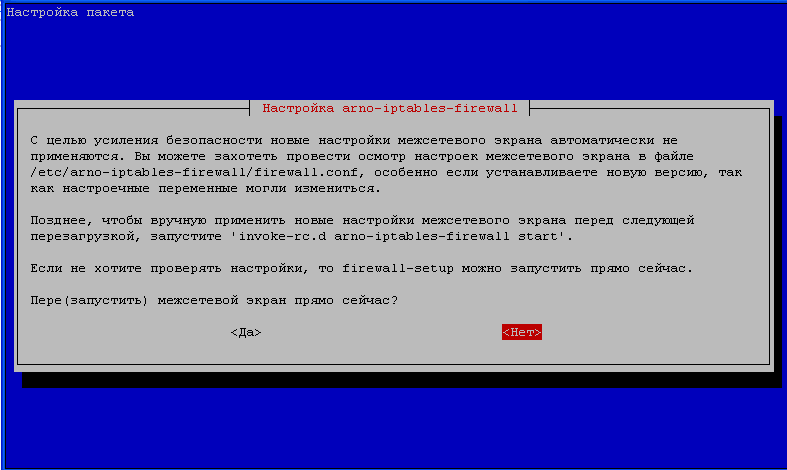
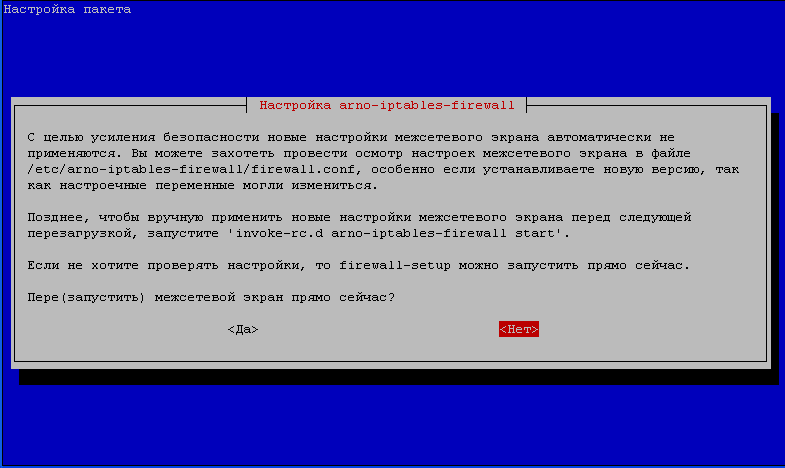
After installation, you need to start setting arno-iptables-firewall command:
dpkg-reconfigure arno-iptables-firewall
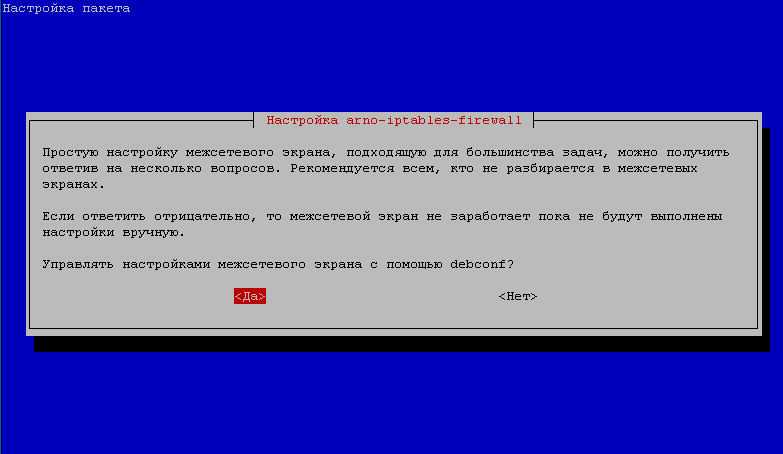
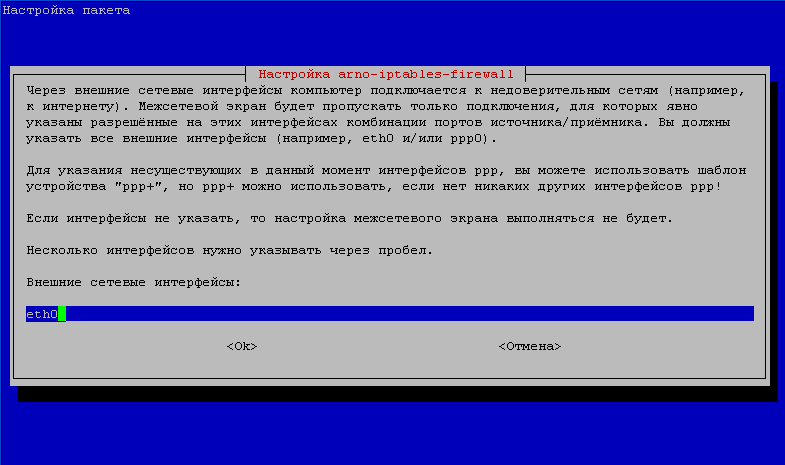
We agree with the configuration via debconf, specify the external interface (provider) - eth0:
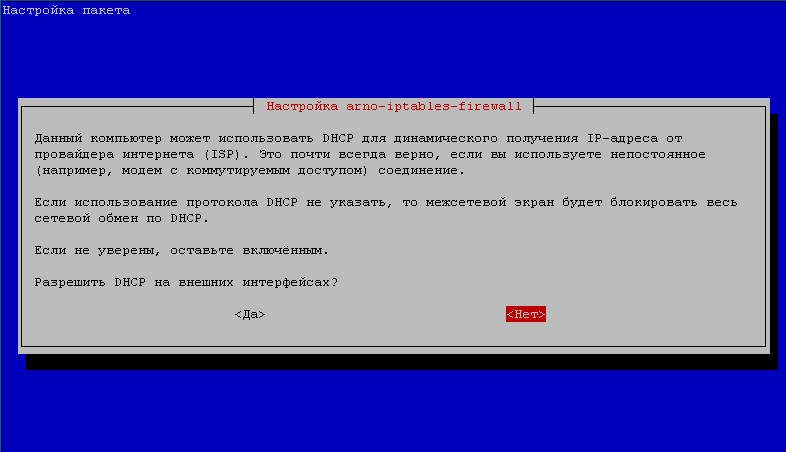
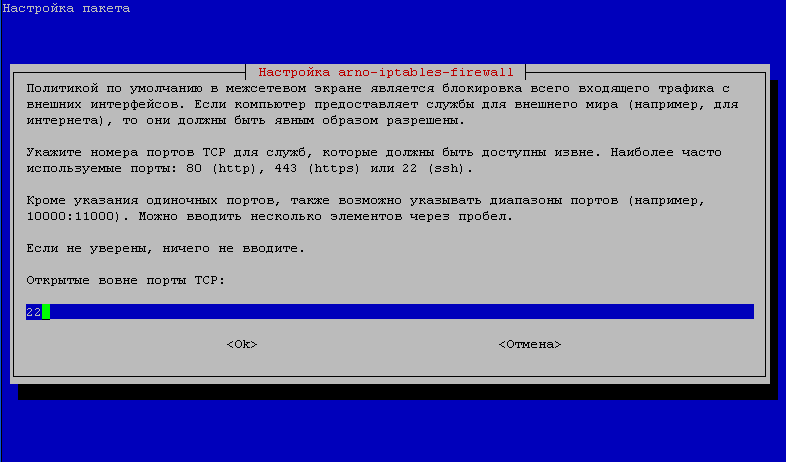
If the provider provides Internet via static IP, we prohibit DHCP from the provider. If you need to have external access to the server by ssh, specify the port on which you have ssh. If you have not changed the port (for security it is better to change, then all sorts of Chinese with their password selections almost completely fall off and no longer bother), then the standard port 22. If access to equipment over TCP is not required, write nothing.
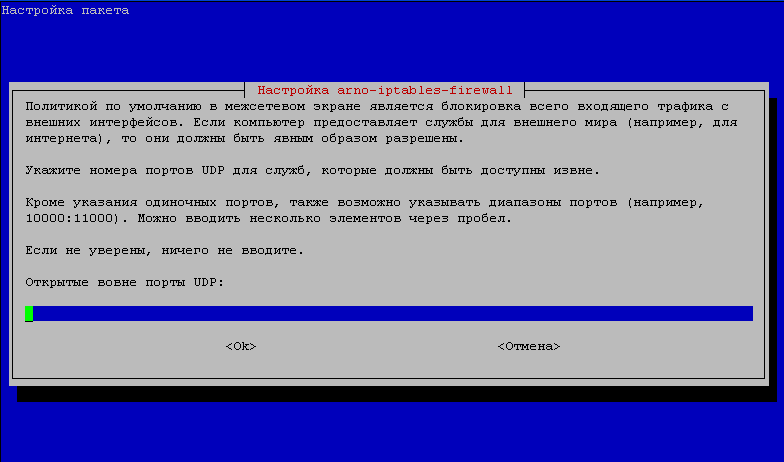
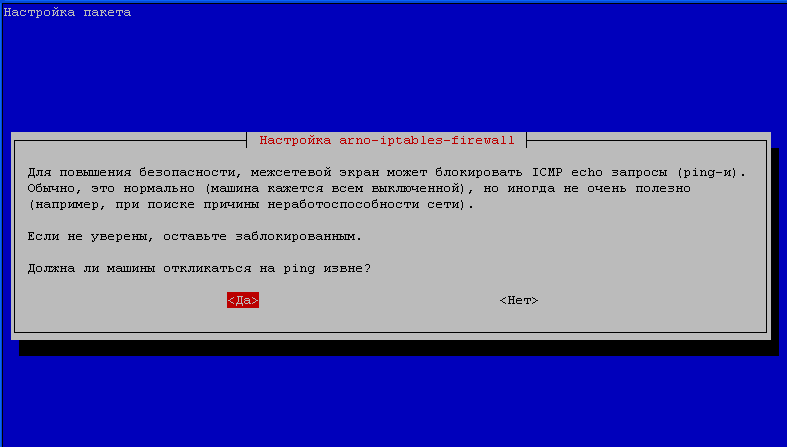
If there is a need for an open port over UDP, for example, if you have an OpenVPN server configured, we specify the desired port. If access to equipment by UDP is not required, write nothing. We also turn the ping on to the server. For the best security, it is better not to turn on (all kinds of port scanners will scan you less, since you do not respond to ping), but for my convenience I include, as from time to time for checking the pingu server:
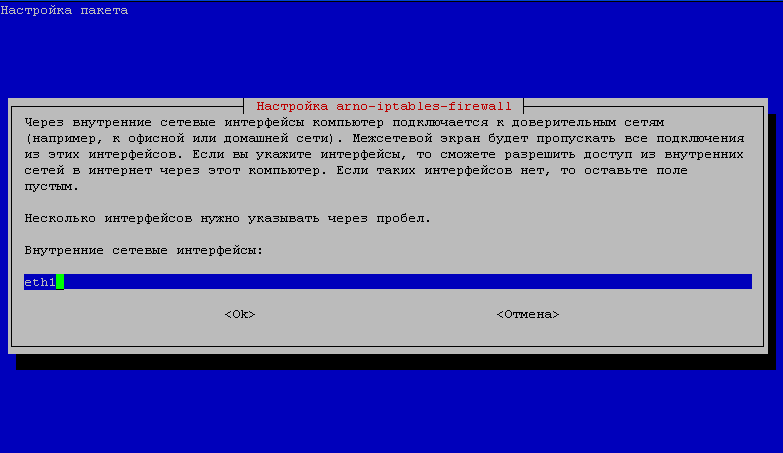
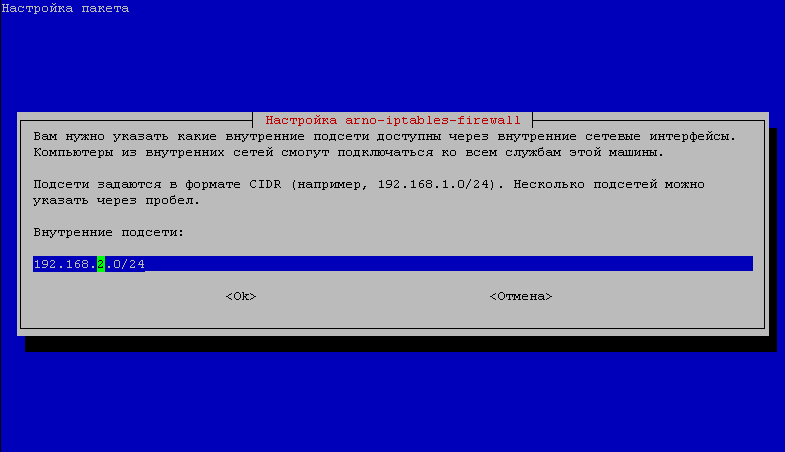
In internal interfaces, we specify the interface going to the switch - local network eth1. Indicate the subnet on the eth1 interface, in our case it is 192.168.2.0/24
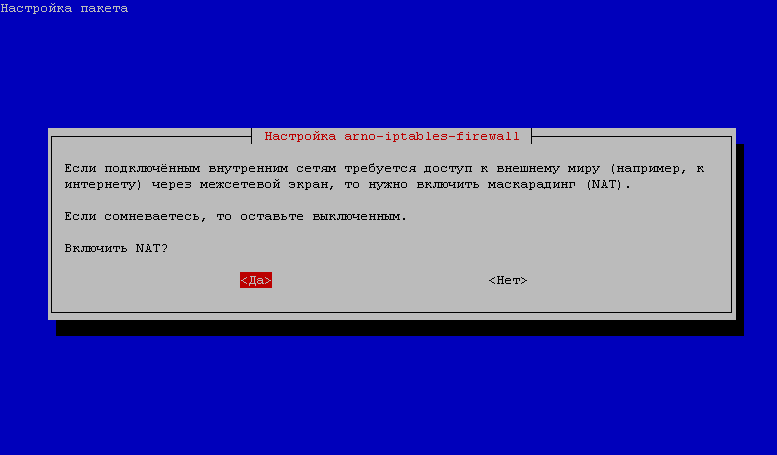
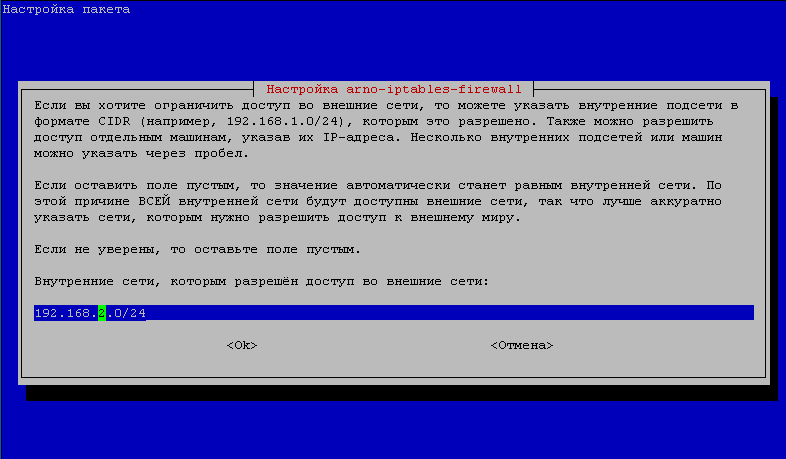
If you need to allow NAT, and in our case we allow, as there is a need for several machines to give full access to the Internet (for FTP, for Torenta, etc.), and the rest will be called access to the Internet only through a proxy server. We specify who is allowed to NAT: either the entire subnet, or through the IP space of computers that need NAT:
With this, the Arno Iptables Firewall setting via debconf is finished. Agree to firewall launch.
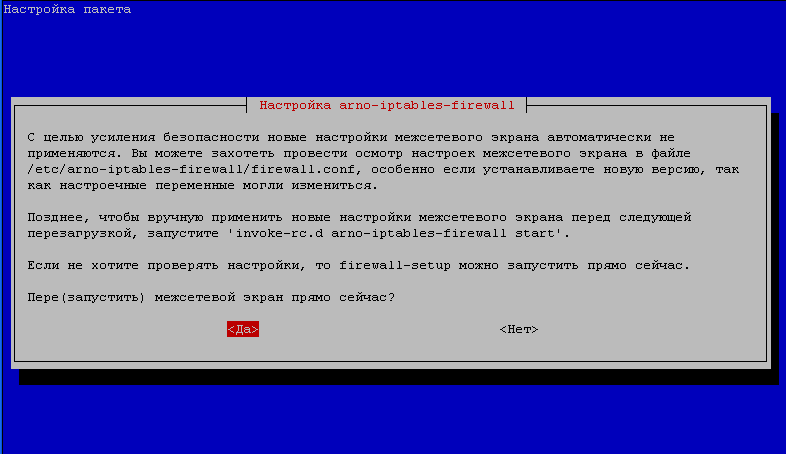
Basic firewall setup is done.
If you use a transparent proxy, you can configure a firewall to move 80(web) port forcibly to the proxy server port. Then, even if the user has a NAT, from the browser, the user sits only through a proxy server, but torrents, ftp, etc. will go past proxies. There are a few solutions:
1. Configure Shaper - a program that distributes the channel according to the settings for each computer using the Internet.
2. Turn off the NAT.
2.1 Open port 443(https) to the outside for everyone, because if you do not open, you need to prescribe everyone to use IP proxy servers and port. Port 443 is not translucent to port Squid.
2.2 Open port 21(ftp) outwards for those who actively use ftp clients, as the work of ftp through squid is not complete.
2.3 The client’s torent can be accessed through the proxy server port. In the client torent settings, we specify IP:PORT proxy of the Squid server.
2.4 Forced transfer of all browsers from 80 port to the proxy server port 3128
Port force 80 (browser) port of proxy server for Debian Lenny:
Debian Lenny has a version of Arno's Iptables Firewall v1.8.8o installed, and there is no plugin that does port rolling like in Debian Squeeze.
In order to build a transfer of everyone to the proxy server port, you need an Arno Iptables firewall in the file. /etc/arno-iptables-firewall/custom-rules add a line:
iptables -t nat -A PREROUTING -i eth1 -p tcp --dport 80 -j REDIRECT --to-port 3128
It is written here that everyone who goes from the local network (browsers) to transfer to port 3128 of our proxy server. If the user is not allowed to intranet, or the user is not registered, he will not be able to use the Internet through a browser.
We force 80 port (browser) to the proxy server port for Debian Squeeze:
In Debian Squeeze version installed Arno's Iptables Firewall v1.9.2k, and there is already a plugin that makes port rollover.
In order to activate the plugin, you need to change the file. /etc/arno-iptables-firewall/plugins/transparent-proxy.conf
was:
ENABLED=0

# (Transparent) proxy settings
# ------------------------------------------------------------------------------
#HTTP_PROXY_PORT="3128"
became:
ENABLED=1

# (Transparent) proxy settings
# ------------------------------------------------------------------------------
HTTP_PROXY_PORT="3128"
And reboot the firewall script with the command:
/etc/init.d/arno-iptables-firewall restart
Ports and NAT in Arno Iptables Firewall
For the transfer of pods to computers located behind the Internet server, we will use the internal capabilities of the Arno Iptables Firewall program.
An example by analogy with which you set up your task:
Our server has 2 network cards:
eth0 - Internet
eth1 - enterprise local network IP address 192.168.1.1
There is an accountant's computer - ip 192.168.1.5 and an administrator - ip 192.168.1.10. We need to:
- Open NAT (full Internet access except for 80 ports that the firewall intercepts and transfers to the proxy port of the Squid server) and toss the RDP(3389) and Radmin(4899) port outside.
- For the accountant’s computer, you need to open NAT on Google mail (465 and 995 ports) and open NAT for the client’s bank that works on TCP on port 2255 (for example).
Here we go.
Let’s start with the accountant’s computer:
In order to open NAT on Google mail ports and the client bank port for the accountant's computer, we need to register in a file. /etc/arno-iptables-firewall/custom-rules:
vi /etc/arno-iptables-firewall/custom-rules
...
iptables -t nat -A POSTROUTING -o eth0 -p tcp -s 192.168.1.5 -j MASQUERADE --to-ports 465,995,2255
...
Open NAT for the administrator computer in a configuration file /etc/arno-iptables-firewall/debconf.cfg Arno Iptables Firewall:
vi /etc/arno-iptables-firewall/debconf.cfg

# Разрешен ли DHCP на внешнем интерфейсе:
DC_EXT_IF_DHCP_IP=0
# Разрешен ли пинг на внешнем интерфейсе:
DC_OPEN_ICMP=1
# Внешние сетевые интерфейсы:
DC_EXT_IF="eth0"
# Открытые порты TCP:
DC_OPEN_TCP="22"
# Открытые порты UDP:
DC_OPEN_UDP=""
# Внутренние сетевые интерфейсы:
DC_INT_IF="eth1"
# Включен NAT:
DC_NAT=1
# Перечисляем IP компьютеров через пробел, либо указываем подсеть вида 192.168.1.0/24(открыт всем) которым разрешаем NAT:
DC_INTERNAL_NET="192.168.1.10"
DC_NAT_INTERNAL_NET="192.168.1.10"
Now configure the RDP(3389) and Radmin(4899) ports from the outside to the administrator's computer, for this we open the file. /etc/arno-iptables-firewall/firewall.conf and make changes:
...
NAT_FORWARD_TCP="3389,4899>192.168.1.10"
NAT_FORWARD_UDP=""
...
As an example:
Fly the server port 80 and the server FTP port 21 to the server in the local network behind the Internet gateway 192.168.1.10;
Fly 81 server ports to 80 port of the computer 192.168.1.7:
NAT_FORWARD_TCP="80,21>192.168.1.10 81>192.168.1.7~80"
After saving the changes to the Arno Iptables Firewall files to apply the changes, reboot the Arno Iptables Firewall program with the command:
/etc/init.d/arno-iptables-firewall restart
To check the connection to the mail from the accounting computer, we will execute the command:
telnet google.com 465
If there is a NAT, then the connection will start, otherwise not.

comment