

In the article Install and configure an Internet gateway on Debian 5 (Lenny) and Debian 6 (Squeeze) using squid, rejik, sams, sqstat, arno-firewall-iptables Part 1 We have installed and configured the Squid proxy server and the proxy server administration program through the SAMS web interface. Now we move on to installing and configuring the Rejik3 redirector program.
Rejik This is a redirector program for squid, which blocks advertising on the block list (ban-lists), a program connected to the proxy server squid to replace banners, files, as well as blocking access to certain addresses (porn, social networks, wares, torrent sites, etc.). Or opening access to addresses allowed only for work, such as mail, corporate website, removed legislation, etc.
Install and configure Rejik 3.2.8 in Debian
Start installing Rejik 3.2.8, go to the folder /usr/src/install the necessary packages for assembly and installation of rejik 3.2.8, download the source code of the cutting, unpack the downloaded archive and go to the unpacked directory:
cd /usr/src/
aptitude install libpcre3 libpcre3-dev
wget http://rejik.ru/download/redirector-3.2.8.tgz
tar xvfz redirector-3.2.8.tgz
cd redirector-3.2.8
Now you need to rename the SQUID_USER and SQUID_GROUP variables in the Makefile file
It should look like:
mcedit Makefile
SQUID_USER=proxy
SQUID_GROUP=proxy
After changing the Makefile file, we start assembling and installing the Rejik3 redirector program with teams:
make
make install
If we update the access lists from the filming site, you need to download.
dbl at address http://rejik.ru/download/dbl-2.0.tgz
When updating the lists, if you have an error:
sh FULL
Can't locate XML/Parser.pm in @INC (@INC contains: /etc/perl /usr/local/lib/perl/5.10.0 /usr/local/share/perl/5.10.0 /usr/lib/perl5 /usr/share/perl5 /usr/lib/perl/5.10 /usr/share/perl/5.10 /usr/local/lib/site_perl .) at /usr/local/rejik3/dbl/dbl_expand line 2.
BEGIN failed--compilation aborted at /usr/local/rejik3/dbl/dbl_expand line 2.
The package must be installed:
aptitude install libxml-parser-perl
In order to download the lists you need to register at the address http://rejik.ru/cgi-bin/signup.cgi?lang=ru
Spend some time - 20-40 minutes checking lists, earning points and downloading lists as you wish and as often as you want.
Also download the list of ban sheets for rejik3 (registration) for 24.01.2012. You can refer to:
Download fresh ban lists for Rejik, Squid c depositfiles.com
Download fresh ban lists for Rejik, Squid c letitbit.net
Download fresh ban lists for Rejik, Squid c turbobit.net
In the Samsung settings section Setting up samsdaemon in the drop-down list Editorial choose rejik pressed Save the changes
In the file at the address /etc/squid/squid.conf section url_rewrite_program It is necessary to add :
was:
#Default:
url_rewrite_program /usr/bin/samsredir
became:
#Default:
url_rewrite_program     /usr/local/rejik3/redirector /usr/local/rejik3/redirector.conf
Add to the SAMS ban lists for use through rejik.
If you ask why Rejik is used in conjunction with SAMS, and not using a built-in SAMS redirector, I will answer:
You can use the built-in redirector if you have small lists, if for example a ban list of porn sites weighs 6-7 MB, then when working, the built-in redirector uses the mysql database and when the list is large, and people are actively going online, mysql takes up to 100% of the processor. The situation with the film is completely different. It uses not bd files that are compiled into a convenient format and in the process of work no strains for iron were observed.
Uploading Ban Lists to SAMS
Opening Samsung at the address. http://ip_you_server/sams/
To log in to SAMS (if not previously changed) use the admin login, password qwerty.
!! Attention.If you have an improt in rejik ban sheets gives an error in the web interface: can't open sams config file data/urlist.txt
In the file. php.inialong the way /etc/php5/apache2/php.ini
Safe_mode should be placed in Off, which means:
safe_mode = Off
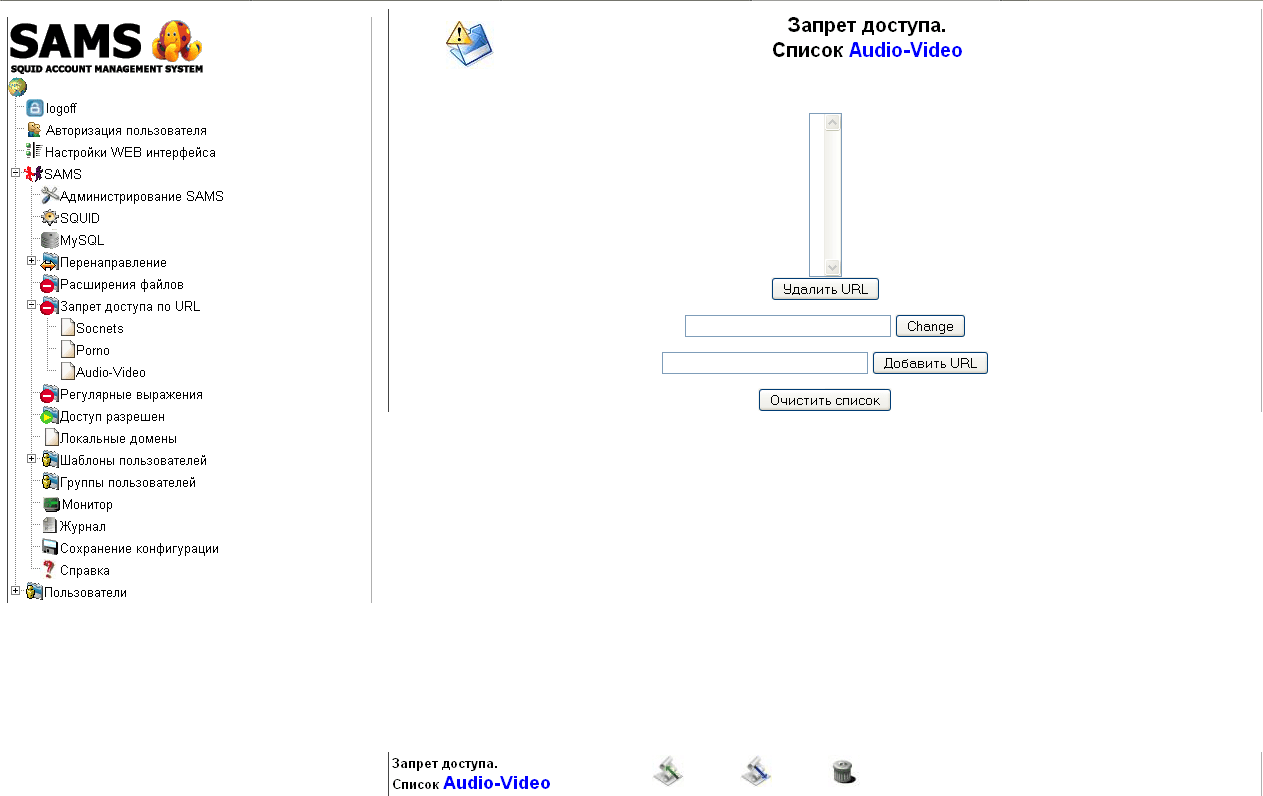
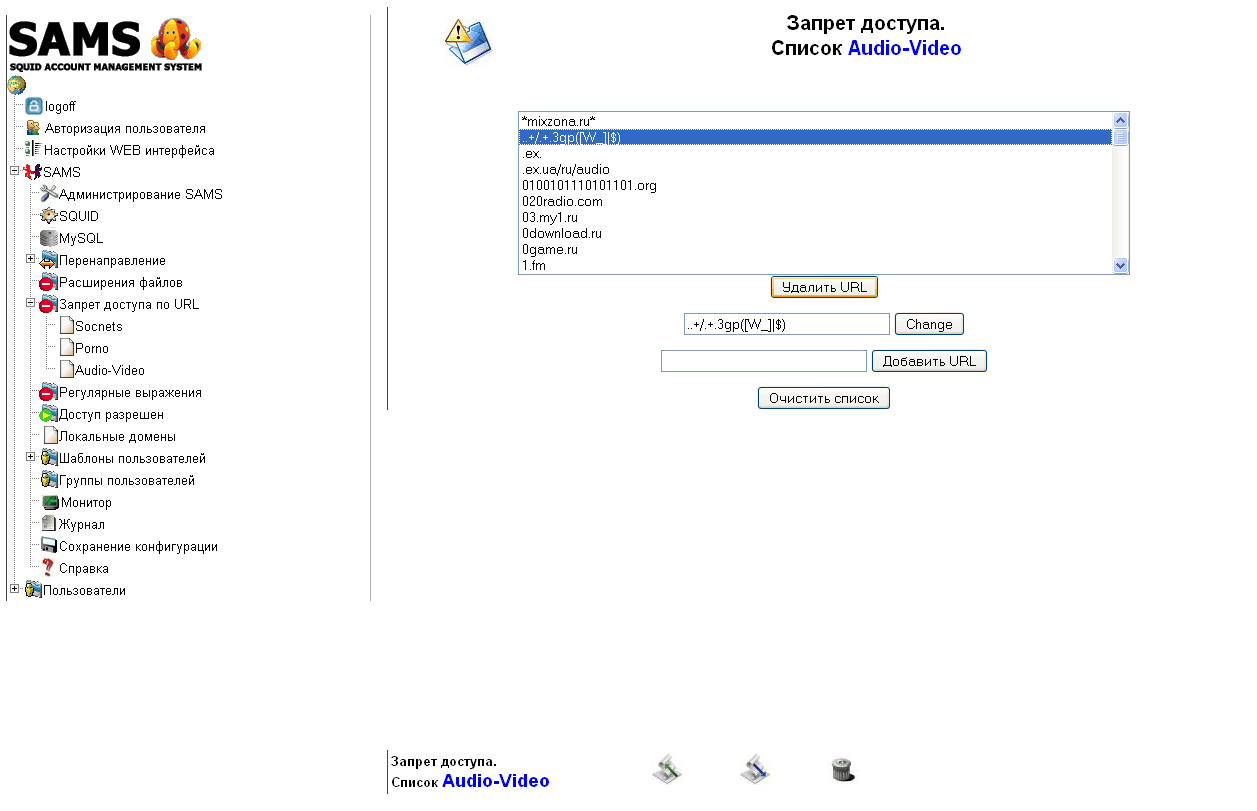
Open the tab. SAMSpress on Prohibiting access to URLs, indicating Title of the list: Audio-Video and press the button Create. Next, click on the created list of Audio-Video, press the button at the bottom. Import the list,Press the Overview button and select a file audio-video.urls from the unpacked archive downloaded by link earlier and download by clicking on the button Load file

Connect the created list to the user template
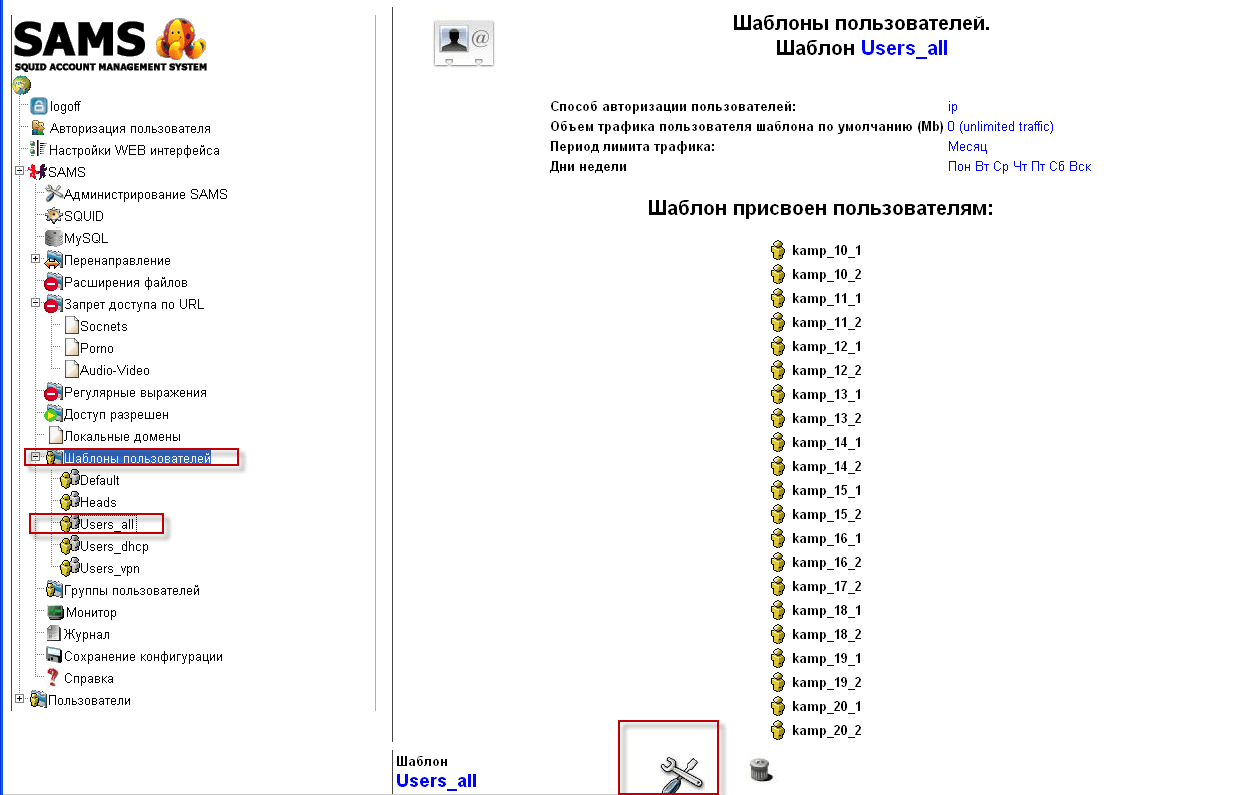
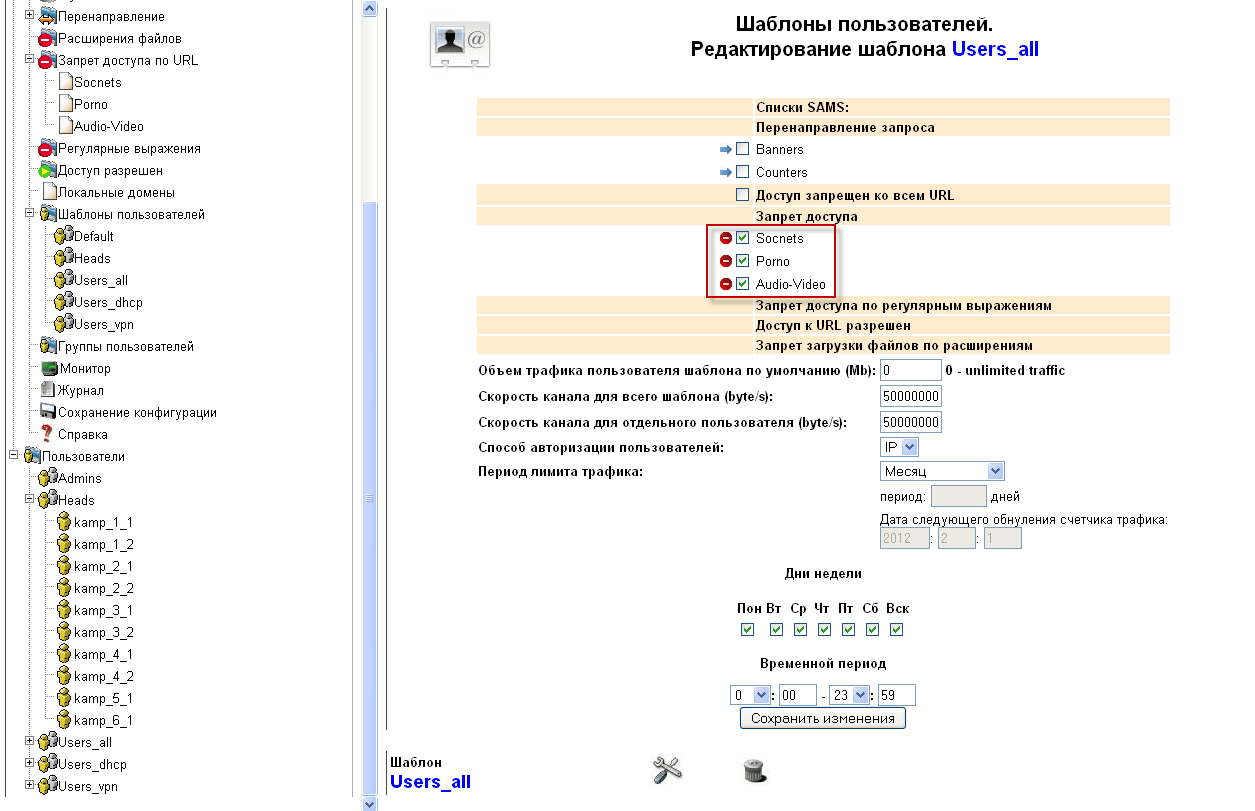
Push. User templatesSelect the desired we click on it with a mouse and press the button from below. Change the template and in the window that appears, tick those lists that must be tied to this template and press the button. Save the changes. And those users who have selected this template in the settings will not be able to go to the sites listed in the connected ban list.
After all the changes that are made through the WEB SAMS interface, you need to apply changes to make changes to the configuration file of the proxy server SQUID and reread the settings from the updated configuration file.
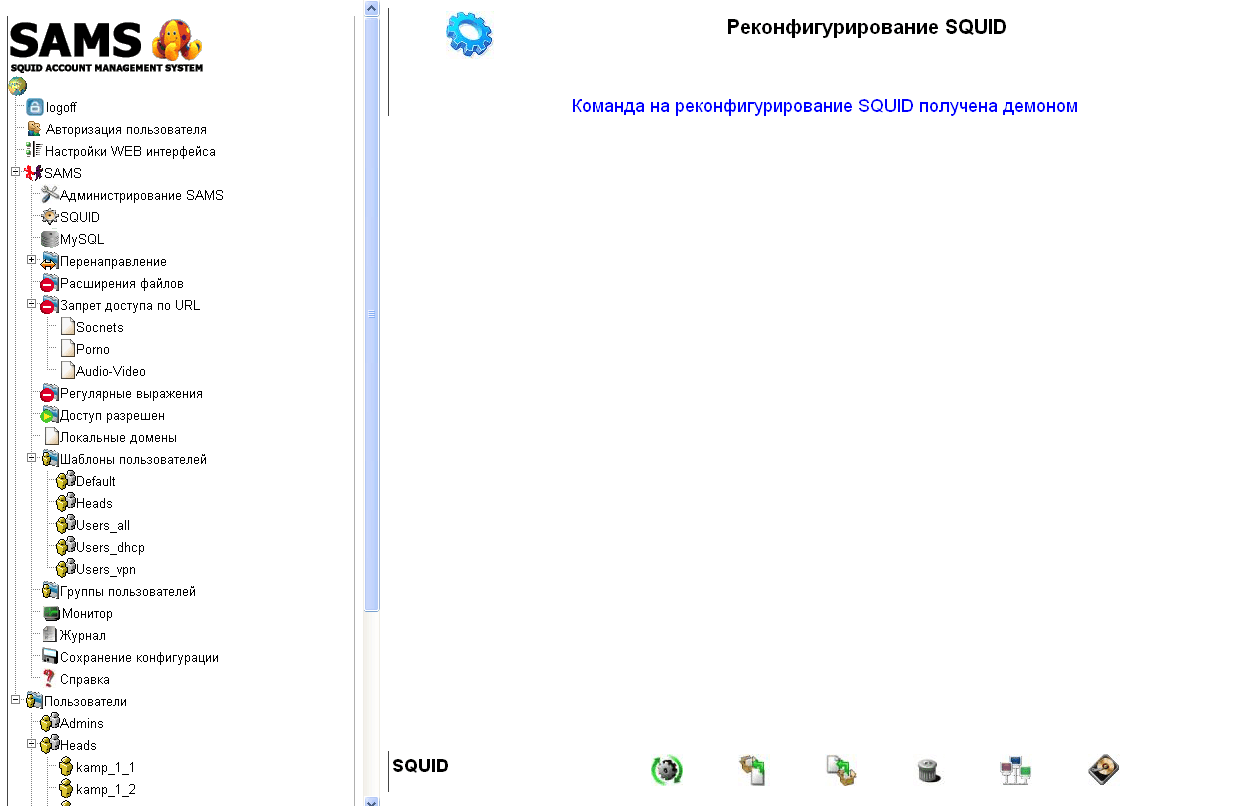
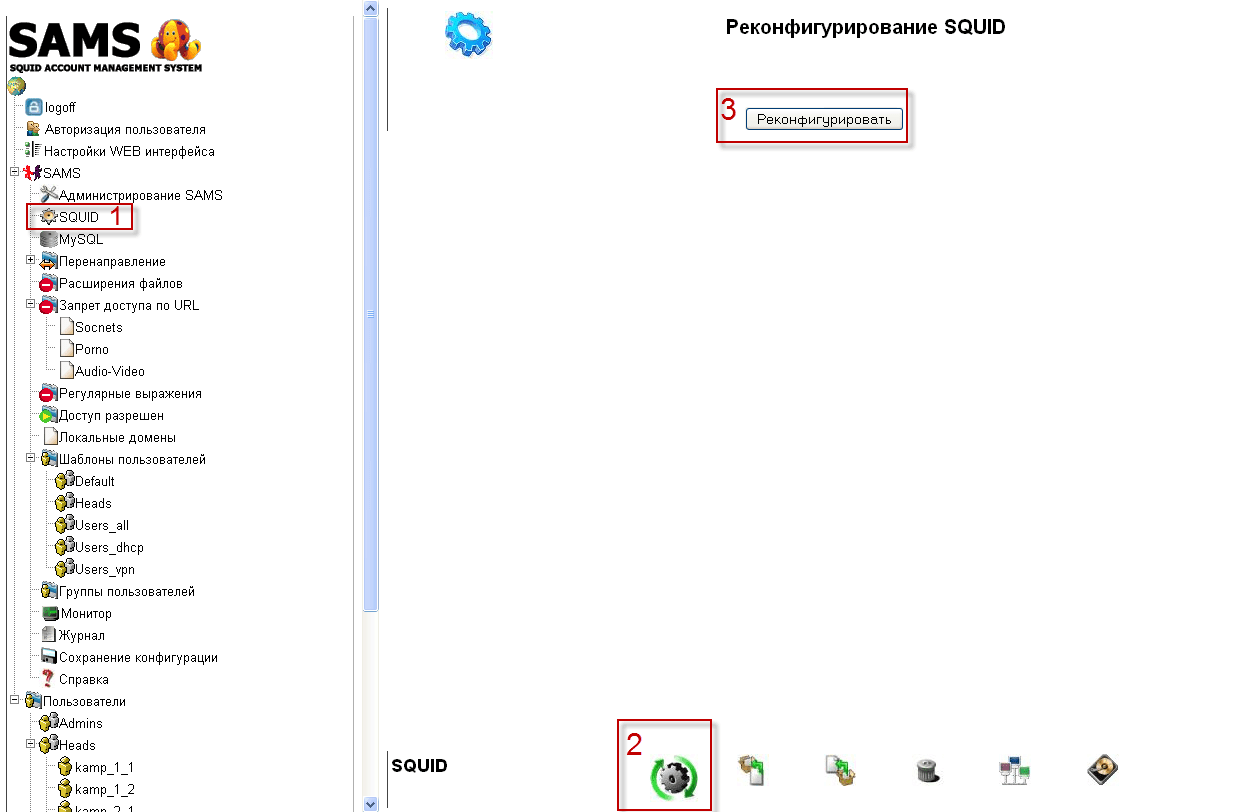
The configuration file of the film is located at the address /usr/local/rejik3/redirector.confIf it does not exist, it must be created from a default file. /usr/local/rejik3/redirector.conf.dist by renaming it or creating it with an automatic rights editing team:
echo '
error_log /var/log/squid/redirector.err
change_log /var/log/squid/redirector.log
make-cache /usr/local/rejik3/make-cache
' > /usr/local/rejik3/redirector.conf
chown proxy:proxy /usr/local/rejik3/redirector.conf
These three lines in the configuration file are enough for full operation, since SAMS makes the necessary changes after reconfiguration.
My configuration file:
error_log /var/log/squid/redirector.err
change_log /var/log/squid/redirector.log
make-cache /usr/local/rejik3/make-cache

<_sams_4f19f850d6542_denied>
work_ip f:/usr/local/rejik3/4f19f850d6542.sams
ban_dir /usr/local/rejik3/_sams_banlists/4f19f850d6542_denied
url http://inet.crm.loc/sams/messages/blocked.php?action=rejikdenied&url=#URL#  #_sams_
With this, the Rejik3 configuration with Squid and SAMS is complete. If you have any questions or requests, please write in the comments or feedback.
Now move on to sqstat and arno-iptables-firewall settings

comment