
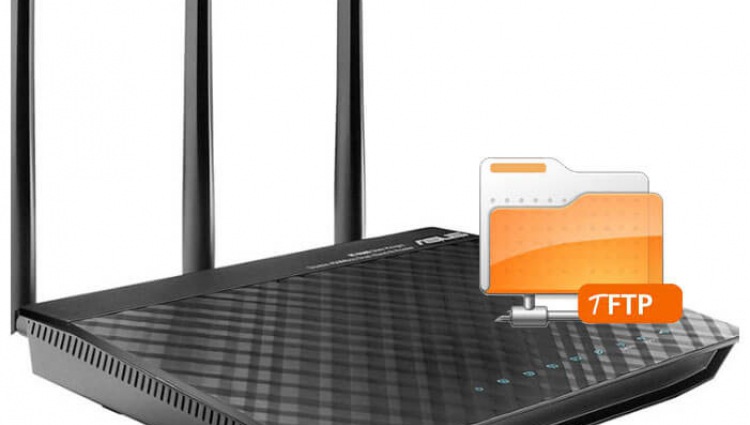
For the automatic configuration of SIP phones series Cisco, which download configuration from the TFTP server, decided not to add an additional server to dispense with the already running WIFI router ASUS RT-N66U by installing a TFTP server on it.
The ASUS RT-N66U router itself is stitched according to the instructions: Firmware WIFI router Asus RT-N66U firmware from Merlin, with Entware's connected repository according to the instructions: Installation on the router Asus RT-N66U repository Entware
Consider two types of tftp server configuration:
- Installation of a separate tftp server
- Enabling built-in tftp server in dnsmasq
1. Start installing a separate TFTP server
Install the necessary programs by executing the command:
opkg install xinetd tftp-hpa tftpd-hpa
Create a folder on our flash drive where the TFTP server files will be located:
mkdir /opt/tftp
Create a configuration file tftp server:
echo '
service tftp
{
flags = REUSE
socket_type = dgram
protocol = udp
instances = 30
wait = yes
user = admin
server = /opt/sbin/tftpd-hpa
server_args = -s /opt/tftp
cps = 100 2
log_on_success = HOST PID
log_on_failure = HOST
disable = no
}
' > /opt/etc/xinetd.d/tftp
Start our TFTP server by executing the command:
/opt/etc/init.d/S10xinetd start
2. Start configuring the built-in TFTP server into the Dnsmasq server
Default configuration file /etc/dnsmasq.conf It looks like this.
vi /etc/dnsmasq.conf

pid-file=/var/run/dnsmasq.pid
user=nobody
resolv-file=/tmp/resolv.conf
no-poll
min-port=4096
bind-dynamic
interface=br0
no-negcache
cache-size=1500
dhcp-range=lan,192.168.1.1,192.168.1.254,255.255.255.0,86400s
dhcp-lease-max=253
dhcp-authoritative
dhcp-option=lan,3,192.168.1.1
dhcp-option=lan,6,192.168.1.1,0.0.0.0
read-ethers
addn-hosts=/etc/hosts.dnsmasq
In order to add any parameter to the DNS settings, we need a configuration file. /etc/dnsmasq.conf folder /jffs/configs/ team:
cp /etc/dnsmasq.conf /jffs/configs/
After copying the configuration file, we make all changes to the file. /jffs/configs/dnsmasq.confWhen downloading, it will replace the file. /etc/dnsmasq.confMy modified config:
vi /jffs/configs/dnsmasq.conf
pid-file=/var/run/dnsmasq.pid
user=nobody
resolv-file=/tmp/resolv.conf
no-poll
min-port=4096
bind-dynamic
interface=br0
no-negcache
cache-size=1500
dhcp-range=lan,192.168.1.1,192.168.1.254,255.255.255.0,86400s
dhcp-lease-max=253
dhcp-authoritative
dhcp-option=lan,3,192.168.1.250
dhcp-option=lan,6,192.168.1.250,0.0.0.0
read-ethers
addn-hosts=/etc/hosts.dnsmasq

# Добавим параметр для указания клиентам IP TFTP сервера:
dhcp-option=br0,66,192.168.1.250

# Поднимем TFTP сервер встроенный в dnsmasq сервер, если используется встроенный,
# соответственно сменим и адрес в конфиге выше на адрес dnsmasq сервера
# создадим папку для файлов tftp сервера: mkdir -p /opt/tftp/
# если используется сервер по первому варианту, закоментировать ниже:
enable-tftp
tftp-root=/opt/tftp/
If you need a more fine-tuning of the dnsmasq server, see the instructions: Installation and configuration of Dnsmasq server: DNS, DHCP and TFTP servers
Verification of TFTP server operation
The verification is similar for both versions of the TFTP server installation.
Install tftp client by executing the command:
opkg install tftp-hpa
Create a test file in text 777 to the tftp folder of the server by executing the command:
echo 777 > /opt/tftp/test
Download the created file to check the operability of the tftp server by executing the command by substituting the IP of your dnsmasq server:
echo get test | /opt/bin/tftp-hpa 192.168.1.1
Check that the file that we previously created is downloaded by executing the command:
cat test
777
Installing and configuring the TFTP server on the Asus RT-N66U router is done in two ways. As for me, the easiest way is the second way when you do not need to install anything and get by with an already working dnsmasq server. There are different situations in life, so the first method of installation can also be useful to someone.
I was with you. Sergey Lazarenko.
A short video break, interesting and original five ways to get a number from a girl:

comment