

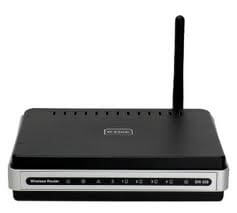
 Hello, there. Here I decided to lay out a new instruction on how to connect to the router embroidered firmware from enthusiasts on the example of firmware from Vampirika repository Entware and installing software.
! The instruction works on routers that support alternative firmware from enthusiasts, such as DIP-320, ASUS WL500gp, ASUS WL500gpv2, ASUS RT-N16, etc.
On the wifi router dir-320 on the site of a person with the nickname Vampirik, who continues to make wonderful firmware for the dir320 router, for which we are very grateful, download the latest firmware on the link. http://vampik.ru/wl500g/rtn/4667/DIR320-1.9.2.7-rtn-r4667M.trx And we'll flash it, if you already have an earlier firmware from Vampirika or from enthusiasts, you can stitch through the web interface, otherwise you're stitching through the web interface. tftp on instructionJust install the last stable firmware downloaded from the link above.
For routers other than DIR-320, we download the firmware from the folder http://vampik.ru/wl500g/rtn/4667/
In this firmware, due to the small size of the built-in flash memory of the router, there is no possibility to format an additional flash drive - utilities for formatting did not fit into the firmware. Therefore, if you have a flash drive that you want to connect to the router to install additional software on it, you need to format it either in Linux on a physical machine, or by connecting to a virtual machine with Linux installed, or having a second router, for example WL500g - you can format the flash drive in it.
Personally, I don't use a flash drive to swing torrents on it, so there's enough partition for me on the flash drive. SWAP and the main section optwhich will be connected to the folder at the root /opt
Since in the section swap constantly recording the system, due to the fact that the operatives are small, and the flash drive has a limited amount of recording, a very high probability of failure of the entire USB drive for a fairly fast period of about 3-4 months. A possible solution to extend the life of a flash drive by 3 times is to create several sections.
Let's start formatting the flash drive for dir320 on a virtual machine installed on Virtualbox or on any physical device where Linux is installed and you can break the flash drive (screw) and format.
Plug the flash drive into the USB port and execute the command fdisk -l To view the presence of external disks in the system:
fdisk -l
System response, see our flash drive:
.....
Disk /dev/sdb: 2003 MB, 2003664896 bytes
255 heads, 63 sectors/track, 243 cylinders
Units = cylinders of 16065 * 512 = 8225280 bytes
Sector size (logical/physical): 512 bytes / 512 bytes
I/O size (minimum/optimal): 512 bytes / 512 bytes
Disk identifier: 0x01021e00

  Device Boot Start    End Blocks   Id  System
/dev/sdb1   * 1    2441956672+   c  W95 FAT32 (LBA)
Partition 1 has different physical/logical endings:
    phys=(242, 254, 63) logical=(243, 152, 37)
Let's start breaking the flash drive. /dev/sdb:
The commands that we will use in the process of splitting the flash drive:
p - viewing sections (if created) on a flash drive
n - create a section
d - delete sections
w - to record the changes
pPrimary partition (1-4) – create such partitions as much as possible 4 primary partitions
Partition number (1-4): - Specify the section number, from 1 to 4
First cylinder Press Enter and do not write anything when asked.
Last cylinder, +cylinders or +size{K,M,G} (1-243, default 243): Specify the size of the partition +64M - create a partition size of 64mb
The process of performing a breakdown of the flash disk in detail:
fdisk /dev/sdb

WARNING: DOS-compatible mode is deprecated. It's strongly recommended to
switch off the mode (command 'c') and change display units to sectors (command 'u').

Command (m for help): p

Disk /dev/sdb: 2003 MB, 2003664896 bytes
255 heads, 63 sectors/track, 243 cylinders
Units = cylinders of 16065 * 512 = 8225280 bytes
Sector size (logical/physical): 512 bytes / 512 bytes
I/O size (minimum/optimal): 512 bytes / 512 bytes
Disk identifier: 0x01021e00

  Device Boot Start    End Blocks   Id  System
/dev/sdb1   * 1    2441956672+   c  W95 FAT32 (LBA)
Partition 1 has different physical/logical endings:
    phys=(242, 254, 63) logical=(243, 152, 37)

Command (m for help): d
Selected partition 1

Command (m for help): 1
1: unknown command
Command action
  a   toggle a bootable flag
  b   edit bsd disklabel
  c   toggle the dos compatibility flag
  d   delete a partition
  l   list known partition types
  m   print this menu
  n   add a new partition
  o   create a new empty DOS partition table
  p   print the partition table
  q   quit without saving changes
  s   create a new empty Sun disklabel
  t   change a partition's system id
  u   change display/entry units
  v   verify the partition table
  w   write table to disk and exit
  x   extra functionality (experts only)

Command (m for help): p
Disk /dev/sdb: 2003 MB, 2003664896 bytes
255 heads, 63 sectors/track, 243 cylinders
Units = cylinders of 16065 * 512 = 8225280 bytes
Sector size (logical/physical): 512 bytes / 512 bytes
I/O size (minimum/optimal): 512 bytes / 512 bytes
Disk identifier: 0x01021e00

  Device Boot Start    End Blocks   Id  System

Command (m for help):n
Command action
e   extended
p   primary partition (1-4)
p
Partition number (1-4): 1
First cylinder (1-243, default 1):
Using default value 1
Last cylinder, +cylinders or +size{K,M,G} (1-243, default 243): +64M

Command (m for help): n
Command action
e   extended
p   primary partition (1-4)
p
Partition number (1-4): 2
First cylinder (10-243, default 10):
Using default value 10
Last cylinder, +cylinders or +size{K,M,G} (10-243, default 243): +64M

Command (m for help): n
Command action
e   extended
p   primary partition (1-4)
p
Partition number (1-4): 3
First cylinder (19-243, default 19):
Using default value 19
Last cylinder, +cylinders or +size{K,M,G} (19-243, default 243): +64M

Command (m for help): n
Command action
e   extended
p   primary partition (1-4)
p
Selected partition 4
First cylinder (28-243, default 28):
Using default value 28
Last cylinder, +cylinders or +size{K,M,G} (28-243, default 243):
Using default value 243

Command (m for help): p

Disk /dev/sdb: 2003 MB, 2003664896 bytes
255 heads, 63 sectors/track, 243 cylinders
Units = cylinders of 16065 * 512 = 8225280 bytes
Sector size (logical/physical): 512 bytes / 512 bytes
I/O size (minimum/optimal): 512 bytes / 512 bytes
Disk identifier: 0x01021e00

  Device Boot Start    End Blocks   Id  System
/dev/sdb11 9  72261   83  Linux
/dev/sdb2    1018  72292+  83  Linux
/dev/sdb3    1927  72292+  83  Linux
/dev/sdb4    28    2431735020   83  Linux

Command (m for help):w
View of the completed breakdown of the flash drive:
fdisk -l
.....
Disk /dev/sdb: 2003 MB, 2003664896 bytes
255 heads, 63 sectors/track, 243 cylinders
Units = cylinders of 16065 * 512 = 8225280 bytes
Sector size (logical/physical): 512 bytes / 512 bytes
I/O size (minimum/optimal): 512 bytes / 512 bytes
Disk identifier: 0x01021e00

Device Boot Start    End Blocks   Id  System
/dev/sdb11 9  72261   83  Linux
/dev/sdb2    1018  72292+  83  Linux
/dev/sdb3    1927  72292+  83  Linux
/dev/sdb4    28    2431735020   83  Linux
root@jabber:~#
I broke the flash drive into 4 sections, of which the first three are 64 MB they will be used as a swap section (four)
Activate sections. /dev/sdb1, sdb2, sdb3 on the flash drive as swap team:
mkswap /dev/sdb1
Setting up swapspace version 1, size = 72256 KiB
no label, UUID=e44428ac-b2c6-45d2-859d-b896c012f0c6
root@jabber:~# mkswap /dev/sdb2
Setting up swapspace version 1, size = 72288 KiB
no label, UUID=5a41d37f-3b65-42c0-80e7-f0a62e22fd5a
root@jabber:~# mkswap /dev/sdb3
Setting up swapspace version 1, size = 72288 KiB
no label, UUID=bbfa564e-e97f-43cb-a875-83f397b1023c
We will format the main section where it will be primated. /opt team:
mkfs.ext3 /dev/sdb4
System response to the formatting command:
mke2fs 1.41.12 (17-May-2010)
Filesystem label=
OS type: Linux
Block size=4096 (log=2)
Fragment size=4096 (log=2)
Stride=0 blocks, Stripe width=0 blocks
108640 inodes, 433755 blocks
21687 blocks (5.00%) reserved for the super user
First data block=0
Maximum filesystem blocks=444596224
14 block groups
32768 blocks per group, 32768 fragments per group
7760 inodes per group
Superblock backups stored on blocks:
  32768, 98304, 163840, 229376, 294912

Writing inode tables: done
Creating journal (8192 blocks): done
Writing superblocks and filesystem accounting information: done

This filesystem will be automatically checked every 35 mounts or
180 days, whichever comes first.  Use tune2fs -c or -i to override.
Create a file. /etc/fstab In which we prescribe the mounting options by executing the command:
echo '#!/bin/sh
/dev/sda1 none swap sw 0 0
#/dev/sda2 none swap sw 0 0
#/dev/sda3 none swap sw 0 0
/dev/sda4 /opt ext3 rw,noatime 1 1' > /etc/fstab
In the catalogue /tmp/local/ file-making .files:
touch /tmp/local/.files
We're recording the path to the file. /etc/fstab and save changes to the internal drive of the router dir320:
echo "/etc/fstab" >> /tmp/local/.files
flashfs save && flashfs commit && flashfs enable
Then we reboot the router. After restarting, check that the flash drive is mounted, for this we perform commands. dfand free
df - shows which section is mounted in the catalog /opt
free - shows free, occupied RAM as well as the connected paging partition, in our case our 64Mb swap partition.
If you have no Internet on the router, and the router itself is connected to a network where there is Internet, these commands configure the Internet (changes for your gateway and DNS server):
ip route delete default
route add default gw 192.168.1.254 dev br0
echo "nameserver 192.168.1.254" > /etc/resolv.conf
Create the necessary folders
mkdir -p /opt/etc/init.d
chmod 777 /tmp
mkdir -p /opt/var/log
Install the Entware repository:
cd /tmp
wget http://wl500g-repo.googlecode.com/svn/ipkg/entware_install.sh
chmod +x ./entware_install.sh
./entware_install.sh
If the official site does not have access to the file, you can download from my website and install commands:
cd /tmp
wget http://softnastroy.com/downloads/entware_install.sh
chmod +x ./entware_install.sh
./entware_install.sh
After installing the repository, we install the software:
opkg install mc vim screen nmap htop mtr unzip unrar zip
Create scripts that run after booting and before turning off the router.
Create a folder that will contain the scripts themselves:
mkdir -p /tmp/local/sbin/
Creating a script. /tmp/local/sbin/post-boot
vi /tmp/local/sbin/post-boot
#!/bin/sh
chmod 777 /tmp

## Samba File Shares (Web) - Disabled
nvram set usb_smbenable_x=0
nvram set usb_smbcset_x=utf8

## telnet - Off
#nvram set telnet_enable=0
nvram commit

# turn off wlan by default
#sleep 10
#/usr/sbin/wl radio off
We create a firewall script, everything is commented in it, you can change to your needs:
vi /tmp/local/sbin/post-firewall
#!/bin/sh

# port HTTP
# iptables -I INPUT -p tcp --dport 80 -j ACCEPT

### Ограничиваем доступ ребенку.
### Во время действия летнего времени срабатывает на 1 час позже:
### Создаем новую цепочку, дропаем в ней все по умолчанию.
### Заворачиваем на нее все интернет-пакеты ребенка
#iptables -N CHILD
#iptables -A CHILD -j DROP
#iptables -I FORWARD 1 -m mac --mac-source xx:xx:xx:xx:xx:xx -o ppp0 -j CHILD
#iptables -I FORWARD 1 -m mac --mac-source xx:xx:xx:xx:xx:xx -o ppp0 -j CHILD
#iptables -I FORWARD 1 -m mac --mac-source xx:xx:xx:xx:xx:xx -o ppp0 -j CHILD
### Включаем ребенку интернет по времени
#iptables -I CHILD 1 -m time --timestart 09:00:00 --timestop 20:00:00 --weekdays Sun,Mon,Tue,Wed,Thu,Fri,Sat -j RETURN

# openvpn Server
#iptables -I INPUT -p udp --dport 2121 -j ACCEPT #only Server (delete for Client)
#iptables -I FORWARD -i br0 -o tun0 -j ACCEPT
#iptables -I FORWARD -i tun0 -o br0 -j ACCEPT
#iptables -I INPUT -i tun0 -p tcp --dport 80 -j ACCEPT
#iptables -I INPUT -i tun0 -p tcp --dport 8080 -j ACCEPT
#iptables -I INPUT -i tun0 -p tcp --dport 139 -j ACCEPT
#iptables -I INPUT -i tun0 -p tcp --dport 445 -j ACCEPT
#iptables -I INPUT -i tun0 -p udp --dport 137 -j ACCEPT
#iptables -I INPUT -i tun0 -p udp --dport 138 -j ACCEPT
#iptables -I INPUT -i tun0 -p tcp --dport 901 -j ACCEPT
#iptables -I INPUT -i tun0 -p tcp --dport 9100 -j ACCEPT #printer
#iptables -I INPUT -i tun0 -p ICMP --icmp-type 8 -j ACCEPT
#iptables -I INPUT -i tun0 -p ICMP --icmp-type 11 -j ACCEPT

#iptables -A POSTROUTING -t nat -o tun0 -j MASQUERADE
#iptables -t nat -A POSTROUTING -s 192.168.1.0/24 -o tun0 -j MASQUERADE
Creating a script. /tmp/local/sbin/post-mount
vi /tmp/local/sbin/post-mount
#!/bin/sh
/opt/etc/init.d/rc.unslung start

rm /opt/var/run/*.pid
Creating a script. /tmp/local/sbin/pre-boot
vi /tmp/local/sbin/pre-boot
#!/bin/sh

#Both these lines are required/recommended for protection against unwanted multi
#logins based on ipt_recent ( http://wl500g.info/showpost.php?p=69660&postcount=
#date 010101012000
#insmod /usr/local/lib/ipt_recent.o

#insmod ipt_recent.o
Creating a launch script /tmp/local/sbin/pre-mount
P.S. If on a new firmware when connecting a Huawei modem, it is not detected in the system, does not appear /dev/ttyUSB* Add to the file /usr/local/sbin/post-mount:
vi /tmp/local/sbin/pre-mount
#!/bin/sh

swapon -a
kernel="$(uname -r)"
kernel=${kernel:0:3}

if [ "$kernel" = "2.4" ]; then
acm_mod="acm"
else
acm_mod="cdc-acm"
fi

usbserial="$(lsmod | grep usbserial)"
acm="$(lsmod | grep $acm_mod)"
option="$(lsmod | grep option)"

[ -z "$usbserial" ] && insmod usbserial;
[ -z "$acm" ] && insmod $acm_mod;
[ -z "$option" ] && insmod option;
It is a pity, but there is very little space on the flash drive, because there are no programs for checking and formatting flash drives in the firmware.
Assign to the created scripts the right to execute:
cd /tmp/local/sbin
chmod +x /usr/local/sbin/*
We store all changes in non-volatile memory:
flashfs save && flashfs commit && flashfs enable
Task accomplished, repository Entware router-bound dir-320 and programs are established: mc, vim, screen, nmap, htop, mtr, unzip, unrar, zip
Let’s take a short break and watch the video:

comment