


On one of the sites running on Drupal 7, it was necessary to remove the Meta tags quick module.
In the process of work encountered the problem of removing the module - after disabling the submodules Extra functionality and Upgrade from nodewords
Check on the module itself. Meta tags (quick) It is not active, and it is impossible to disable and remove the Meta tags (quick) module.

Here are a few steps that need to be taken to Remove Meta tags (quick) from Drupal 7:
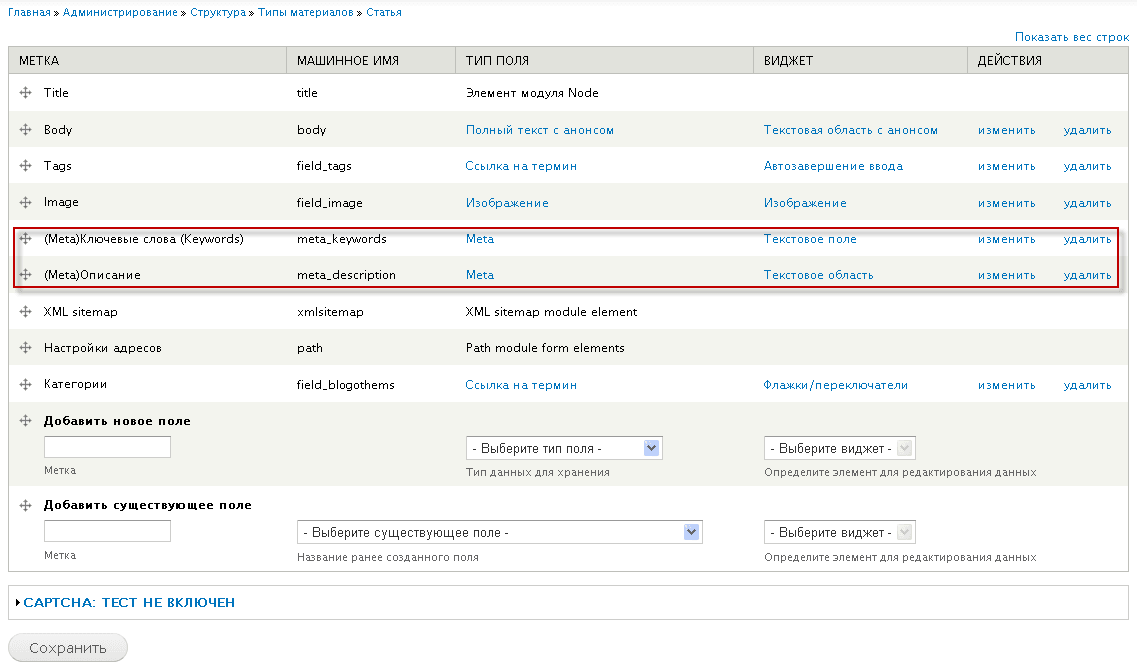
1. It is necessary to remove tables related to meta in all types of materials, standard and own, in my case it was two fields: (Meta) Keywords (Keywords) and (Meta) Description
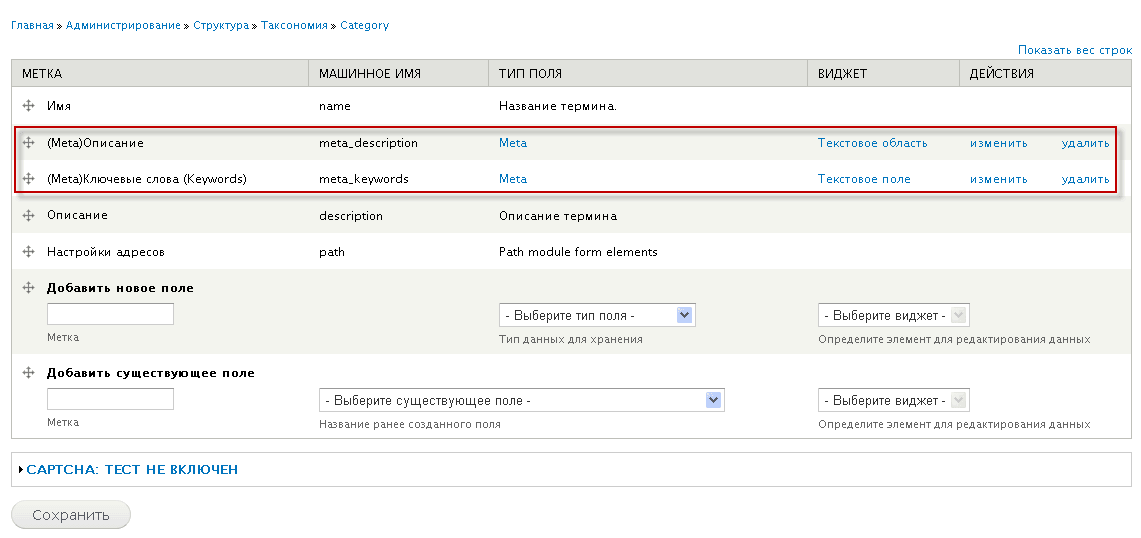
2. If you use taxonomy, it is necessary in all dictionaries in the tab. Field management delete the tables related to meta, in my case it was two fields: (Meta) Keywords (Keywords) and (Meta) Description
3. Go to your site database using phpmyadmin, find 2 fields: field_config and field_config_instance. In these fields, you need to delete the tables related to meta, in my case it was two fields: meta_description and meta_keywords
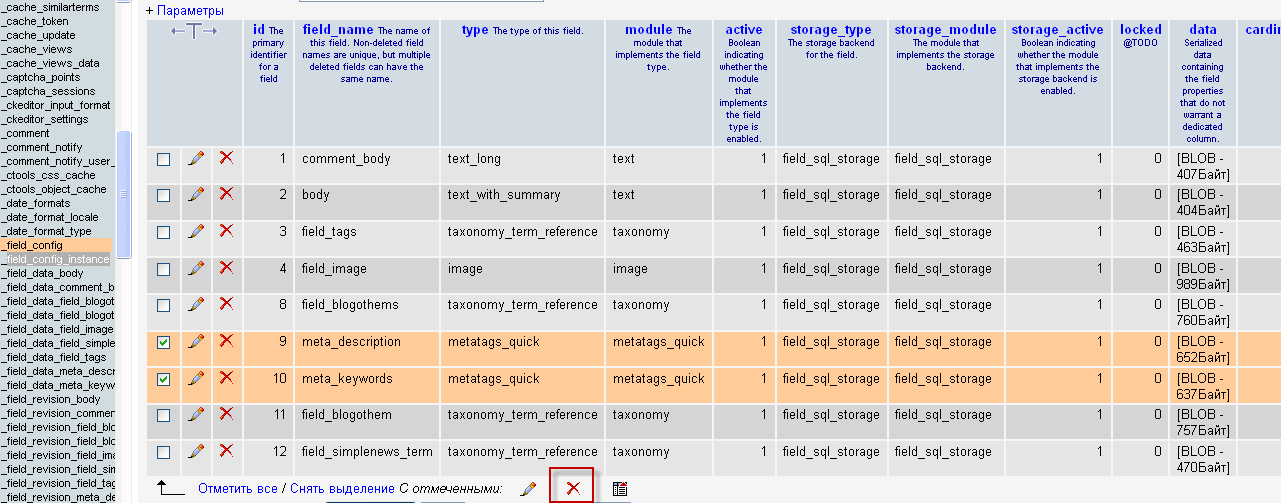
After selecting the necessary fields for deletion in phpmyadmin, click on the cross button and agree to remove the desired fields:

After the steps taken, we launch Cron by clicking on the link http://you_site/admin/config/system/cron

Clear the cache by clicking on the link http://you_site/admin/config/development/performance

And in the modules, we see an active tick opposite the module. Meta tags (quick)which we can remove and save at the bottom of the page.
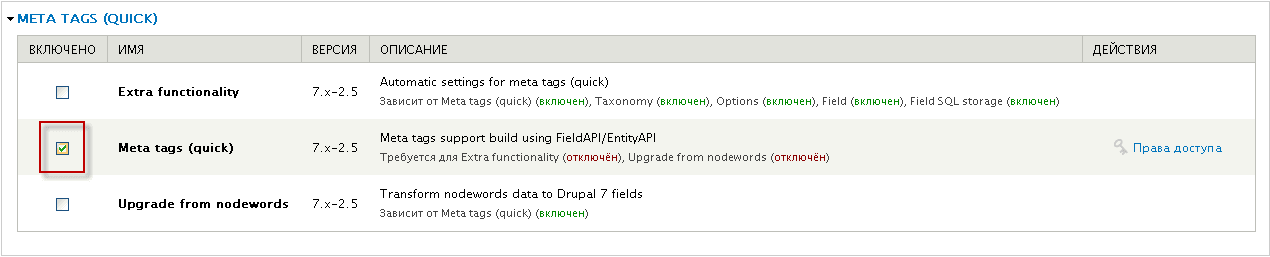
Then we go to the removal page at the address. http://you_site/admin/modules/uninstall remove the module. Meta tags (quick)and also if you have established Extra functionality and Upgrade from nodewords
Module removed. Task accomplished.

comment