


We are starting to prepare and install.
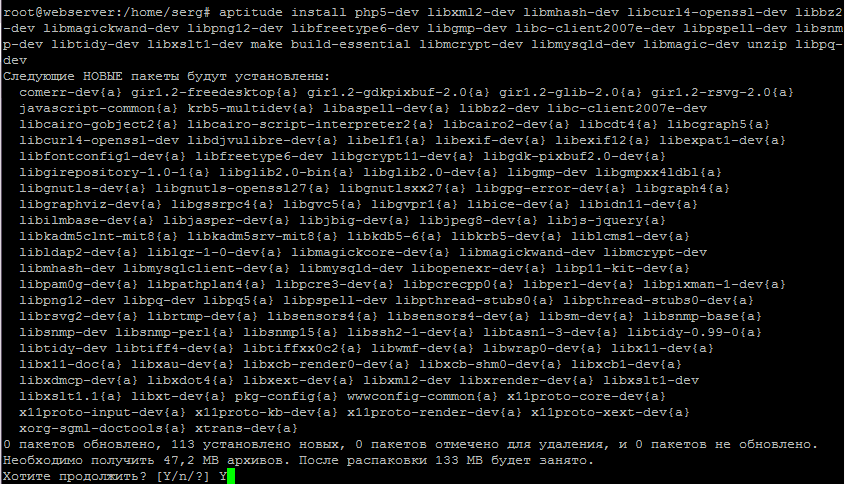
Install the necessary software to build versions PHP 5.2, PHP 5.3, PHP 5.5 and PHP 5.6 And then I did the command.
Mysql:
aptitude install php5-dev libxml2-dev libmhash-dev libcurl4-openssl-dev libbz2-dev libmagickwand-dev libpng12-dev libfreetype6-dev libgmp-dev libc-client2007e-dev libpspell-dev libsnmp-dev libtidy-dev libxslt1-dev make build-essential libmcrypt-dev libmysqld-dev libmagic-dev unzip libpq-dev

Mariadb:
aptitude install php5-dev libxml2-dev libmhash-dev libcurl4-openssl-dev libbz2-dev libmagickwand-dev libpng12-dev libfreetype6-dev libgmp-dev libc-client2007e-dev libpspell-dev libsnmp-dev libtidy-dev libxslt1-dev make build-essential libmcrypt-dev libmariadbd-dev libmagic-dev unzip libpq-dev
for the i386 architecture:
cp /usr/lib/i386-linux-gnu/libjpeg.* /usr/lib/
cp /usr/lib/i386-linux-gnu/libpng.* /usr/lib/
cp /usr/lib/i386-linux-gnu/libmysqlclient.* /usr/lib/
cp /usr/lib/i386-linux-gnu/libkrb5.* /usr/lib/
cp /usr/lib/i386-linux-gnu/libssl.* /usr/lib/
cp /usr/lib/x86_64-linux-gnu/libjpeg.* /usr/lib/
cp /usr/lib/x86_64-linux-gnu/libpng.* /usr/lib/
cp /usr/lib/x86_64-linux-gnu/libmysqlclient.* /usr/lib/
cp /usr/lib/x86_64-linux-gnu/libkrb5.* /usr/lib/
cp /usr/lib/x86_64-linux-gnu/libssl.* /usr/lib/
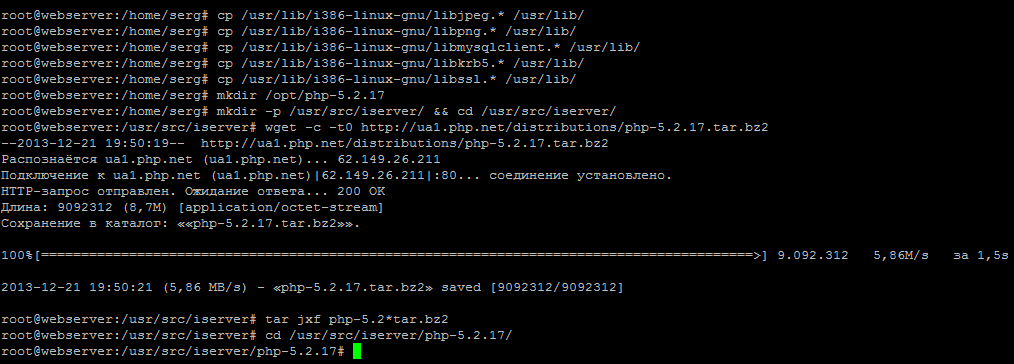
Install PHP version 5.2.17
mkdir /opt/php-5.2.17
mkdir -p /usr/src/iserver/ && cd /usr/src/iserver/
wget -c -t0 http://softnastroy.com/downloads/php5/php-5.2.17.tar.bz2
tar jxf php-5.2*tar.bz2
cd /usr/src/iserver/php-5.2.17/
Download and overlay security patches to php 5.2.17 source code by executing the following commands:
wget http://softnastroy.com/downloads/php5/php52-backports-20130717.patch
patch -p1 < php52-backports-20130717.patch
#
wget http://softnastroy.com/downloads/php5/debian_patches_disable_SSLv2_for_openssl_1_0_0.patch.patch.txt
patch -p1 < debian_patches_disable_SSLv2_for_openssl_1_0_0.patch.patch.txt
./configure \
--prefix=/opt/php-5.2.17 \
--with-config-file-path=/opt/php-5.2.17 \
--with-pdo-pgsql \
--with-zlib-dir \
--with-freetype-dir \
--enable-mbstring \
--with-libxml-dir=/usr \
--enable-soap \
--enable-calendar \
--with-curl=/usr/bin \
--with-mcrypt \
--with-zlib \
--with-gd \
--with-pgsql \
--disable-rpath \
--enable-inline-optimization \
--with-bz2 \
--with-zlib \
--enable-sockets \
--enable-sysvsem \
--enable-sysvshm \
--enable-pcntl \
--enable-mbregex \
--with-mhash \
--enable-zip \
--with-pcre-regex \
--with-mysql \
--with-mysql-sock=/var/run/mysqld/mysqld.sock \
--with-pdo-mysql \
--with-mysqli \
--with-jpeg-dir=/usr/lib/i386-linux-gnu \
--with-png-dir=/usr \
--enable-gd-native-ttf \
--with-openssl \
--enable-ftp \
--with-imap \
--with-imap-ssl \
--with-kerberos \
--with-gettext \
--enable-cli \
--enable-fastcgi \
--enable-discard-path \
--enable-force-cgi-redirect \
--enable-cgi \
--enable-bcmath
./configure \
--prefix=/opt/php-5.2.17 \
--with-config-file-path=/opt/php-5.2.17 \
--with-pdo-pgsql \
--with-zlib-dir \
--with-freetype-dir \
--enable-mbstring \
--with-libxml-dir=/usr \
--enable-soap \
--enable-calendar \
--with-curl=/usr/bin \
--with-mcrypt \
--with-zlib \
--with-gd \
--with-pgsql \
--disable-rpath \
--enable-inline-optimization \
--with-bz2 \
--with-zlib \
--enable-sockets \
--enable-sysvsem \
--enable-sysvshm \
--enable-pcntl \
--enable-mbregex \
--with-mhash \
--enable-zip \
--with-pcre-regex \
--with-mysql \
--with-mysql-sock=/var/run/mysqld/mysqld.sock \
--with-pdo-mysql \
--with-mysqli \
--with-jpeg-dir=/usr/lib/x86_64-linux-gnu \
--with-png-dir=/usr \
--enable-gd-native-ttf \
--with-openssl \
--enable-ftp \
--with-imap \
--with-imap-ssl \
--with-kerberos \
--with-gettext \
--enable-cli \
--enable-fastcgi \
--enable-discard-path \
--enable-force-cgi-redirect \
--enable-cgi \
--enable-bcmath
For Debian 8 Jessie (While it doesn’t work make), we will additionally install several packages and create a folder and simlink to the library for a successful build. PHP 5.2 on Debian Jessie And then I did the command.
aptitude install libkrb5-dev libmysqlclient15-dev
mkdir /usr/include/freetype2/freetype
ln -s /usr/include/freetype2/freetype.h /usr/include/freetype2/freetype/freetype.h
After that, run the command to configure PHP 5.2 in Debian 8 Jessie with i386 architecture:
./configure \
--prefix=/opt/php-5.2.17 \
--with-config-file-path=/opt/php-5.2.17 \
--with-pdo-pgsql \
--with-zlib-dir \
--with-freetype-dir \
--enable-mbstring \
--with-libxml-dir=/usr \
--enable-soap \
--enable-calendar \
--with-curl=/usr/bin \
--with-mcrypt \
--with-zlib \
--with-gd \
--with-pgsql \
--disable-rpath \
--enable-inline-optimization \
--with-bz2 \
--with-zlib \
--enable-sockets \
--enable-sysvsem \
--enable-sysvshm \
--enable-pcntl \
--enable-mbregex \
--with-mhash \
--enable-zip \
--with-pcre-regex \
--with-mysql \
--with-mysql-sock=/var/run/mysqld/mysqld.sock \
--with-pdo-mysql \
--with-mysqli \
--with-jpeg-dir=/usr/lib/i386-linux-gnu \
--with-png-dir=/usr \
--enable-gd-native-ttf \
--with-openssl \
--enable-ftp \
--with-imap \
--with-imap-ssl \
--with-kerberos \
--with-gettext \
--enable-cli \
--enable-fastcgi \
--enable-discard-path \
--enable-force-cgi-redirect \
--enable-cgi \
--enable-bcmath
./configure \
--prefix=/opt/php-5.2.17 \
--with-config-file-path=/opt/php-5.2.17 \
--with-pdo-pgsql \
--with-zlib-dir \
--with-freetype-dir \
--enable-mbstring \
--with-libxml-dir=/usr \
--enable-soap \
--enable-calendar \
--with-curl=/usr/bin \
--with-mcrypt \
--with-zlib \
--with-gd \
--with-pgsql \
--disable-rpath \
--enable-inline-optimization \
--with-bz2 \
--with-zlib \
--enable-sockets \
--enable-sysvsem \
--enable-sysvshm \
--enable-pcntl \
--enable-mbregex \
--with-mhash \
--enable-zip \
--with-pcre-regex \
--with-mysql \
--with-mysql-sock=/var/run/mysqld/mysqld.sock \
--with-pdo-mysql \
--with-mysqli \
--with-jpeg-dir=/usr/lib/x86_64-linux-gnu \
--with-png-dir=/usr \
--enable-gd-native-ttf \
--with-openssl \
--enable-ftp \
--with-imap \
--with-imap-ssl \
--with-kerberos \
--with-gettext \
--enable-cli \
--enable-fastcgi \
--enable-discard-path \
--enable-force-cgi-redirect \
--enable-cgi \
--enable-bcmath

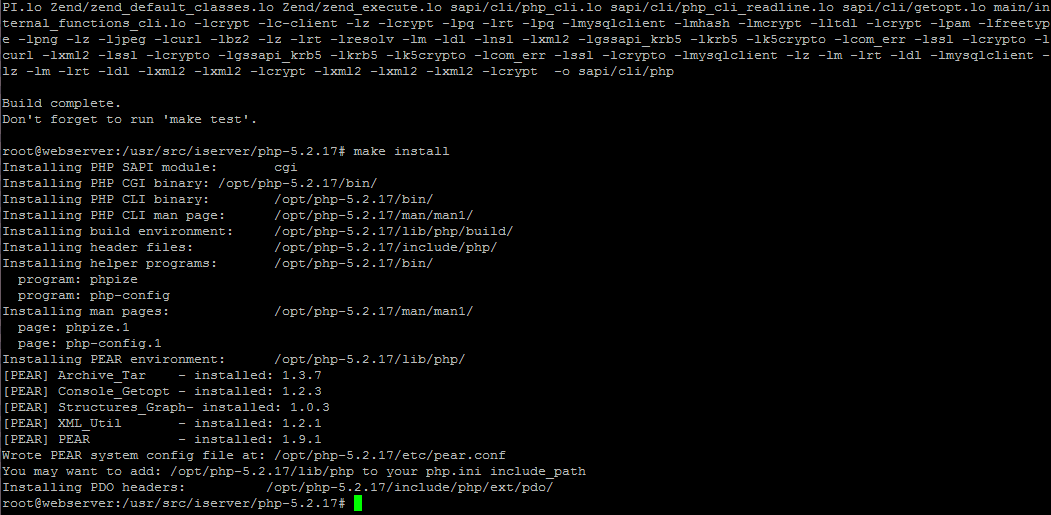
Once configured, start assembling and installing PHP version 5.2.17 by executing the commands:
make
make install
cp /usr/src/iserver/php-5.2.17/php.ini-recommended /opt/php-5.2.17/lib/php.ini
Check the version of the installed PHP Interpreter by executing the command:
/opt/php-5.2.17/bin/php -v
PHP 5.2.17 (cli) (built: Mar 20 2013 10:32:00)
Copyright (c) 1997-2010 The PHP Group
Zend Engine v2.2.0, Copyright (c) 1998-2010 Zend Technologies
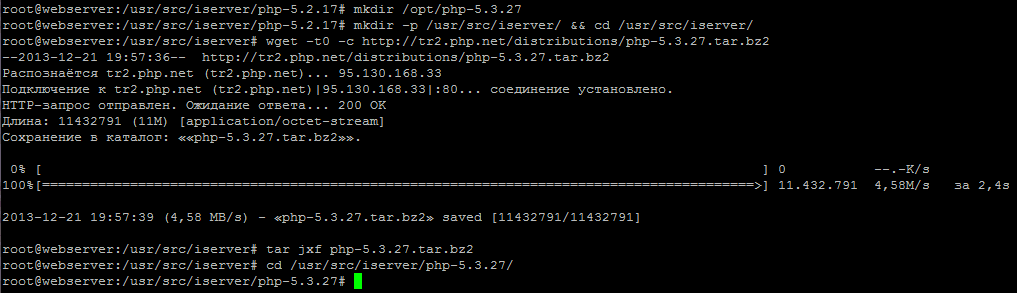
Installing PHP version 5.3
mkdir /opt/php-5.3.29
mkdir -p /usr/src/iserver/ && cd /usr/src/iserver/
wget -t0 -c http://ua2.php.net/distributions/php-5.3.29.tar.gz
tar xvf php-5.3.29.tar.gz
cd /usr/src/iserver/php-5.3.29/
./configure \
--prefix=/opt/php-5.3.29 \
--with-config-file-path=/opt/php-5.3.29 \
--with-pdo-pgsql \
--with-zlib-dir \
--with-freetype-dir \
--enable-mbstring \
--with-libxml-dir=/usr \
--enable-soap \
--enable-calendar \
--with-curl=/usr/bin \
--with-mcrypt \
--with-zlib \
--with-gd \
--with-pgsql \
--disable-rpath \
--enable-inline-optimization \
--with-bz2 \
--with-zlib \
--enable-sockets \
--enable-sysvsem \
--enable-sysvshm \
--enable-pcntl \
--enable-mbregex \
--with-mhash \
--enable-zip \
--with-pcre-regex \
--with-mysql \
--with-pdo-mysql \
--with-mysqli \
--with-jpeg-dir=/usr \
--with-png-dir=/usr \
--enable-gd-native-ttf \
--with-openssl \
--enable-ftp \
--with-imap \
--with-imap-ssl \
--with-kerberos \
--with-gettext \
--enable-cli \
--enable-cgi \
--enable-bcmath
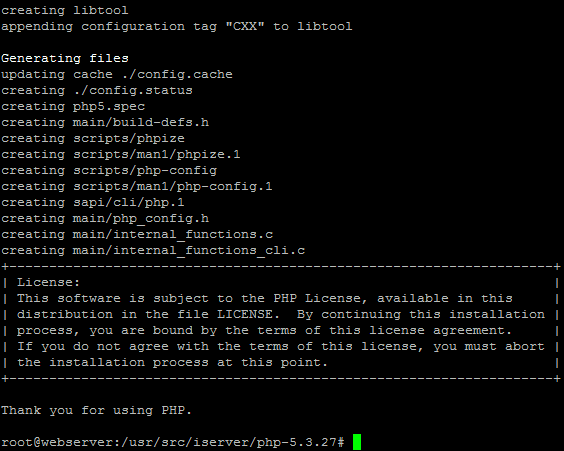
After configuration, build and install PHP 5.3 for ISPConfig 3 in Debian Wheezy by running two commands:
make
make install
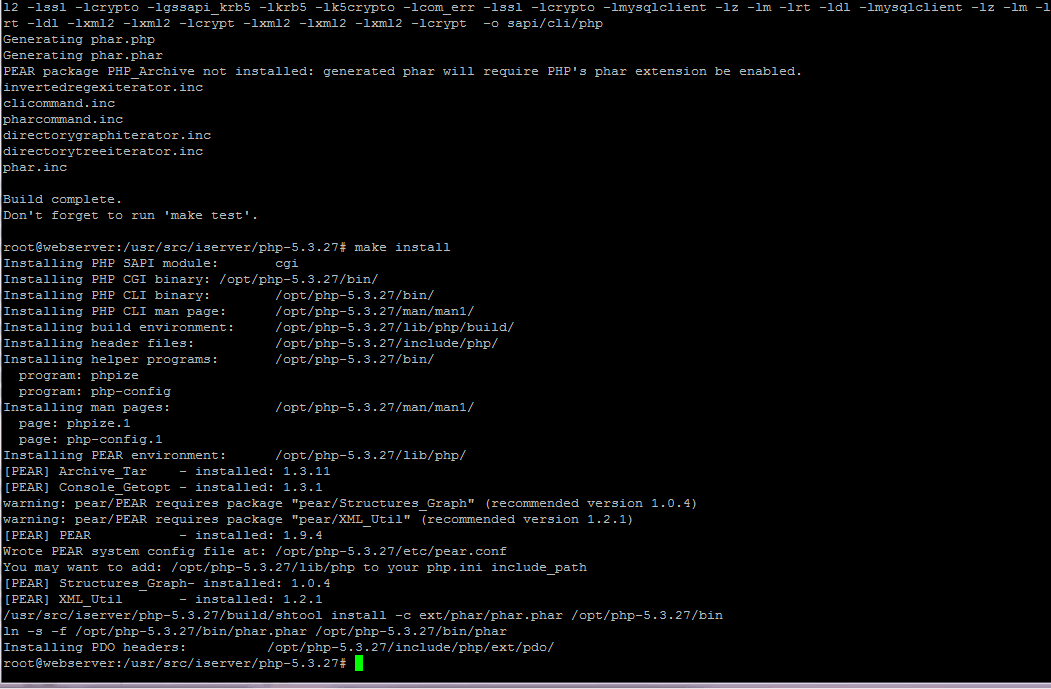
cp /usr/src/iserver/php-5.3.29/php.ini-production /opt/php-5.3.29/lib/php.ini
/opt/php-5.3.29/bin/php -v
PHP 5.3.29 (cli) (built: Sep 19 2013 10:21:28)
Copyright (c) 1997-2013 The PHP Group
Zend Engine v2.3.0, Copyright (c) 1998-2013 Zend Technologies
Installing PHP version 5.5
mkdir /opt/php-5.5.38
mkdir -p /usr/src/iserver/ && cd /usr/src/iserver/
wget -t0 -c http://ua2.php.net/distributions/php-5.5.38.tar.gz
tar xvf php-5.5.38.tar.gz
cd /usr/src/iserver/php-5.5.38/

Start the PHP 5.5.38 language configuration by running the command suitable for both versions of the architectures:
./configure \
--prefix=/opt/php-5.5.38 \
--with-config-file-path=/opt/php-5.5.38 \
--with-pdo-pgsql \
--with-zlib-dir \
--with-freetype-dir \
--enable-mbstring \
--with-libxml-dir=/usr \
--enable-soap \
--enable-calendar \
--with-curl=/usr/bin \
--with-mcrypt \
--with-zlib \
--with-gd \
--with-pgsql \
--disable-rpath \
--enable-inline-optimization \
--with-bz2 \
--with-zlib \
--enable-sockets \
--enable-sysvsem \
--enable-sysvshm \
--enable-pcntl \
--enable-mbregex \
--with-mhash \
--enable-zip \
--with-pcre-regex \
--with-mysql \
--with-pdo-mysql \
--with-mysqli \
--with-jpeg-dir=/usr \
--with-png-dir=/usr \
--enable-gd-native-ttf \
--with-openssl \
--enable-ftp \
--with-imap \
--with-imap-ssl \
--with-kerberos \
--with-gettext \
--enable-cli \
--enable-cgi \
--enable-bcmath
Once configured, start assembling and installing PHP version 5.5.38 by executing the commands:
make
make install
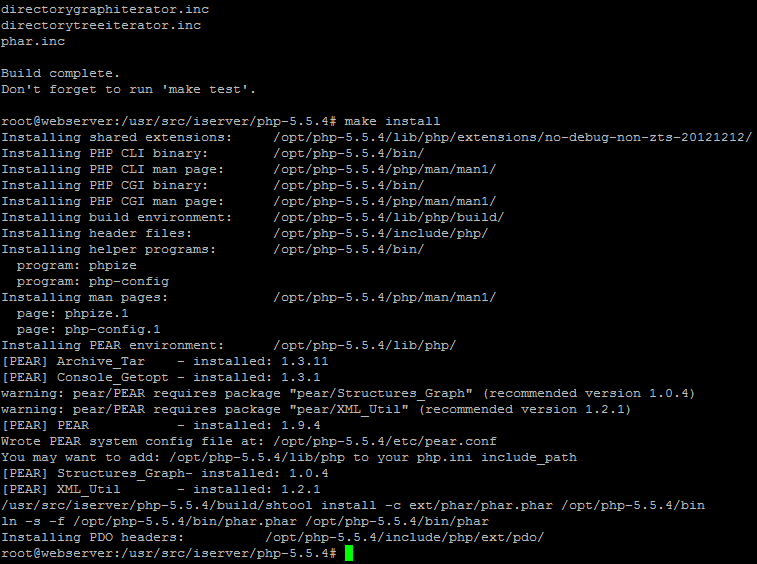
Create a configuration file php.iniFor this, we will execute the command:
cp /usr/src/iserver/php-5.5.38/php.ini-production /opt/php-5.5.38/lib/php.ini
/opt/php-5.5.38/bin/php -v
PHP 5.5.38 (cli) (built: Aug 17 2014 14:28:45)
Copyright (c) 1997-2014 The PHP Group
Zend Engine v2.5.0, Copyright (c) 1998-2014 Zend Technologies
Installing PHP version 5.6
mkdir /opt/php-5.6.30
mkdir -p /usr/src/iserver/ && cd /usr/src/iserver/
wget -t0 -c http://ua2.php.net/distributions/php-5.6.30.tar.gz
tar xvf php-5.6.30.tar.gz
cd /usr/src/iserver/php-5.6.30/
Start the PHP 5.6 language configuration by running the command suitable for both versions of the architectures:
./configure \
--prefix=/opt/php-5.6.30 \
--with-config-file-path=/opt/php-5.6.30 \
--with-pdo-pgsql \
--with-zlib-dir \
--with-freetype-dir \
--enable-mbstring \
--with-libxml-dir=/usr \
--enable-soap \
--enable-calendar \
--with-curl=/usr/bin \
--with-mcrypt \
--with-zlib \
--with-gd \
--with-pgsql \
--disable-rpath \
--enable-inline-optimization \
--with-bz2 \
--with-zlib \
--enable-sockets \
--enable-sysvsem \
--enable-sysvshm \
--enable-pcntl \
--enable-mbregex \
--with-mhash \
--enable-zip \
--with-pcre-regex \
--with-mysql \
--with-pdo-mysql \
--with-mysqli \
--with-jpeg-dir=/usr \
--with-png-dir=/usr \
--enable-gd-native-ttf \
--with-openssl \
--enable-ftp \
--with-imap \
--with-imap-ssl \
--with-kerberos \
--with-gettext \
--enable-cli \
--enable-cgi \
--enable-bcmath
Once configured, start assembling and installing PHP version 5.6 by executing the commands:
make
make install
Create a configuration file php.iniFor this, we will execute the command:
cp /usr/src/iserver/php-5.6.30/php.ini-production /opt/php-5.6.30/lib/php.ini
/opt/php-5.6.30/bin/php -v
system response:
PHP 5.6.30 (cli) (built: Jun 14 2017 09:21:49)
Copyright (c) 1997-2016 The PHP Group
Zend Engine v2.6.0, Copyright (c) 1998-2016 Zend Technologies
Add the established languages PHP 5.2, PHP 5.3, PHP 5.5 and PHP 5.6 to ISPConfig 3
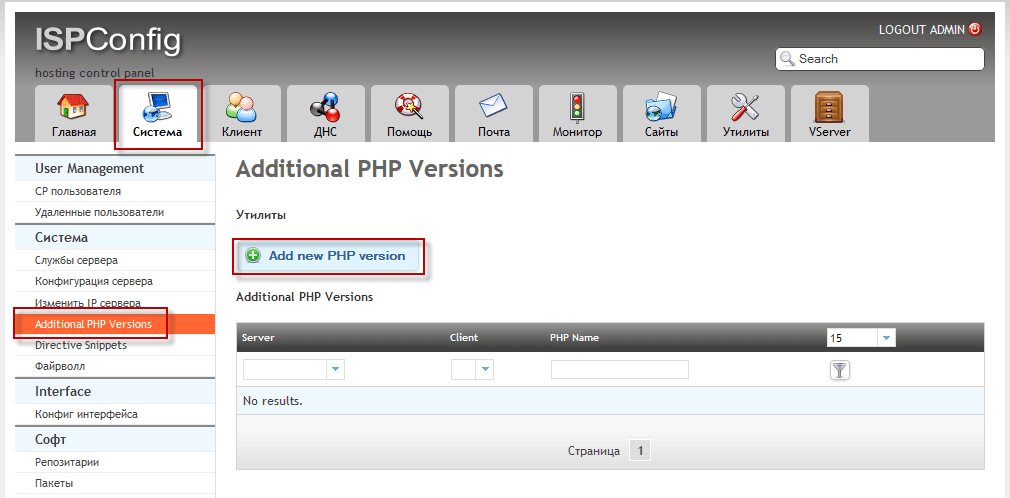
- Server: webserver.server.loc
- Client:
- PHP Name: php-5.2.17
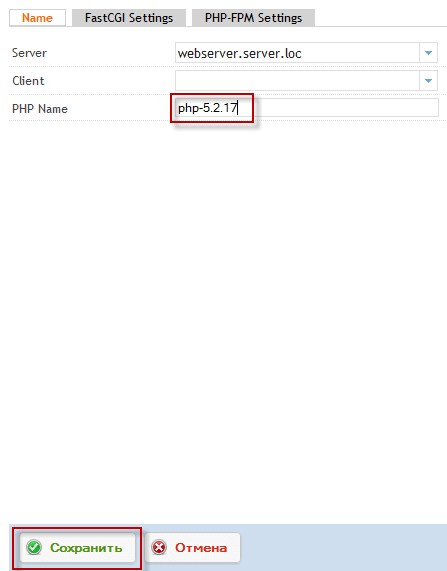
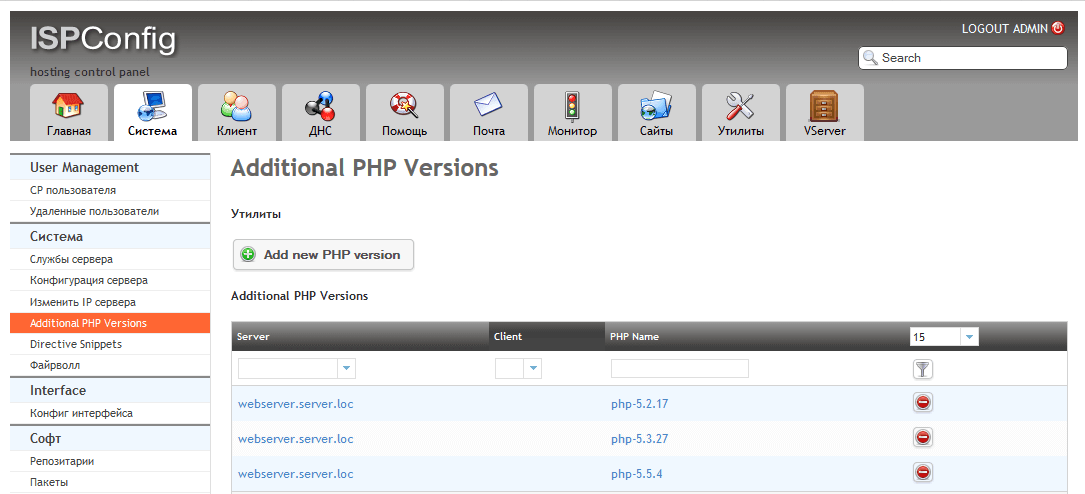
The rest of the PHP language is included in the example above.
Add the PHP 5.3 language to the panel ISPConfig 3 at Debian Wheezy
- Server: webserver.server.loc
- Client:
- PHP Name: php-5.3.29
Add PHP 5.5 to the ISPConfig 3 panel in Debian Wheezy
- Server: webserver.server.loc
- Client:
- PHP Name: php-5.5.38
Add PHP 5.6 to the ISPConfig 3 panel in Debian
- Server: webserver.server.loc
- Client:
- PHP Name: php-5.6.30
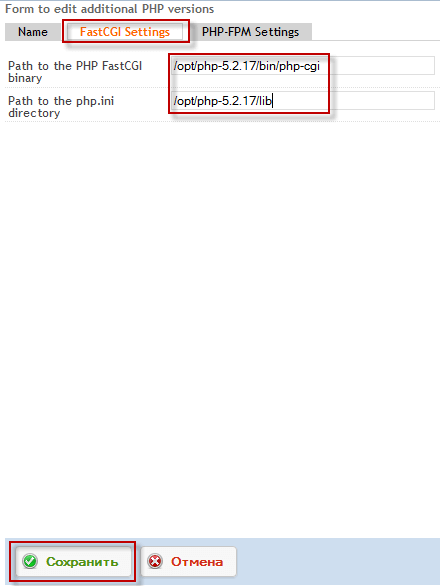
- Path to the PHP FastCGI binary: /opt/php-5.2.17/bin/php-cgi
- Path to the php.ini directory: /opt/php-5.2.17/lib
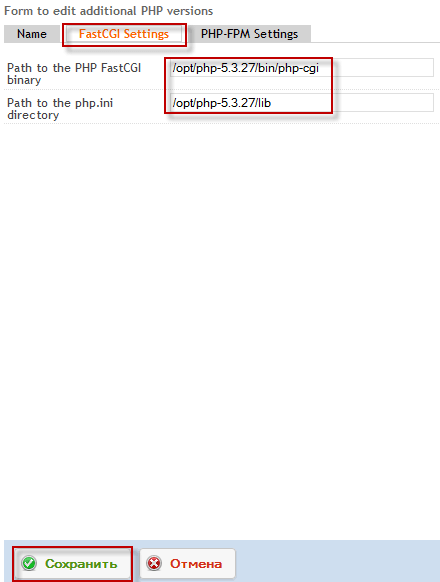
- Path to the PHP FastCGI binary: /opt/php-5.3.29/bin/php-cgi
- Path to the php.ini directory: /opt/php-5.3.29/lib
- Path to the PHP FastCGI binary: /opt/php-5.5.38/bin/php-cgi
- Path to the php.ini directory: /opt/php-5.5.38/lib
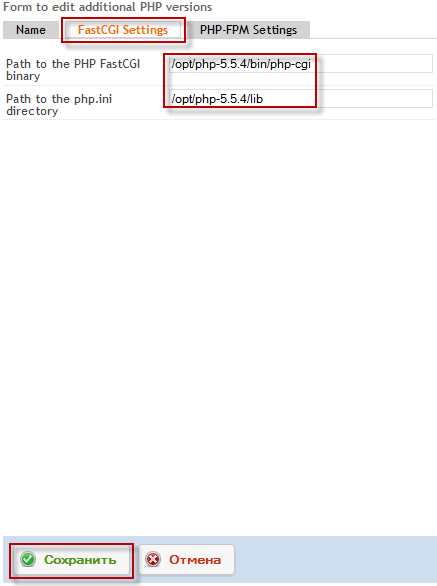
- Path to the PHP FastCGI binary: /opt/php-5.6.30/bin/php-cgi
- Path to the php.ini directory: /opt/php-5.6.30/lib
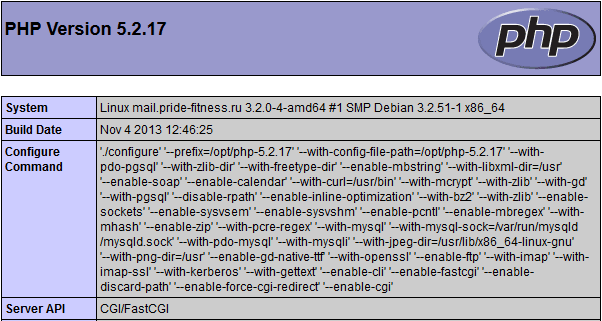
Check the operability of the installed PHP version of the language
echo '<?php phpinfo(); ?>' > /var/www/mail.server.loc/web/i.php
chmod 755 /var/www/mail.server.loc/web/i.php
http://mail.server.loc/i.php

http://mail.server.loc/i.php
http://mail.server.loc/i.php

http://mail.server.loc/i.php


comment