

IPv6 It is a new version of the IP protocol, replacing the old IPv4 protocol due to the 32-bit address length limit. The new version of IPv6 has an address length of 128 bits, which gives a huge number of IP addresses that for IPv6 currently run out.
On both the Russian and Ukrainian Internet, this protocol is still gaining momentum from individual providers, but it is not yet widely used, so in order to avoid wasting valuable system resources of the Debian Squeeze server, we will disable the IPv6 version on our Linux server.
If you don’t know how to disable IPv6 in Debian Squeeze or Ubuntu Server, you’ve come to the right place. The steps required to disable IPv6 for Debian and Ubuntu are identical, so simply follow the steps below on your server, whether it is Debian or Ubuntu, as long as you have a Grub2 bootloader installed.
To check if our Debian server has IPv6 enabled, we will run commands from the root user:
ifconfig | grep inet6
Debian server response:
root@iserver:/home/serg# ifconfig | grep inet6
          inet6 addr: fe80::4c7b:57ff:fec8:1843/64 Scope:Link
          inet6 addr: fe80::92e6:baff:fe71:9e63/64 Scope:Link
          inet6 addr: fe80::a00c:25ff:fe5b:cd5f/64 Scope:Link
          inet6 addr: fe80::92e6:baff:fe71:9e63/64 Scope:Link
          inet6 addr: fe80::f66d:4ff:fe64:630f/64 Scope:Link
          inet6 addr: ::1/128 Scope:Host
          inet6 addr: fe80::54cf:3dff:fea8:df4c/64 Scope:Link
          inet6 addr: fe80::e8e4:7eff:fe58:33ad/64 Scope:Link
          inet6 addr: fe80::e0dd:6aff:fe1e:3b78/64 Scope:Link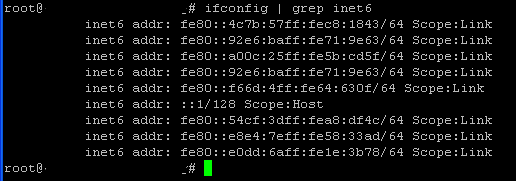
The system responded with a list of IPv6 addresses, so we will disable the IPv6 protocol.
Disable IPv6 in Debian Squeeze will change the settings of the bootloader system Grub2
To disable tcp ipv6 in Debian Squeeze, change the file /etc/default/grub:
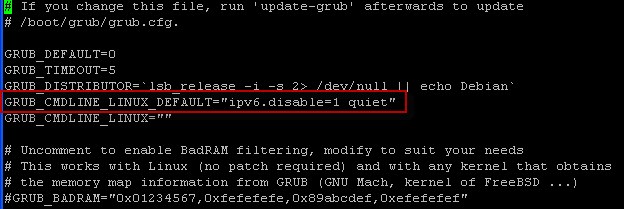
vi /etc/default/grub
was:
...
GRUB_CMDLINE_LINUX_DEFAULT="quiet"
...
became:
...
GRUB_CMDLINE_LINUX_DEFAULT="ipv6.disable=1 quiet"
...
After saving the changes, you need to update the loader Debian Grub2 team:
update-grub

After updating Grub2, we need to restart Debian server by executing the reboot command:
reboot
After loading Debian Check the shutdown of tcp ipv6 by executing the command:
ifconfig | grep inet6
In response to the command, the system did not give us anything, so tcp ipv6 is disabled:

When you came to this article, if you didn’t know how to simply disable IPv6 for Debian or Ubuntu servers, then I think you’ve filled that gap.
Thank you for your attention, I was with you. Lazarenko Sergey.
A little break from work. Take a look at the impact of the meteorite in Chelyabinsk:

comment