

 Hello, dear visitor.
On the Internet, there are a huge number of instructions and services how to download videos from a site, but when you need to download from a site where the video is played using the rtmp protocol, in reality, working instructions are not enough. So I decided to write down one of the working instructions.
We will download a small video at the address.
To use to download video from the site by rtmp protocol will be a free program Streamtransport.
Download the Streamtransport program at the link c
If the official site is not available, then you can download from my website
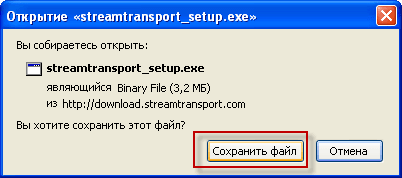
We save the Streamtransport file to the computer disk:
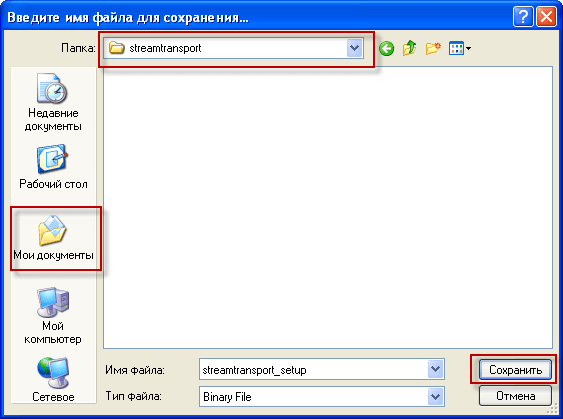
Select the place where we will save the program file Streamtransport into a folder My papers.:
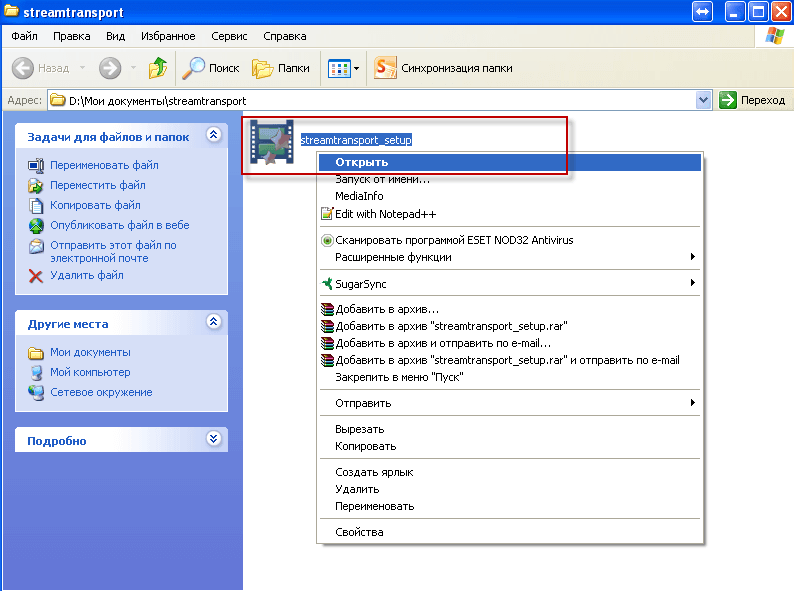
Run the downloaded and saved program Streamtransport for installation in your computer:
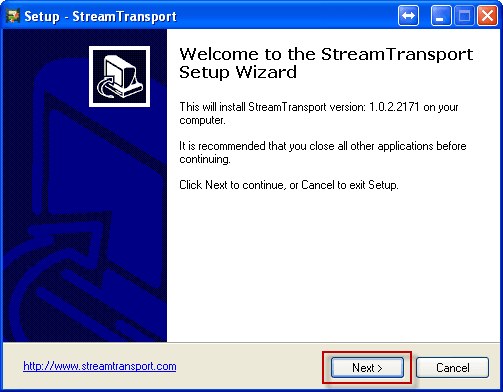
Start installing the Streamtransport program:
Selection of folder for installing the Streamtransport program:
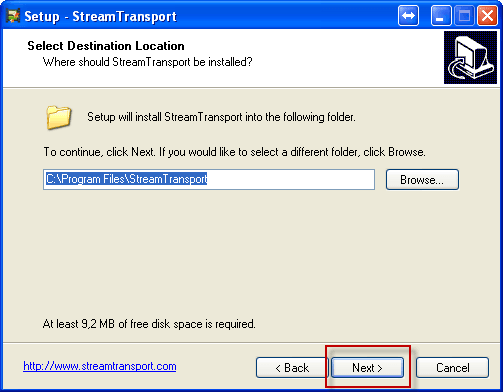
To continue the installation, press the button Next >:
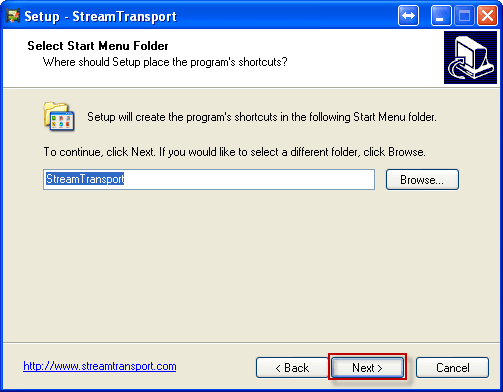
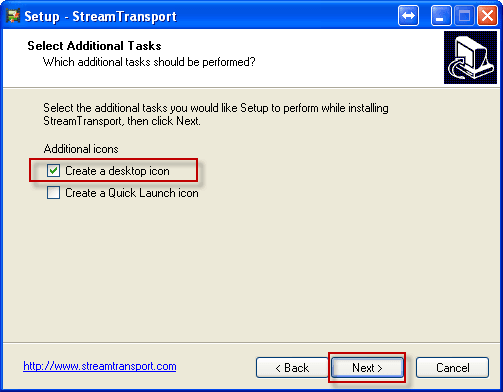
We note the tick of creating a shortcut for the launch of the program Streamtransport on the desktop:
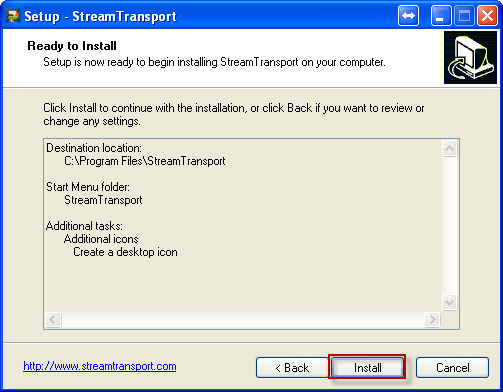
Start the program installation directly by pressing the button Install:
Installation of the programme Streamtransport for downloading videos from sites using the rtmp protocol is completed, mark the tick to launch the program and press the button Finish:

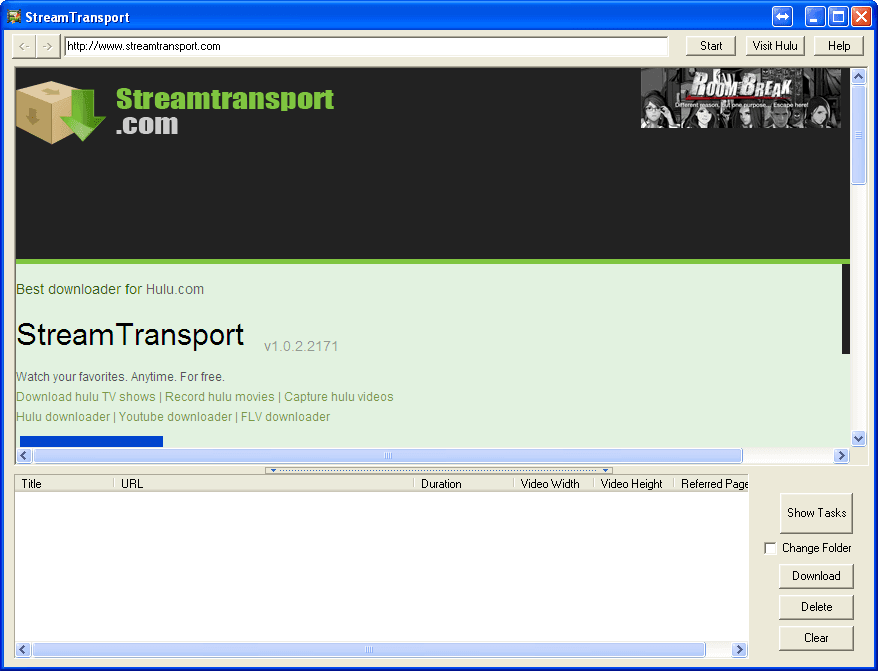
The Streamtransport program window at launch is an address bar in the upper part in which it is necessary to specify the address of the page from which we need to download video using the rtmp protocol, in the middle part of the page that is displayed as in the browser and at the bottom the address of the video file found on the page is indicated:
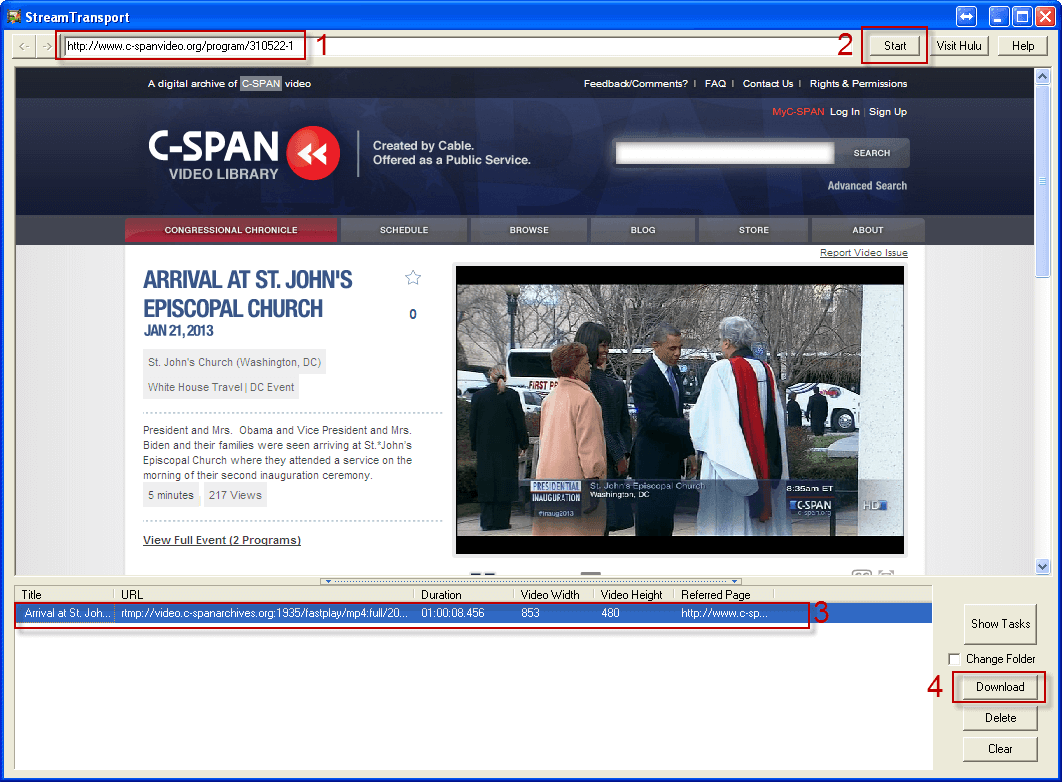
We prescribe in the address page the address of the web page from which we need to download the video file and click Enteror press the button. Start to open a site with video content, as soon as the player with a video clip opens, click on playing the video clip, at the bottom of the third window the video address will appear on the video rtmp protocol. Press the address in the third window and press the button. Download:
After clicking on the Download button, a window will appear showing the process of saving the file form:
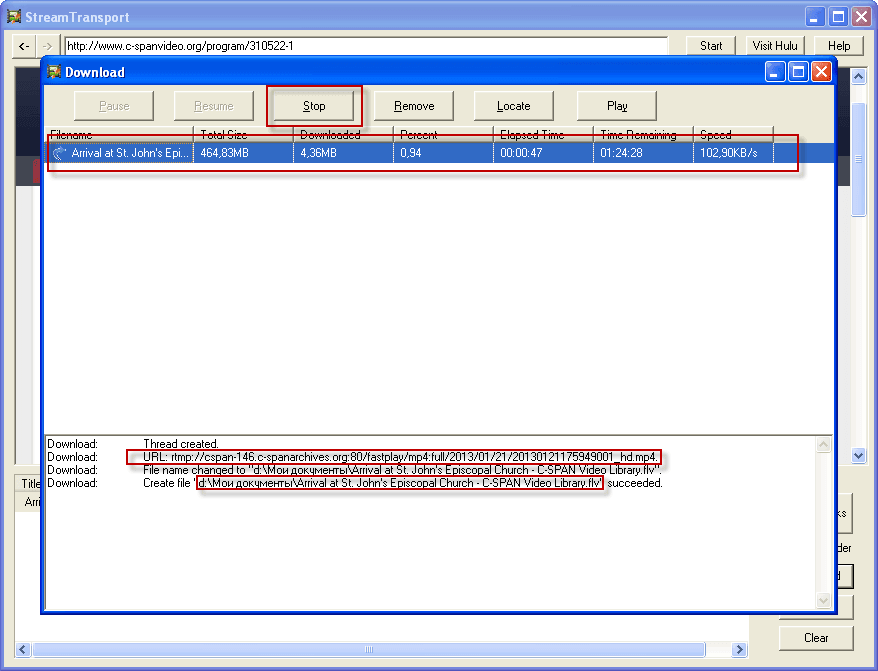
The process of recording a video file continues the time it takes to play the video, that is, if the video lasting 5 minutes is played in the second window, then you must press the Stop button to complete the download, on the screenshot above the button is circled.
After that, our video clip is saved to the My Documents folder, the saved file can be opened and viewed either in a browser or in a media player.
The task of this manual is completed, a video from the site by protocol rtmp It's uploaded to a computer.
In the following instructions, we will cut out a sound file from this video.
If you have a more interesting, simple solution to this topic, please write in the comments to the article, I will be very grateful.
And now let's take a break from work for 2 minutes watching the parkour of our smaller brothers:

comment