

! All changes that you make, you do at your own risk, there is a chance to kill the router, but if you do not kill - you will lose the official warranty on the WI-FI router, if you can not return the official firmware before sending to the service.
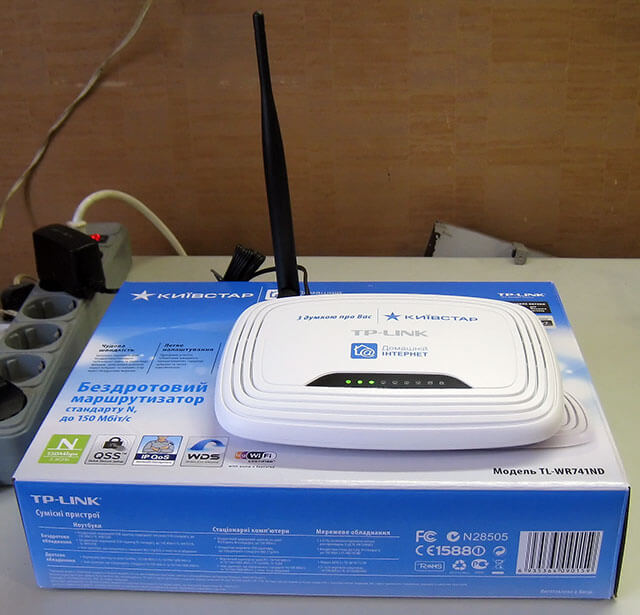
Since I myself use the Internet from Kyivstar, and I have a router, I decided to take a promotional router TL-WR741ND to connect it to relatives using another provider.
Started configuring the Internet connection via pptpd and got an error when setting up - swearing at DNS - said that not correct DNS in the Kyivstar network.
Therefore, I had to flash it with firmware, which allows you to use the router for other providers.
Router firmware Kyivstar TL-741NDv2.4
After receiving the router on the reverse side we see the model of the router: TL-WR741ND(KS) Ver:2.4If you have the same model, you can download the firmware and sew.
Download the firmware at the link: Download firmware for router Kievstar TL-WR741ND(KS) Ver:2.4
Unlock the firmware to the root of disk C or D.
In order to flash the router, you need to configure the computer network:
Set to receive network settings automatically, turn on the router, connect the network cord to the network card of the computer and in one of the four yellow ports WI-FI router TL-WR741ND, the computer will receive an automatic address from the WiFi router TL-WR741ND.
We open the address in the browser:
http://192.168.1.1/userRpm/SoftwareUpgradeRpm.htm
Press the open button, select the previously downloaded firmware file and flash. After installing the firmware, we can modify and configure the router for other providers.
Router firmware Kyivstar TL-741NDv4
Due to the fact that many users ask to lay out also firmware for router Kyivstar TL-741NDv4, I lay out the firmware for this router.
The firmware itself is taken on website.
Let's get to the firmware.
Download the firmware at the link: Download firmware for router Kievstar TL-741NDv4
We're unblocking the firmware.
We open the address in the browser:
http://192.168.1.1/userRpm/SoftwareUpgradeRpm.htm
In the window that opens, select the unarchivated firmware file and start the firmware procedure.
After firmware you can sew the router with the official factory firmware TP-link
Download the factory firmware at the link: Download firmware for router TL-WR741ND_V4.20_130111_RU
We open the address in the browser:
http://192.168.0.1/userRpm/SoftwareUpgradeRpm.htm
In the window that opens, select the unarchivated factory firmware file and start the firmware procedure.
After firmware you have a non-laden router that can be used both to connect the Internet from Kyivstar and to connect to other providers.
Source: http://weblance.com.ua/blog/137-proshivka-kievstarovskogo-routera-tp-link-tl-741nd-v4.html
Source: http://weblance.com.ua/blog/137-proshivka-kievstarovskogo-routera-tp-link-tl-741nd-v4.html

comment