

DP715 It is a new generation of powerful, inexpensive, high-quality and easy to use wireless IP-DECT phone for small businesses and home use. It is compact, provides the highest sound quality, has a huge set of functions, has the best price-quality ratio on the market, as well as a wide range of radio signal action, so that users can enjoy the benefits of mobility and voice transmission over the IP protocol for a low price. The DP715 is fully compliant with the SIP/DECT standard and has proven features for flexible deployment.
2 DP710 tubes are connected to this database, we need to connect them to the Asterisk telephone PBX configured according to the instructions: Setting up the Asterisk PBX
Connect the device to the network, turn on and see what IP received the device, using this IP connect to the web interface management through a web browser. The standard password for the admin input, it must be changed to a more complex one, and written in a notebook.

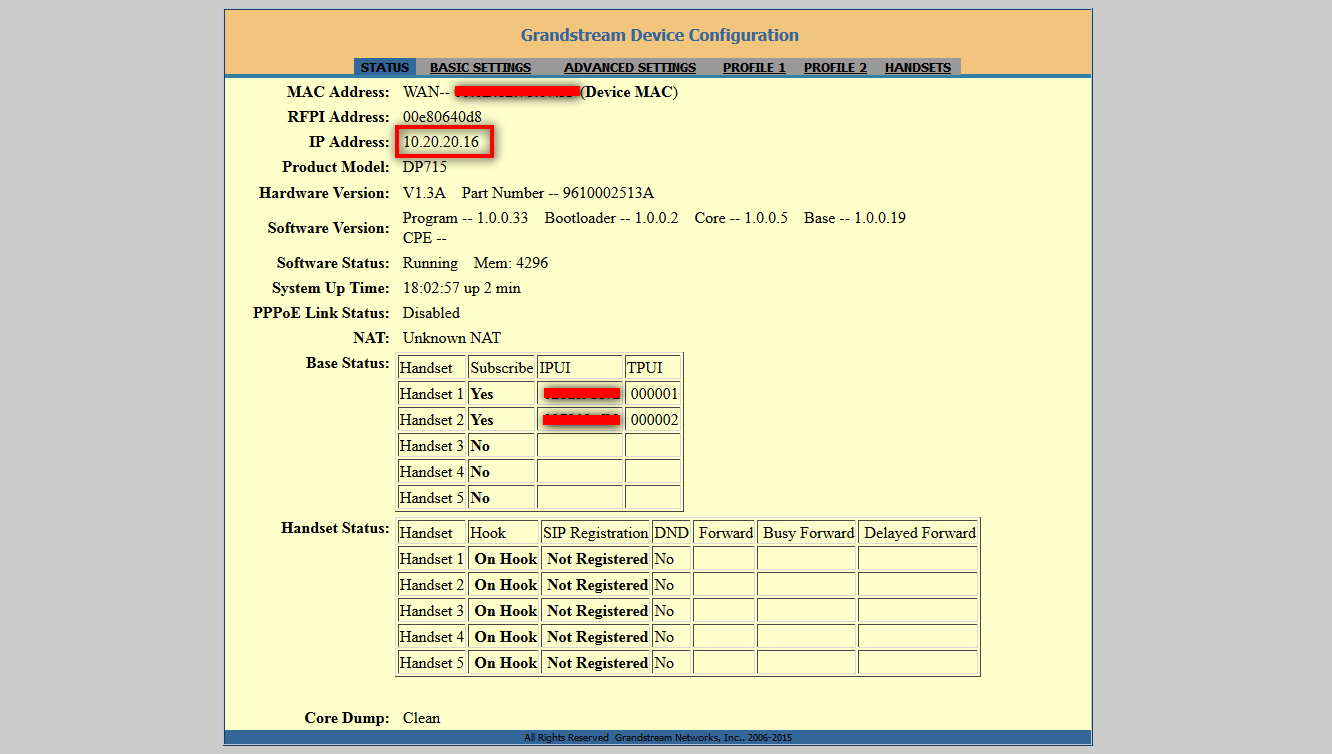
On the first page of STATUS, you can see which tubes are connected to the database and whether they are connected to the Asterisk server:
On the tab. BASIC SETTINGS Set up a complex user password USER to a more complex, and also transfer the base to work with a static IP address, apply changes by clicking on Apply. If you need to reset the base to factory settings, either click on the Reset button at the bottom of the page. BASIC SETTINGS or on the base press and hold the recessed button reset match:

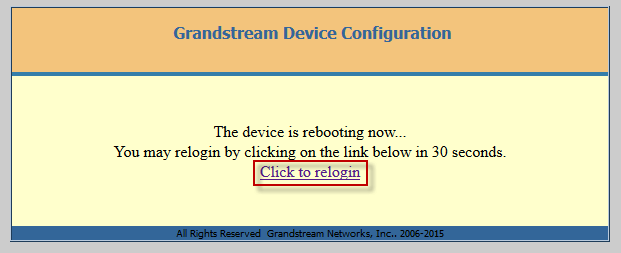
You will be asked to restart the base, press the button. Reboot:

After restarting the base, click the button Click to relogin:
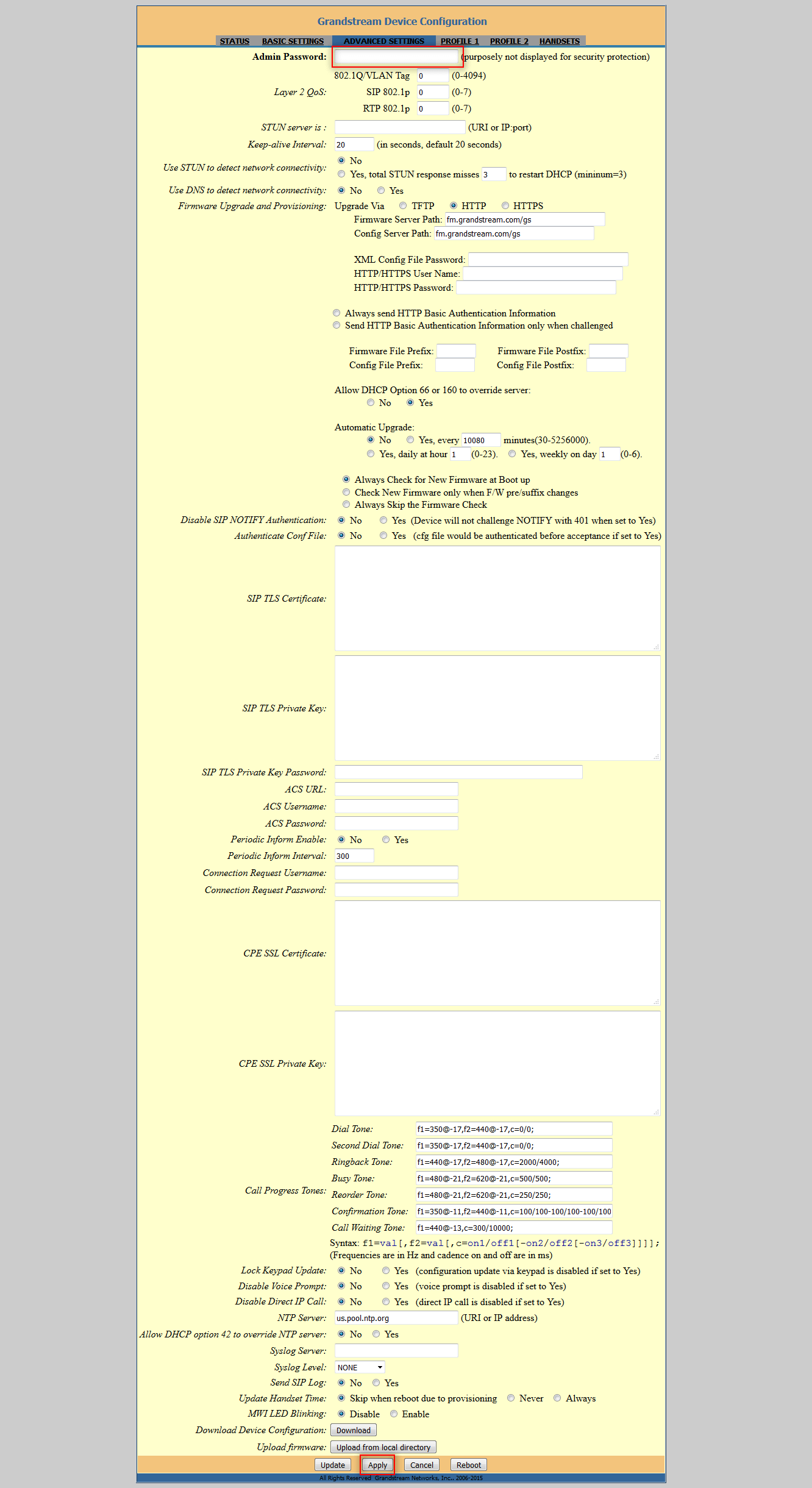
On the ADVANCED SETTINGS tab, we set a complex password (must write in a notebook) to the admin user and click on the Apply button for application:
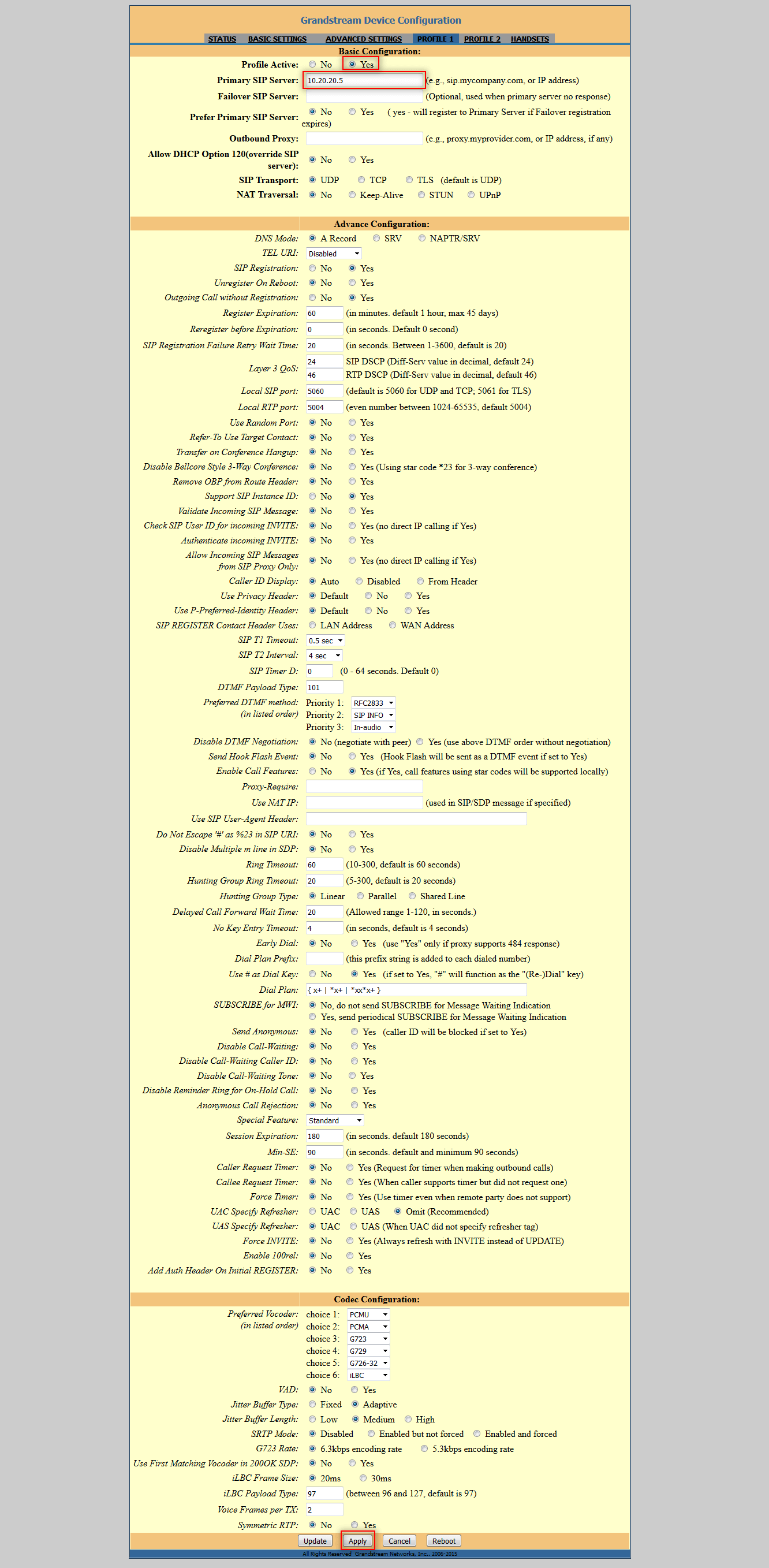
On the tab. PROFILE 1 activate Profile 1 checkboxing Yes and entering the IP address of the Asterisk server, in my case 10.20.20.5apply Changes to the Apply button:
On the tab. HANDSETS We prescribe phone number settings and password from your Asterisk server. On this base you can configure 5 numbers, we will set up only 2. To set up, you need to note the checkbox Yes field Enable Handset, enter the number and password. On unused rooms. Enable Handset Checkbox set in NoAfter making changes, apply the setting by clicking on the button Apply:
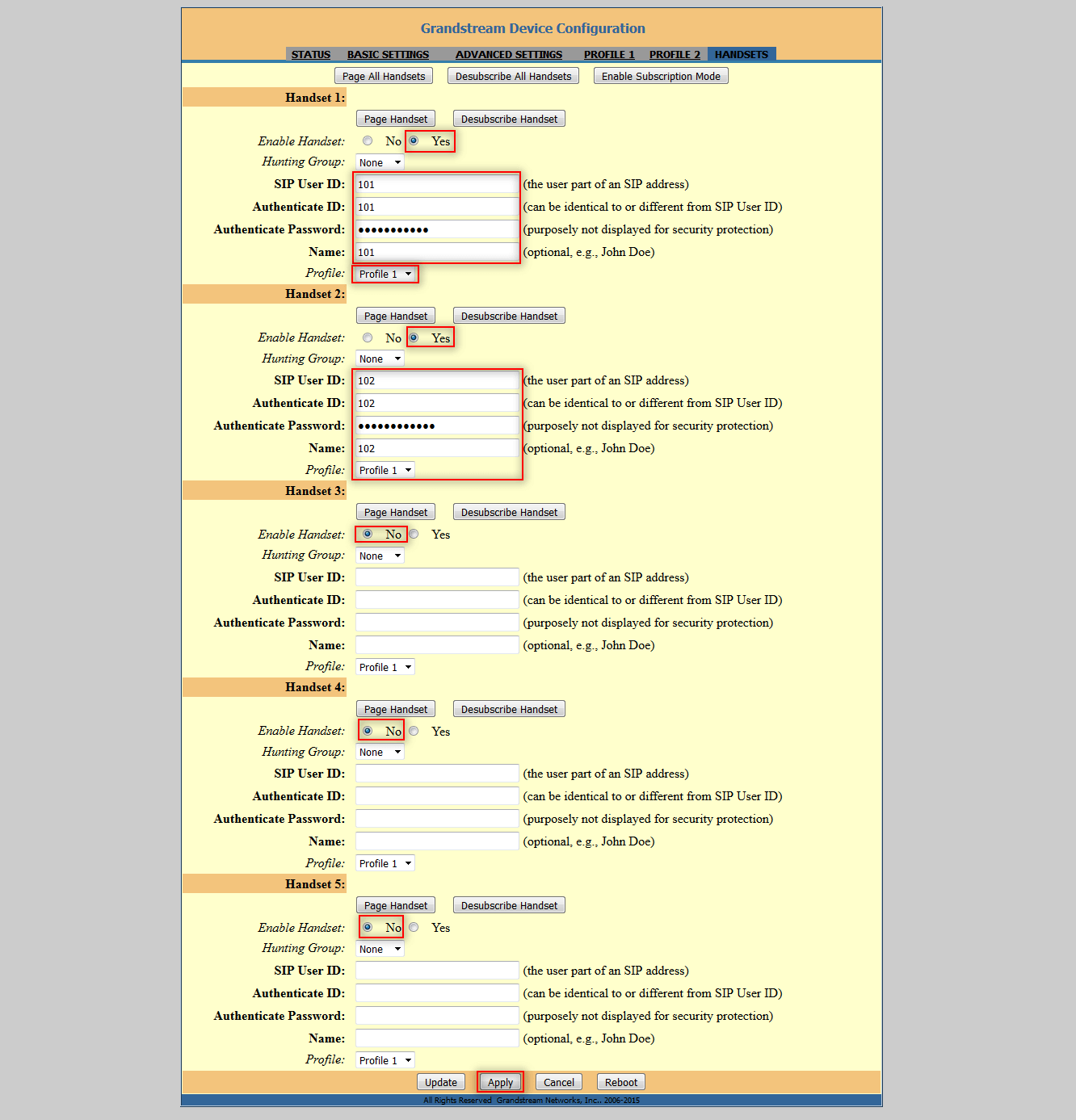
After setting up the numbers, go to the tab STATUS and see the registered numbers Handset 1 and Handset 2:

Today, we configured the connection of the Grandstream DP715 phone to the Asterisk PBX server.
I was with you. Sergey Lazarenko.

comment